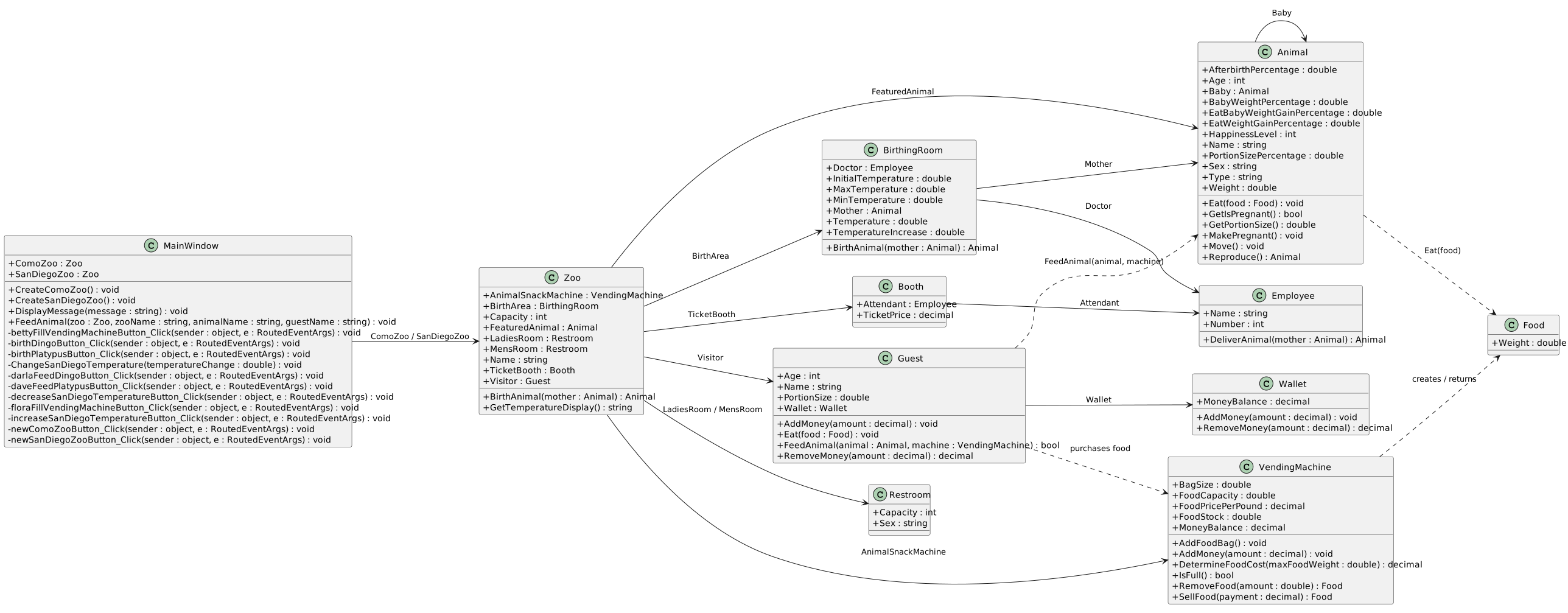
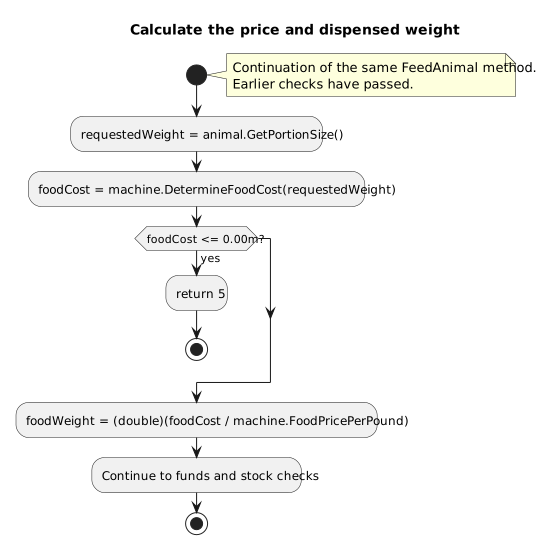
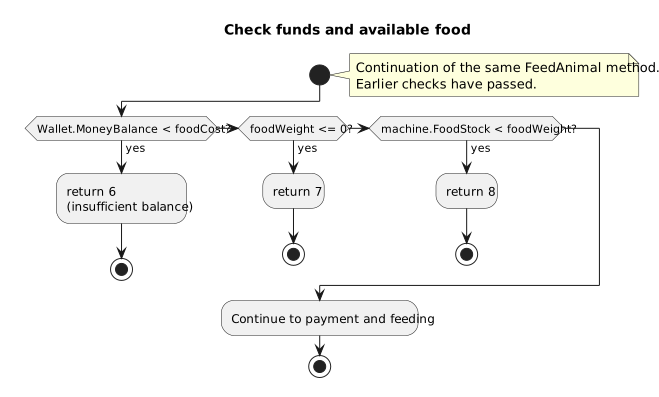
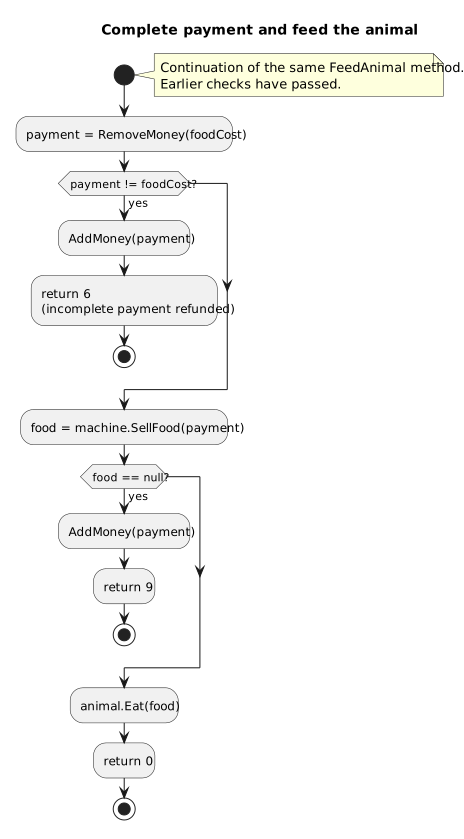
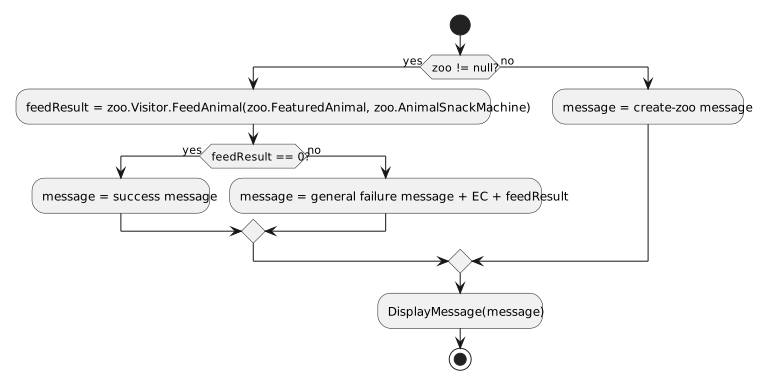
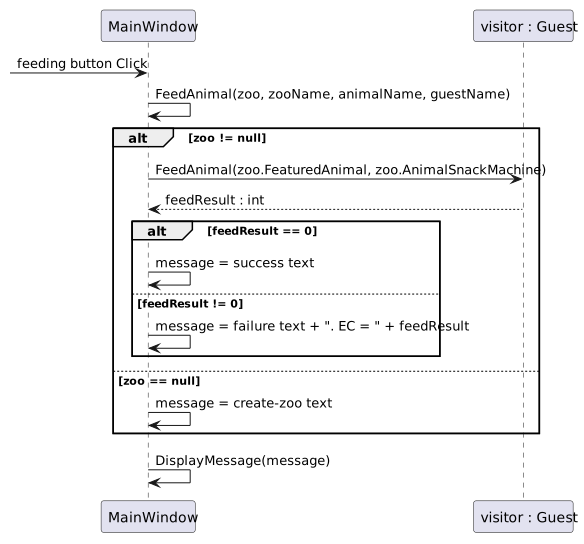
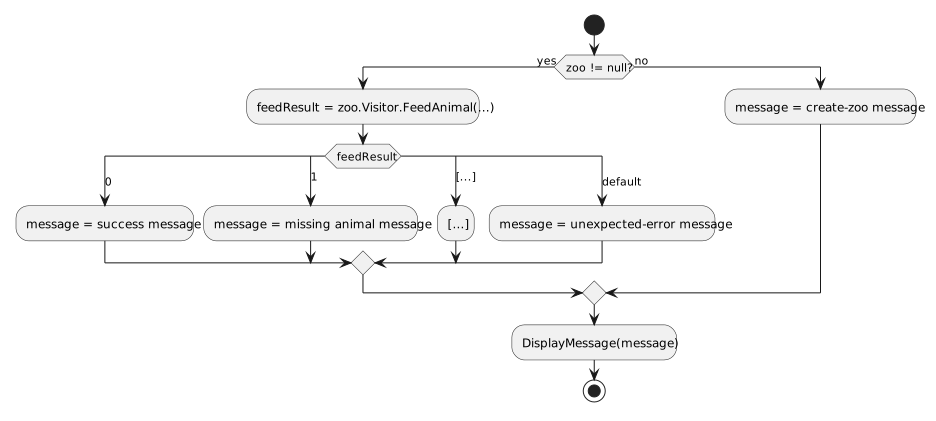
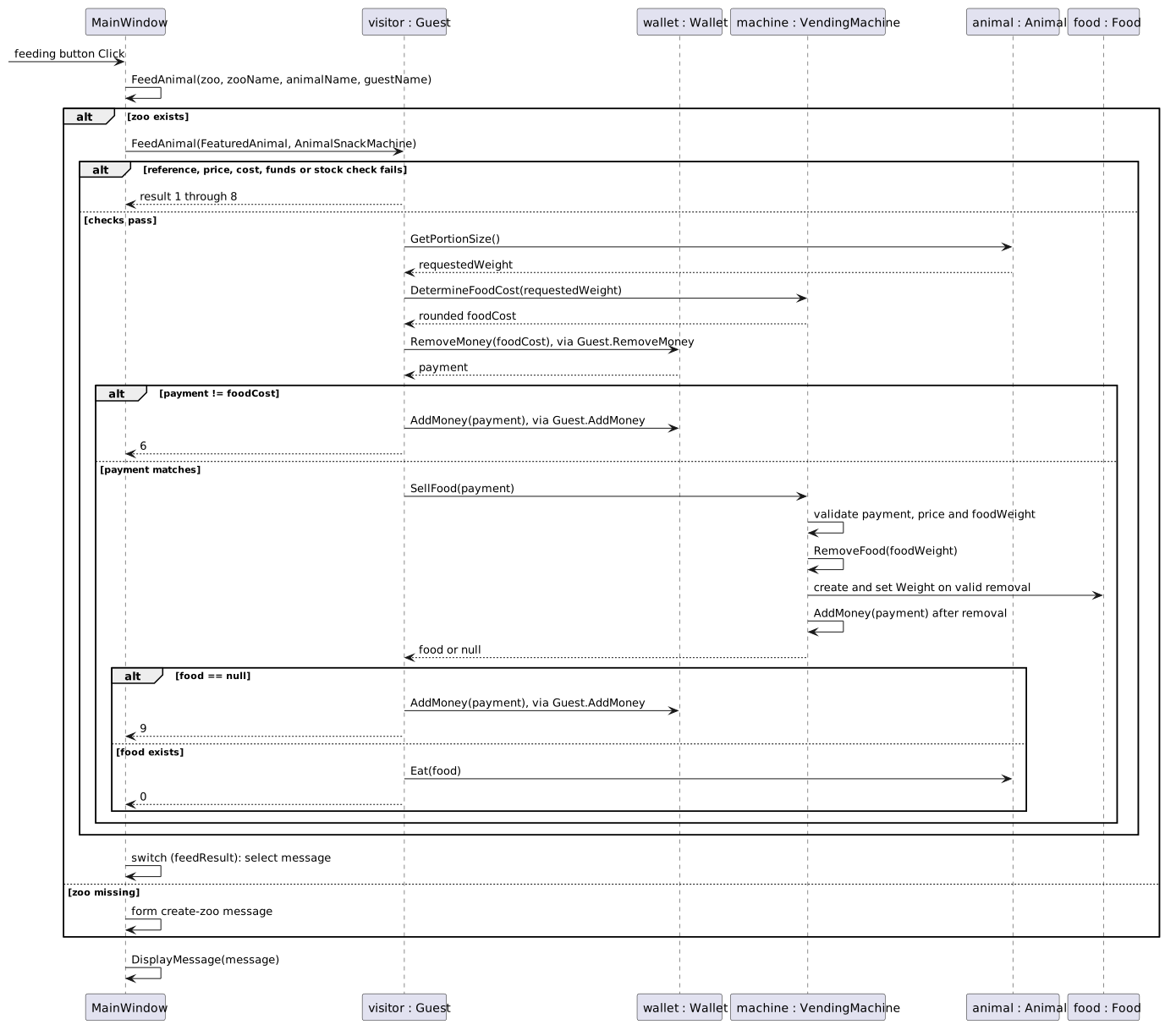
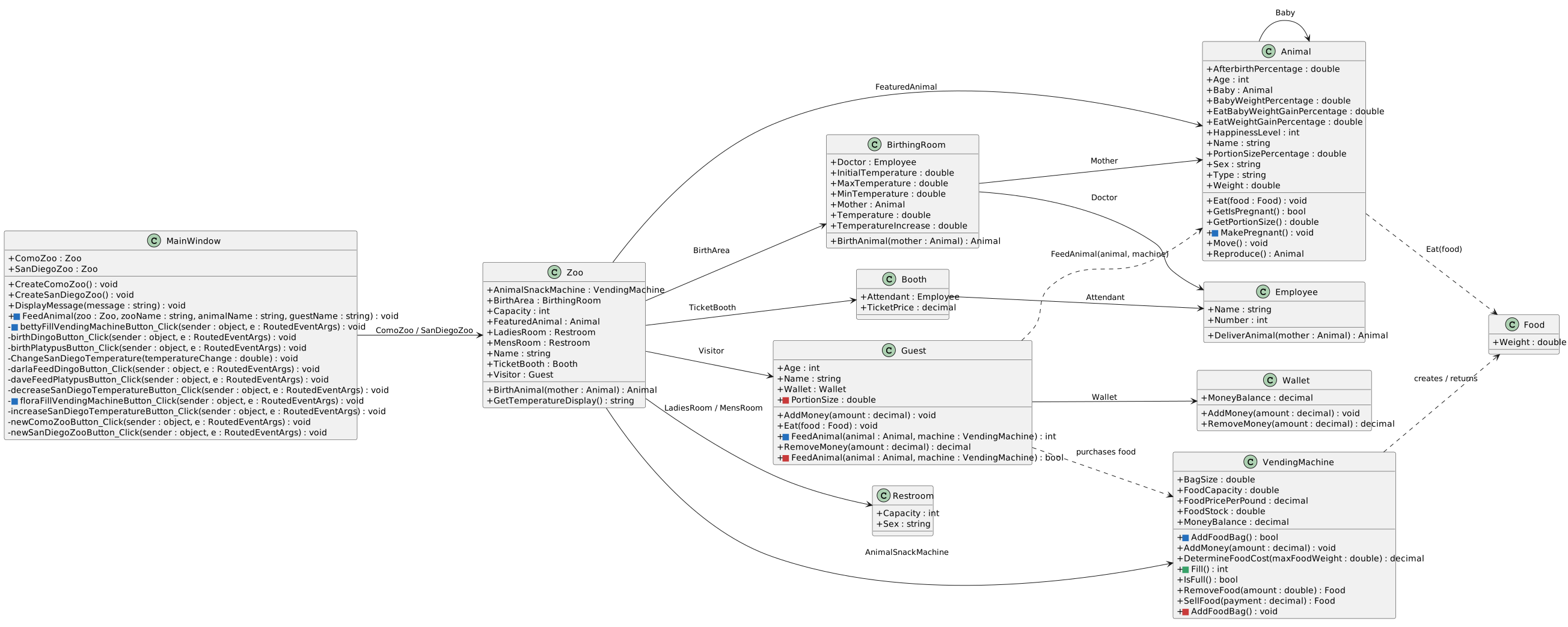
As it is currently, the Animal is "eating" an abstract amount of food.
This page is currently being built. Please check back soon.

Work through the user stories in order. Each story states the goal and acceptance criteria; its nested tasks retain the detailed implementation and verification steps.
Check the result against this instruction: Copy your 1.5 ending code, renaming both the folder and the Visual Studio solution file
Check the result against this instruction: Build your solution. Ensure it compiles without warnings or errors.
As it is currently, the Animal is "eating" an abstract amount of food.
You will be passing a food object that can be interacted with instead.
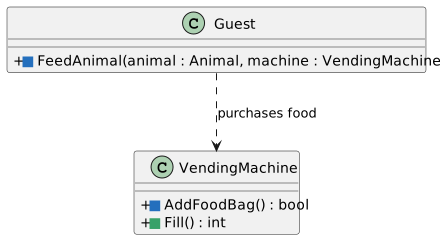
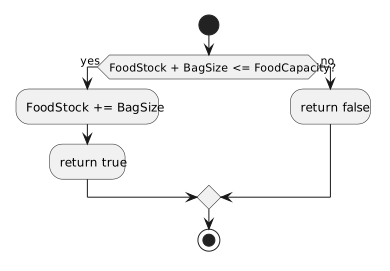
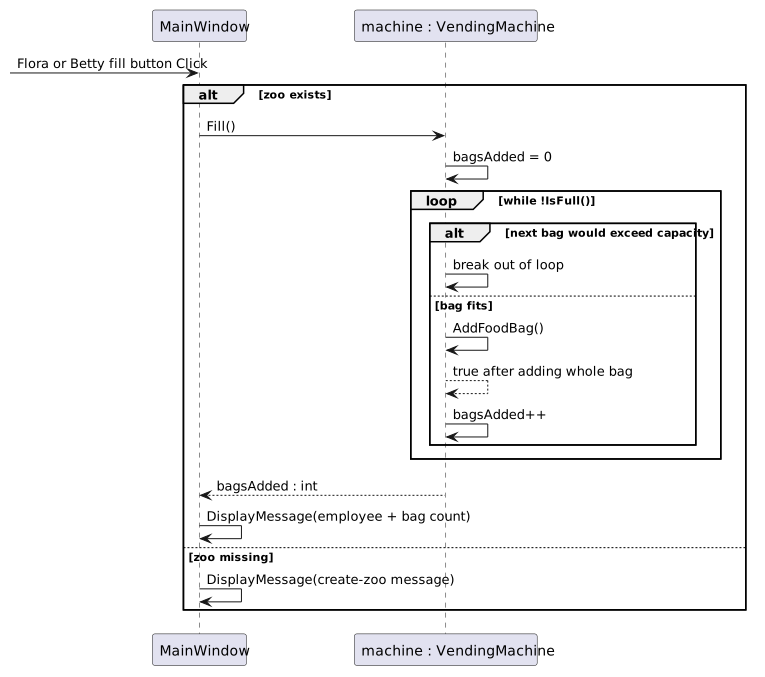
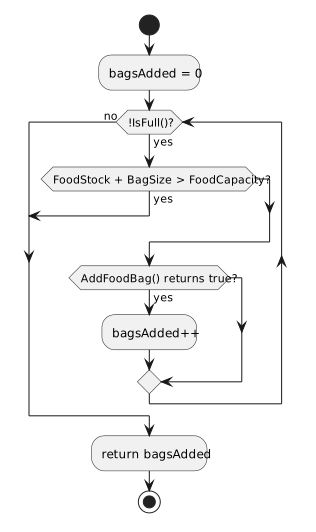
This focused design shows the members or flow relevant to this feature. Keep unchanged members from your preceding checkpoint; follow the tasks below for the order of intermediate edits.
| Value | Como: Dolly | San Diego: Patti |
|---|---|---|
| Food cost | 0.53m | 0.08m |
| Food.Weight | 0.3975 | 0.096 |
| Adult weight gain | 0.318 | 0.0768 |
| Adult weight after feeding | Approximately 35.618 | 3.3468 |
/// <summary>
/// Feeds the specified animal.
/// </summary>
/// <param name="animal">The animal to be fed.</param>
/// <param name="animalSnackMachine">The machine that sells food.</param>
/// <summary>
/// Feeds the specified animal.
/// </summary>
/// <param name="animal">The animal to be fed.</param>
/// <param name="animalSnackMachine">The machine that sells food.</param>
public void FeedAnimal(Animal animal, VendingMachine animalSnackMachine)
{
}This will cause errors. Work through the rest of this step to resolve them.
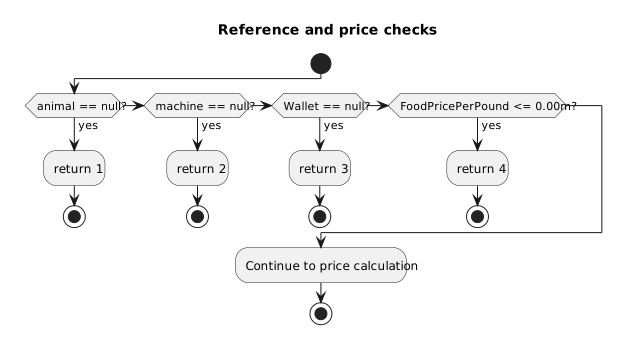
this.ComoZoo.Visitor.FeedAnimal(this.ComoZoo.FeaturedAnimal, this.ComoZoo.AnimalSnackMachine);decimal moneyBalance = this.GetMoneyBalance();This functionality is the same as it was in the MainWindow, but is structured to target the current (Guest) class.
double maxFoodWeight = animal.GetPortionSize();This functionality is the same as it was in the MainWindow, but is structured to target the Animal object passed in.
Check the result against this instruction: Ensure that your code is StyleCop compliant
The zoo would like the ability to support the birthing of animals.
You will set up a sequence using a button click and method calls that will allow the zoo to enable the birthing of an animal.
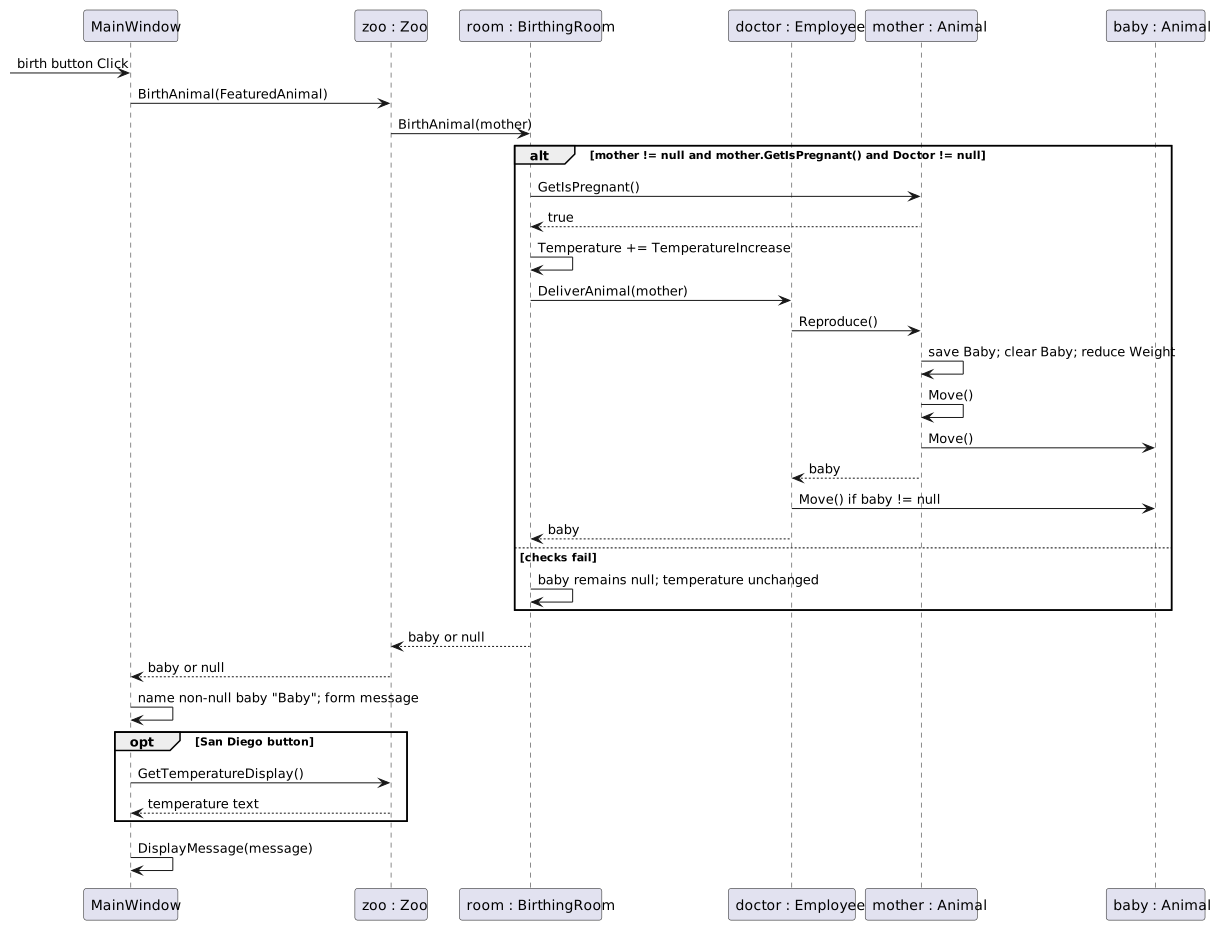
This focused design shows the members or flow relevant to this feature. Keep unchanged members from your preceding checkpoint; follow the tasks below for the order of intermediate edits.
<Button x:Name="birthDingoButton" Content="Birth dingo" Click="birthDingoButton_Click" />
<Button x:Name="birthPlatypusButton" Content="Birth platypus" Click="birthPlatypusButton_Click" />

Check the result against this instruction: In the Zoo class, define a method named BirthAnimal with a return type of void that has no parameters.
Check the result against this instruction: In the BirthingRoom class, define a method named BirthAnimal with a return type of void that has a parameter of type Animal named mother.
Check the result against this instruction: In the Employee class, define a method named DeliverAnimal with a return type of void that has a parameter of type Animal named mother.
Check the result against this instruction: In the MainWindow, in the birthDingoButton_Click and birthPlatypusButton_Click event handlers, call the BirthAnimal method on the respective Zoo objects.
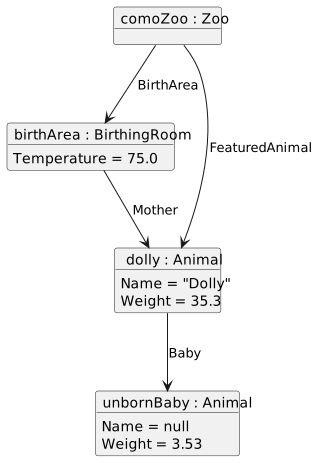
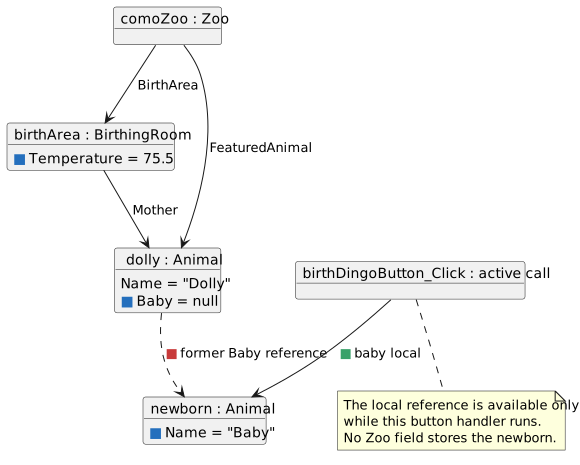
Since the MakePregnant method is never called on the FeaturedAnimal, the baby will be null.
The zoo now has support for birthing an animal, but the animal itself doesn't have the ability to birth their baby.
You will create a sequence that has the Animal birth a baby, move both the mother and the baby, and then feed the newborn baby.
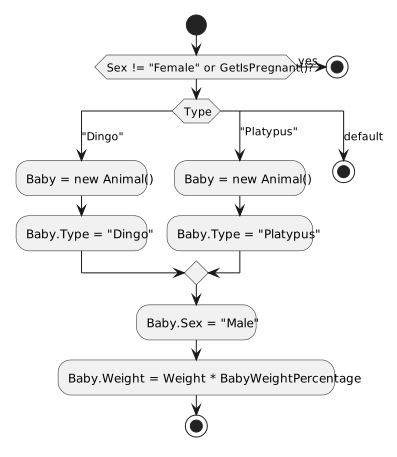
This focused design shows the members or flow relevant to this feature. Keep unchanged members from your preceding checkpoint; follow the tasks below for the order of intermediate edits.
Check the result against this instruction: In the Animal class, define methods using this story’s design reference.
Check the result against this instruction: In the Employee class, in the DeliverAnimal method, call the Reproduce method on the mother object.
This will give you an error. We will fix it in the next steps.
this.Weight -= newborn.Nurse(this);double milkWeight = mother.Weight * 0.005;The BirthAnimal sequence for the San Diego Zoo will not run because there is not a pregnant animal.
Check the result against this instruction: Check Your Work (San Diego Zoo):
Check the result against this instruction: Ensure that all code is StyleCop compliant.
Check the result against this instruction: Zip the solution and submit to the Feedback System.
Check the result against this instruction: Submit the Feedback System url to the correct assignment in Canvas.
Return to each user story and confirm that you can demonstrate its acceptance criteria. Use the task checkboxes to track completion; a checked box is not a substitute for testing or inspecting the required evidence.
Feed an animal with a food object Route a birth request to the birthing room Deliver and feed a newbornRemove temporary lines used only to demonstrate compile-time errors. Build without errors or warnings, check StyleCop compliance, and rerun the required scenario paths.
Use the submission or attendance instructions in this page. For a Feedback System submission, upload the requested ZIP, review and resolve the feedback, and submit the resulting URL to the matching Canvas activity. For a Canvas quiz, enter only the requested answers; for an oral final, complete the scheduling and attendance steps.