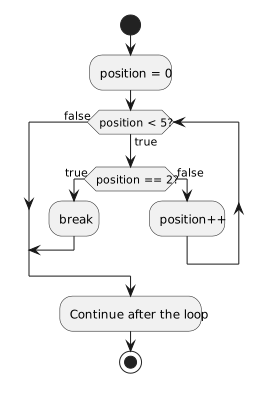
A break; inside a loop exits the nearest loop immediately. In a Zoo search, a keeper can stop counting after finding the target animal. The code after the loop runs next. This is distinct from return, which ends the entire method.
int position = 0;
while (position < 5)
{
    if (position == 2)
    {
        break;
    }
    position++;
}
Exit Early When the Goal Is Met
Exit Early When the Goal Is Met
NNew
CChanged
RRemoved
The loop checks positions 0 and 1, then reaches 2. The break runs before the increment and exits the loop with position still 2. It does not mean the while condition became false. Without the break, the loop would continue toward 5.
A loop can exit through its normal false condition or through break. Record which exit occurred; they are not equivalent explanations even if the same later code runs. In the example, position 2 still satisfies position < 5, so the early exit must be attributed to break. If there are nested loops, break applies only to the innermost loop containing it.
Trace the Outcome
Trace the position for each entry to the loop and identify the exit reason. PlantUML break here means leave the loop, just as C# break does.
Stop at a Matching Cell
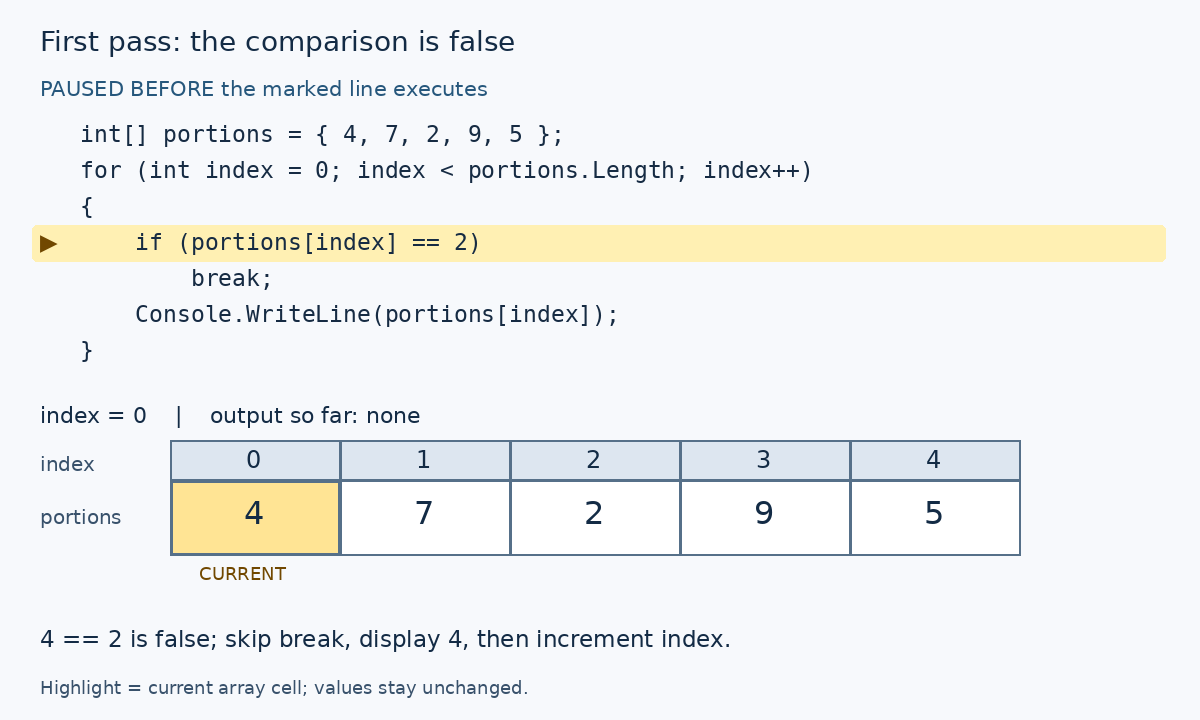
In this additional example, stop when a food quantity equals 2. The comparison reads each current cell before deciding whether to display it.
Stop before displaying the matching value
int[] portions = { 4, 7, 2, 9, 5 };
for (int index = 0; index < portions.Length; index++)
{
    if (portions[index] == 2)
        break;
    Console.WriteLine(portions[index]);
}
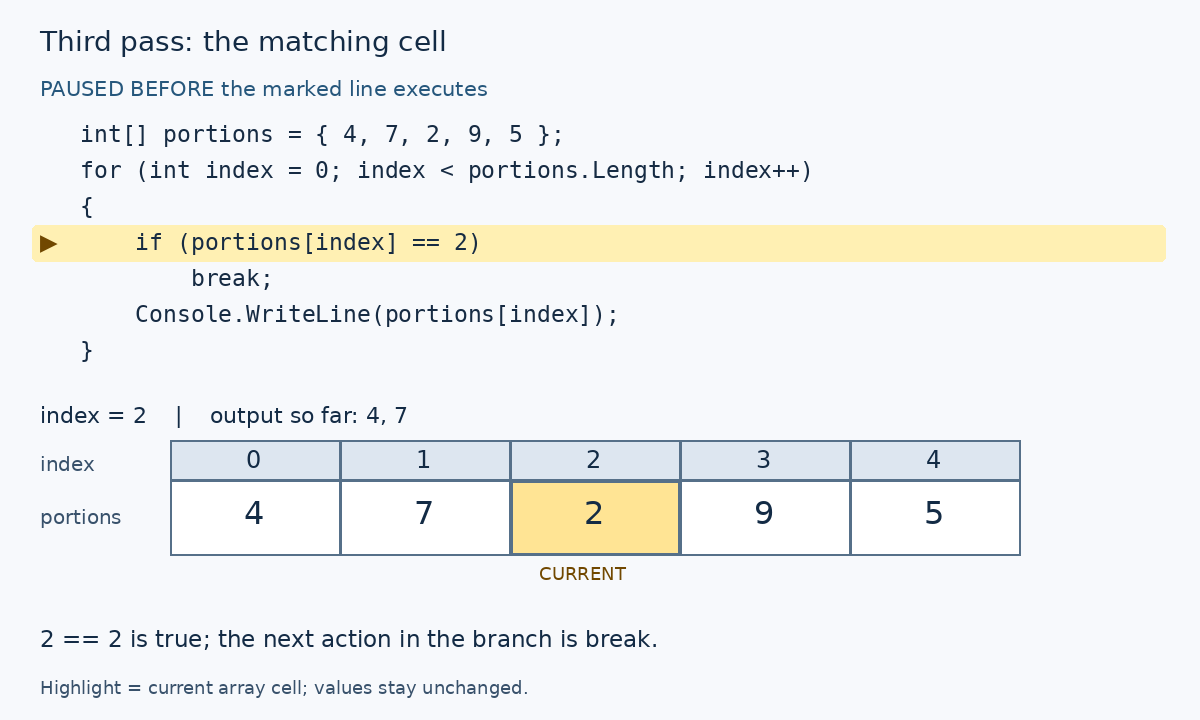
First pass: the comparison is falseThird pass: the matching cell
The second pass reads index 1, finds 7 != 2, and displays 7. On the third pass, the comparison reads index 2 and finds 2 == 2. break exits immediately: the display and the header's index++ are skipped for this pass. Output is only 4, 7. Cells 3 and 4 are never visited.
The loop exits because break executes, even though 2 < 5 is still true. The for-header variable index is out of scope after the loop. To inspect its value 2, pause on break before executing it.
Move the Target
Change the comparison to portions[index] == 9. Which cells will be read, and which values will be displayed?