Each Path Should Perform the Correct Behavior
Example:
![Activity diagram showing Is player available?, then [true] Display "Available", then [false] Display "Unavailable".](Diagrams/1.4.DecisionNodesInActivityDiagrams.Activity.EachPathShouldPerform.light.svg)
- New
- Changed
- Removed
The actions belong to different outcomes.
Do not place the same unrelated action on both branches unless both outcomes truly require it.
A decision node represents a point where the process chooses between alternate paths.
The choice is based on a condition.
In Module 1.4, a Boolean value provides a simple decision source.
For example:
Is player available?The result can be:
trueor:
falseConceptually:
        Is player available?
               ◇
             /   \
        [true]   [false]
          /         \
Display available   Display unavailable
The process reaches the decision, evaluates the condition, and follows the matching path.
A decision path needs a condition that can be understood as true or false.
You already know Boolean fields and parameters such as:
isAvailableAt this stage, that existing Boolean state is enough to support a decision.
Later Learning Activities introduce more complex Boolean expressions.
A reader should not need to guess why one arrow is followed instead of another.
Useful introductory path labels are:
[true]
[false]
These labels show the condition result associated with each path.
Example:
The actions belong to different outcomes.
Do not place the same unrelated action on both branches unless both outcomes truly require it.
A common mistake is to read the diagram as:
A decision chooses the path whose condition applies.
For a simple true/false decision, one branch is followed for that evaluation.
Different branches can still complete the same overall activity.
For example:
![Activity diagram showing Is player available?, then [true] Display "Available", then [false] Display "Unavailable", then End.](Diagrams/1.4.DecisionNodesInActivityDiagrams.Activity.AlternatePathsCanReach.light.svg)
Both outcomes belong to the same modeled process.
Arrange the flow so the reader can see that each branch eventually reaches the intended ending.
Suppose one branch reaches an action with no outgoing flow and no clear end.
The reader may wonder:
When a decision creates multiple paths, each path should continue in a way that makes its outcome clear.
If the path completes the modeled activity, show that ending clearly.
When reviewing a decision:
Each path should make sense as part of the same activity.
This is especially important when several branches eventually lead to one common end.
Several end points can be valid in some designs.
At this stage, prefer a simple, readable flow unless the required behavior clearly has distinct endings.
Do not add extra end nodes merely because the diagramming tool allows them.
The ending should communicate the actual logic of the modeled activity.
A diagram decision such as:
Is player available?can correspond to a C# decision that uses Boolean state.
At this point, the important connection is:
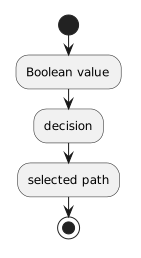
The diagram communicates the logic without needing to duplicate source syntax.
Later pages teach comparison operators, string comparisons, null checks, and additional conditional syntax.
Do not use those untaught expressions merely to create a more elaborate diagram.
For now, use decisions based on Boolean information already available to the learner.