An if Statement Runs Code Only When Its Condition Is True
You first encountered simple if statements earlier in the pathway.
Now you can connect them to:
- parameters;
- local variables;
- string comparisons;
- null checks;
- equality expressions.
A simple if statement looks like:
The condition must evaluate to:
or:
Read the Condition First
Consider:
if (player1.isAvailable)
{
    System.Console.WriteLine("Player is available.");
}
The condition is:
If it is true, the block runs.
If it is false, the block is skipped.
Equality Can Provide the Condition
For example:
if (player1.position == "Goalkeeper")
{
    System.Console.WriteLine("Use goalkeeper instructions.");
}
The string comparison:
player1.position == "Goalkeeper"
produces the Boolean value used by the if.
Null Checks Can Protect Later Member Access
Consider:
if (player1.team == null)
{
    System.Console.WriteLine("No team assigned.");
}
The condition checks whether the reference is missing.
The current activity focuses on the basic if structure.
More advanced ways of combining conditions appear later.
Method Parameters Can Drive Decisions
Suppose:
public void DisplayAvailability(bool available)
{
    if (available)
    {
        System.Console.WriteLine("Player is available.");
    }
}
The argument supplied by the caller becomes the parameter value.
The parameter becomes the if condition.
Conceptually:
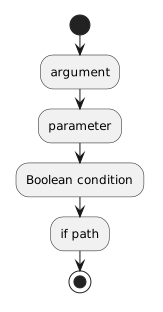 Argument.
Only the Controlled Block Depends on the Condition
Consider:
if (player1.isAvailable)
{
    System.Console.WriteLine("Available");
}

System.Console.WriteLine("Roster loaded");
The first output depends on the condition.
The second statement occurs after the if block and is not controlled by that condition.
Braces help make the controlled region visible.
Predict Before You Execute
Suppose:
player1.position = "Forward"
Before this statement:
if (player1.position == "Goalkeeper")
predict:
Then predict:
This creates a stronger debugging habit than pressing F10 without thinking about the expected path.
if Does Not Automatically Provide an Alternate Action
A simple if statement has one conditional block.
If the condition is false, the program skips that block.
An if/else structure provides a second path.
That structure was introduced earlier and is expanded in Module 1.5.
For the current page, focus on one true-controlled block.
Indentation Should Make the Structure Visible
Readable:
if (player1.isAvailable)
{
    System.Console.WriteLine("Available");
}
Poor visual structure makes it harder to see which statements belong to the condition.
Preserve the course's expected brace and indentation style.
The Condition Should Express the Decision Clearly
A good condition should answer the actual question the program needs.
For example:
player1.position == "Goalkeeper"
clearly asks whether the Player has that position.
Avoid complicated expressions when a simpler current-scope condition already communicates the requirement.
The Main Execution Pattern
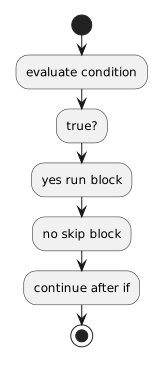 EvaluateCondition.
That is the core behavior of a C# if statement.