Keep One Main Action per Node
An action node should usually communicate one focused step.
Instead of:
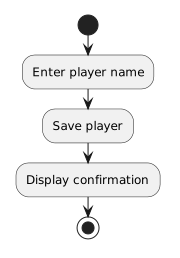
Enter name, validate it, save the player, and display confirmationseparate the work:
- New
- Changed
- Removed
This makes the flow easier to read.
A UML activity diagram models a process as a flow of actions.
An action node represents one step that performs work.
For example, a soccer registration process might contain actions such as:
Enter player name
Save registration
Display confirmation
Each phrase describes something that happens.
A useful action label begins with a verb.
Strong examples:
Enter jersey number
Assign player to team
Display roster
Weak examples:
Player
Roster
Team information
The weak examples name things.
They do not describe an action.
An action node should usually communicate one focused step.
Instead of:
Enter name, validate it, save the player, and display confirmationseparate the work:
This makes the flow easier to read.
A simple activity flow might be:
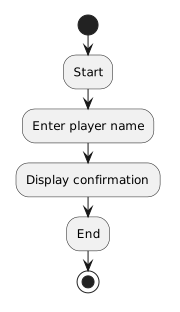
The action nodes describe the work between the start and end of the activity.
You already know that C# methods can perform actions.
An activity diagram can model the behavior at a higher level.
For example:
Set player availabilitymight later correspond to method logic that updates a Boolean field.
The activity diagram explains the process.
The C# source provides the executable implementation.
An activity node such as:
Assign player to teamdoes not replace a class diagram or object diagram.
Use:
Choose the diagram based on the question you are answering.
Too little detail:
Process playerToo much detail:
Move the value from this exact variable into that exact memory locationA strong action label captures the meaningful step at the current level of abstraction.
When you see:
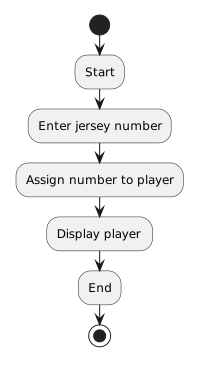
read it as:
If the wording does not form a clear process, revise the action labels or flow.