A basic web interaction has two core messages:
The request asks for something.
The response tells the client what happened and may include the requested information.
This exchange is a useful foundation for understanding the Web.
A browser may request a resource such as:
/team
Conceptually:
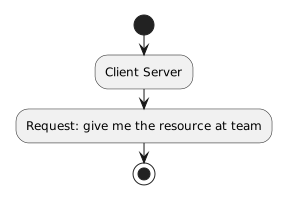
Client → Server
Request: give me the resource at /team
Real web requests contain more technical information than this simplified sentence.
For now, focus on the meaning:
The client identifies a resource or action it wants the server to handle.
The server processes the request and returns a response.
Conceptually:
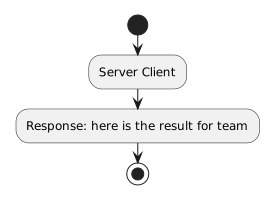
Server → Client
Response: here is the result for /team
The response can contain:
The browser uses the response to decide what happens next.
A simple model is:
Browser/client
|
| request
v
Server
|
| response
v
Browser/client
The direction matters.
The browser sends the request.
The server sends the response.
That responsibility becomes especially useful when you create a swimlane diagram.
Web responses include status information.
You may have encountered familiar status codes such as:
200
404
At an introductory level:
200-series result commonly indicates success;404 commonly means the requested resource was not found.You do not need to memorize a large list of HTTP status codes.
The important idea is that the response communicates more than page content.
It also tells the client something about the outcome of the request.
Suppose the browser requests:
/team
The server may return HTML such as:
<h1>Wildcats Soccer Club</h1>
<p>Welcome to the team page.</p>
The browser interprets that HTML and displays the page.
The HTML is the transferred representation.
The visible page is the browser's rendering of that representation.
Suppose the browser requests:
/old-team-page
but that resource does not exist.
The server can respond with a not-found result.
The browser then presents the response according to the content and status it received.
The server does not simply “do nothing.”
The response communicates the outcome.
A URL can include query information.
For example:
https://example.com/search?team=wildcats
The request can use that information to tell the server what the client is asking for.
The details of query parameters appear in the next batch.
For now, notice that requests can carry information beyond the basic host and path.
A browser might first request an HTML page.
The HTML can reference:
styles.css
logo.png
team-photo.jpg
The browser can then request those additional resources.
Conceptually:
Request HTML
Response HTML
Request CSS
Response CSS
Request image
Response image
The user sees one webpage, but the browser may have completed several request/response exchanges.
This communication pattern becomes easier to understand when you ask:
Who performs this action?
Browser:
Server:
That separation is the reason UML activity partitions are a useful next step.
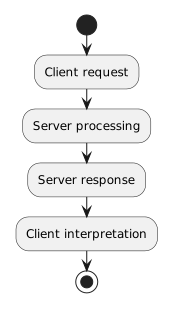
The Web involves many technologies, but the introductory pattern is simple:
Client request
↓
Server processing
↓
Server response
↓
Client interpretation
This pattern provides the structure for modeling web interactions visually.