0.5.11 Query Parameters

A URL Can Carry Information With the Request

You already know that a URL can contain:

A URL can also include query parameters.

Query parameters provide additional information that the client sends as part of the request.

Consider:
Plain text
https://example.com/search?team=wildcats

The part after the question mark is the query:

Plain text
team=wildcats

It tells the destination something about the information being requested.

The Question Mark Begins the Query

In:

Plain text
https://example.com/search?team=wildcats

the base resource is:

Plain text
https://example.com/search

The question mark:

Plain text
?

marks the beginning of the query portion.

Everything after it belongs to the query until another URL component begins.

A Parameter Has a Name and a Value

This query parameter is:

Plain text
team=wildcats

It contains:

Parameter name

Plain text
team

Value

Plain text
wildcats

The equals sign connects the name to the supplied value.

Read it as:

The request includes a query parameter named team whose value is wildcats.

Multiple Parameters Use &

A request can contain more than one query parameter.

For example:

Plain text
https://example.com/search?team=wildcats&season=2026

The query contains:

Plain text
team=wildcats

and:

Plain text
season=2026

The ampersand separates the parameters.

Conceptually:

Plain text
? firstParameter=value & secondParameter=value

Query Parameters Are Part of the Request

A parameter does not magically change the browser by itself.

It becomes information the destination can use while processing the request.

For example:

Plain text
?team=wildcats

could tell a site:

Return information related to the Wildcats.

The server or web application determines what that parameter actually means.

Different websites can use completely different parameter names and values.

The Same Path Can Produce Different Requests

Compare:

Plain text
https://example.com/search?team=wildcats

with:

Plain text
https://example.com/search?team=rangers

The scheme, host, and path are the same.

The query value changes.

That means the requests carry different information.

This is one way a single web resource can respond to user-supplied choices.

User Input Can Become Query Information

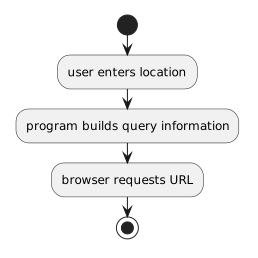
Imagine a weather-style page that accepts a location.

A user enters:

Plain text
Madison

The program can use that information when constructing a URL.

Conceptually:

Plain text
user enters location
        ↓
program builds query information
        ↓
browser requests URL

The exact URL format depends on the website being used.

Do not assume every website expects:
Plain text
?city=Madison

The destination controls its own query format.

Spaces and Special Characters Need Care

URLs have rules for representing characters.

A value containing a space cannot always be inserted into a URL exactly as ordinary prose.

For example, a location such as:

Plain text
Green Bay

needs a URL-safe representation when used as query data.

Software often performs URL encoding so spaces and other special characters are represented safely in the request.

You do not need to implement a complete encoder in this module.

The important idea is:

User input and URL text are related, but they are not always safe to combine character-for-character.

Use the supplied course code or approved URL-building process.

Query Information Is Visible in Many Web Addresses

When using websites, you may notice URLs such as:

Plain text
https://example.com/results?category=soccer&page=2

You can now identify:

Path

Plain text
/results

Query parameters

Plain text
category=soccer
page=2

That does not tell you everything about the site's internal behavior.

It does let you read the structure of the request more accurately.

Query Parameters Connect Web Input to Program Logic

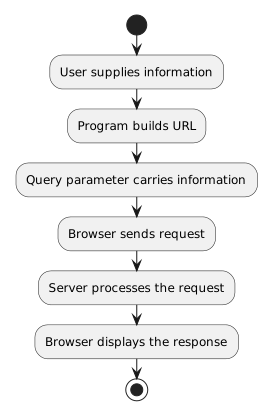
A simple request flow can now be expanded:

Plain text
User supplies information
        ↓
Program builds URL
        ↓
Query parameter carries information
        ↓
Browser sends request
        ↓
Server processes the request
        ↓
Browser displays the response

The next Learning Activity focuses on the program side of that connection: assembling a URL from supplied user input in C#.