0.5.12 Building a URL From User Input

A Program Can Combine Input With a URL

In the previous activity, you saw that a URL can include query information.

A C# program can take information supplied by a user and use it to build the URL that will be opened in a browser.

For the FIT weather activity, the important flow is:
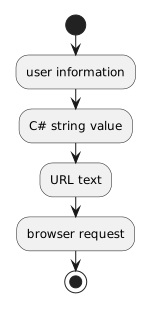
Plain text
user information
      ↓
C# string value
      ↓
URL text
      ↓
browser request

The goal is not to build a complete web application.

It is to trace how one piece of information becomes part of a web request.
Begin With a String Value

Assume the supplied course application has already made a user's location available as text.

Conceptually:

C#
string location = userInput;

The exact control or source that supplies userInput is part of the supplied application.

You do not need to redesign the user interface.

Focus on the value itself.

If the learner entered:

Plain text
Madison

then the program now has a string representing that input.

A URL Is Also Text

A URL can be stored in a string.

For example:

C#
string baseUrl = "https://example.com/search";

A query portion is also text:

Plain text
?location=

The program can combine the fixed parts with the user-supplied value.

Conceptually:

C#
string url = baseUrl + "?location=" + safeLocation;

In this example:

The supplied course application determines the exact destination and URL-building code you will use.

Read Concatenation From Left to Right

String concatenation joins pieces of text.

Consider:

C#
string teamName = "Wildcats";
string message = "Team: " + teamName;

The resulting string is:

Plain text
Team: Wildcats

A URL can be assembled in the same general way.

Several pieces become one final string.

Keep Fixed Information and User Information Distinct

A useful mental model is:

Plain text
fixed URL text
      +
user-supplied value
      =
constructed URL

The user should not need to type the entire web address if the application already knows the destination.

The program can supply the fixed structure and insert the changing information where it belongs.

Do Not Guess the Website's Query Format

Suppose one site expects:

Plain text
?location=Madison

Another might expect a completely different parameter name or path.

The program must use the URL format required by the destination.

The current course application supplies that structure.

Do not rename parameters or invent another destination because it looks more readable.

User Text May Need URL Encoding

A location such as:

Plain text
Green Bay

contains a space.

Raw user text may also contain symbols with special meaning in a URL.

That is why real URL construction needs to represent user input safely.

For this course activity, use the supplied URL-building approach rather than writing your own replacement.

The important reasoning is:

the user's text becomes data inside a structured request.

Inspect the Final URL as Evidence

Before the browser opens, the program has a final URL string.

That string is useful evidence.

Read it and identify:

For example, a completed URL may conceptually resemble:

Plain text
https://example.com/search?location=Madison

You should be able to explain which portion came from the application and which portion came from the user.

A URL String Is Not Yet a Web Response

Building the URL does not mean the website has already been contacted.

At this point, the program has created text.

The next step is to ask the operating environment to open that URL in a browser.

Only then does the normal browser request/response process begin.

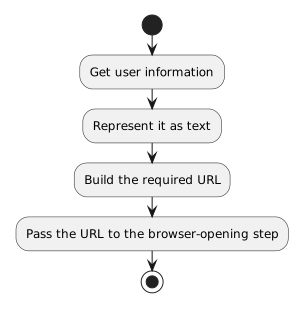
Keep the Flow Straight

The key sequence is:

Plain text
Get user information
      ↓
Represent it as text
      ↓
Build the required URL
      ↓
Pass the URL to the browser-opening step

This activity is about constructing the request destination.

The next activity focuses on what happens when the C# application asks the browser to display it.