A URL, or Uniform Resource Locator, gives a client information used to identify and access a resource.
Consider:
https://example.com/teams/wildcats
This URL can be separated into parts.
At an introductory level, focus on:
Later, query parameters can add more information to the request.
In:
https://example.com/teams/wildcats
the scheme is:
https
It appears before:
://
The scheme tells the client which kind of communication convention applies.
For Web use, you commonly encounter:
http
https
https is used for HTTP communication protected with transport security.
The host is:
example.com
It identifies the destination host name the browser needs to reach.
The browser uses networking services to reach the appropriate system for that host.
You do not need to trace domain-name lookup or routing in detail in this activity.
The important reading skill is recognizing:
example.com
as the host portion of the URL.
The path is:
/teams/wildcats
The path tells the destination server which resource or route is being requested.
A different path can identify a different resource on the same host.
For example:
https://example.com/teams/wildcats
and:
https://example.com/teams/rangers
use the same scheme and host.
Their paths differ.
For:
https://example.com/teams/wildcats
read:
Scheme
https
Host
example.com
Path
/teams/wildcats
That gives the browser increasingly specific information about the requested destination.
Consider:
https://example.com/leagues/north/teams/wildcats
The path is:
/leagues/north/teams/wildcats
It contains several slash-separated segments.
Those segments are meaningful according to the website or server design.
Do not assume every website uses the same path structure.
/Consider:
https://example.com/
The host is still:
example.com
The path is the root:
/
The server can decide what resource to return for that path.
?You may encounter:
https://example.com/search?team=wildcats
The part after:
?
is query information.
The next batch focuses on query parameters.
For now, separate:
Base resource
https://example.com/search
from:
Query
team=wildcats
A URL is not merely a human-readable website label.
Its parts provide structured information the browser uses when creating a request.
That is why small changes can matter.
Compare:
https://example.com/team
with:
https://example.com/teams
A single character changes the path.
The server may treat those as different resources.
Do not assume that changing capitalization always produces the same resource.
Host names are generally treated without letter-case distinction, while the path may be case-sensitive depending on the server and resource.
The safest practice is to preserve the URL exactly as it is supplied or intentionally constructed.
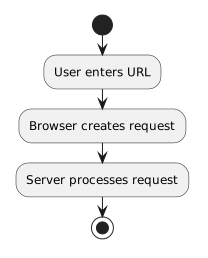
Earlier, the web flow was:
User enters URL
↓
Browser creates request
↓
Server processes request
Now the URL is less mysterious.
It supplies structured information the browser can use to determine:
The next step is learning how query parameters can add user-supplied information to that request.