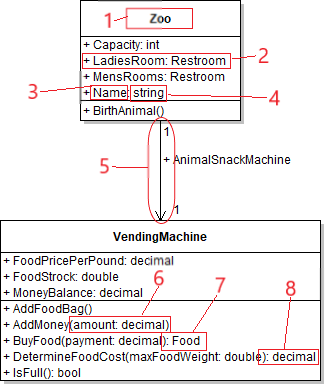
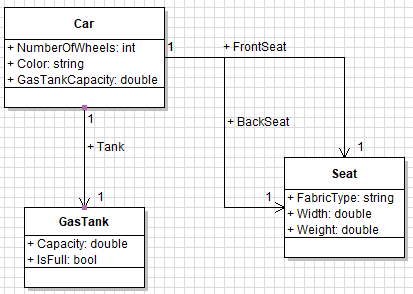
Previously, this Class Diagram has been made:
And now it will be compared to an Object Diagram composed of those same classes:
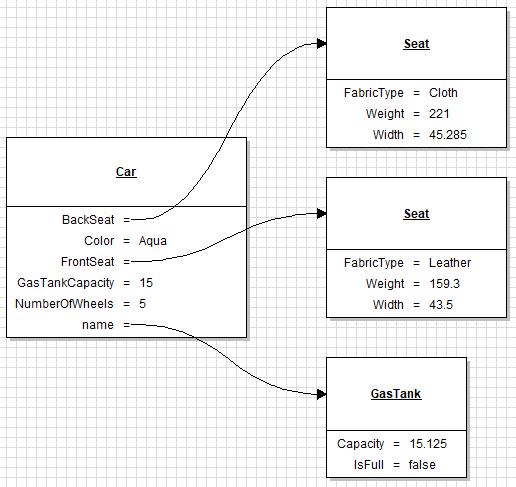
This Object Diagrams shows one set of possible instances that could be created from the classes in the above Class Diagram. You may notice some similarities between these two diagrams - such as the Car having six fields in both. You may also notice, however, that there are more boxes in the Object Diagram than in the Class Diagram.
Seat exists once on the Class Diagram, but twice on the Object Diagram. You could see this as in the Class Diagram you only have one set of instructions to build a seat, but in the Object Diagram there are two seat instances within the car. The front seat is made of leather, and the back seat is made of cloth. The back seat is probably too heavy and should be changed to weigh 121.
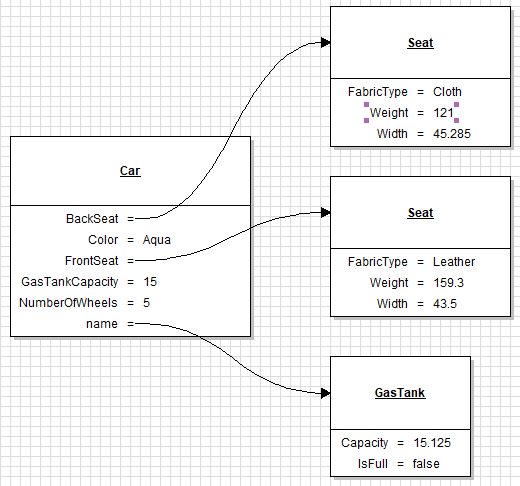 Changing this field really exemplifies the fact that Object Diagrams not only show the fields - but also the values of those fields. The Class Diagram will show the name of the field once and the type of it - with no indication of the value. The two Seats in the Object Diagram are unrelated, they are two different Seat instances that both derive from the Seat class indicated in the Class Diagram.
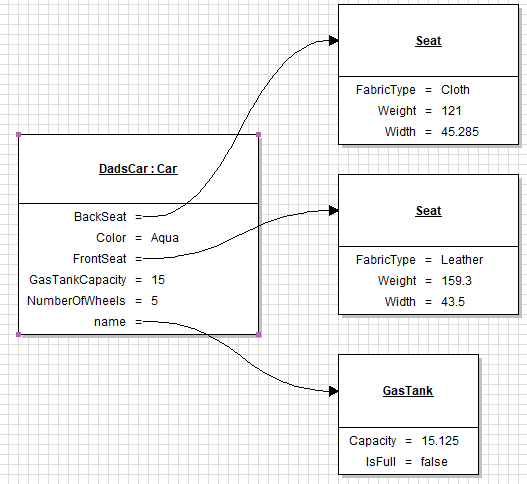
This shows that DadsCar is an object of type Car. In a Class Diagram you will not see the name of the object - only the type.
Sometimes when creating a Class Diagram and deriving an Object Diagram from it, you may see some inconsistencies. Currently, the GasTankCapacity has a value of 15, and the Capacity field in the GasTank object has a value of 15.125. This is where in a realistic scenario you would debate something like this.
Fundamentally, what is the purpose of an Object Diagram? The purpose is to show the state of the application as of a specific point in time. The purpose of a Class Diagram is to show the instructions, the blueprints, the making of, the foundation, the building blocks for your objects. It is not time-sensitive. When a program runs, the Class Diagram will not change, but the Object Diagram will change constantly. If you wanted to make Object Diagrams for every state in your program, you would end up making thousands - if not ten thousands - of them.
Generally when you will be asked to make Object Diagrams you will be given a point in the program to stop at and make a diagram of.