1.5.14 Writing if/else if Statements

Use an if/else if Chain for Alternate Categories

An if/else if chain is useful when one value can belong to one of several alternate categories.

For example, a soccer program might classify a team's goal total:

  • 3 or more goals
  • exactly 2 goals
  • exactly 1 goal
  • no goals

Only one category should be selected for one value.

Start with the Requirement

Suppose the requirement says:

Before writing C#, identify the questions in order:

Are there at least 3 goals?
If not, are there exactly 2?
If not, are there exactly 1?
Otherwise, no goals remain.

That reasoning becomes the structure of the chain.

Write the First if

Begin with the first condition:

if (goals >= 3)
{
    System.Console.WriteLine("High scoring");
}

This branch handles every value that belongs in the first category.

Add an else if for the Next Category

Now add the second question:

if (goals >= 3)
{
    System.Console.WriteLine("High scoring");
}
else if (goals == 2)
{
    System.Console.WriteLine("Two goals");
}

The second condition is tested only when the first condition was false.

Add Additional else if Branches in Order

Continue with:

else if (goals == 1)
{
    System.Console.WriteLine("One goal");
}

The complete ordered chain becomes:

if (goals >= 3)
{
    System.Console.WriteLine("High scoring");
}
else if (goals == 2)
{
    System.Console.WriteLine("Two goals");
}
else if (goals == 1)
{
    System.Console.WriteLine("One goal");
}
else
{
    System.Console.WriteLine("No goals");
}
The First True Condition Wins

Suppose:

goals = 4

The first condition:

goals >= 3

is true.

The program runs the first block and skips every later branch in the chain.

It does not continue checking whether:

goals == 2

or:

goals == 1
Order the Conditions Carefully

The order of branches affects behavior.

This version is poorly ordered:

if (goals >= 1)
{
    System.Console.WriteLine("At least one goal");
}
else if (goals >= 3)
{
    System.Console.WriteLine("High scoring");
}

When:

goals = 4

the first condition is already true.

The program never reaches the more specific high-scoring branch.

A better order places the higher threshold first:

if (goals >= 3)
{
    System.Console.WriteLine("High scoring");
}
else if (goals >= 1)
{
    System.Console.WriteLine("At least one goal");
}
Use a Final else for the Remaining Case

A final else has no condition:

else
{
    System.Console.WriteLine("No goals");
}

It means:

That makes it useful for the remaining category.

Use a Chain When the Branches Are Alternatives

Consider:

starter
substitute
not active

A player should belong to one of those statuses at a time.

That is a natural use for an ordered chain.

By contrast, separate independent conditions may both be allowed to run. Use the structure that matches the requirement.

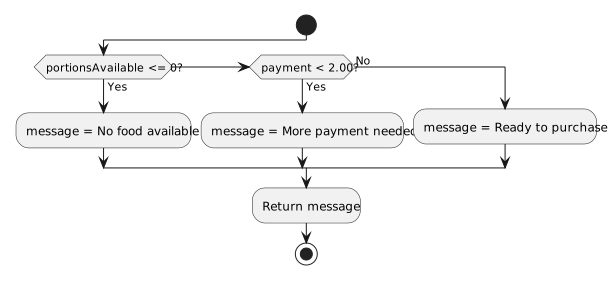
Write from an Activity Diagram

Suppose an activity diagram shows:

At least 3 goals?
   true  → High scoring
   false → Exactly 2 goals?
               true  → Two goals
               false → Exactly 1 goal?
                           true  → One goal
                           false → No goals

Translate the decision nodes in order into:

if
else if
else if
else

The C# should preserve the same decision sequence.

Keep Each Branch Focused

A branch should perform the action required for that category.

Avoid adding unrelated work into one branch simply because you are already inside a conditional.

The conditional structure should remain easy to explain.

Read the Finished Chain as Plain Language

For each branch, say:

If that explanation matches the requirement for every branch, the chain is structured correctly.

Key Pattern
if (condition1)
{
    // first outcome
}
else if (condition2)
{
    // second outcome
}
else if (condition3)
{
    // third outcome
}
else
{
    // remaining outcome
}

Conditions are tested from top to bottom until one branch is selected.