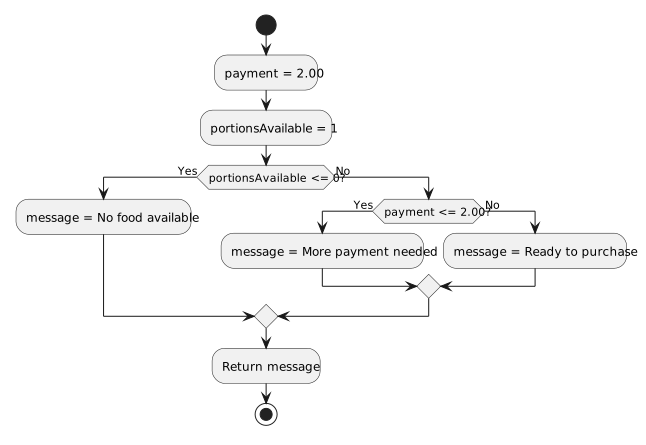
An if/else if chain is evaluated from top to bottom.
When the wrong branch runs, inspect the conditions in that same order.
Consider:
if (goals >= 3)
{
System.Console.WriteLine("High scoring");
}
else if (goals == 2)
{
System.Console.WriteLine("Two goals");
}
else if (goals == 1)
{
System.Console.WriteLine("One goal");
}
else
{
System.Console.WriteLine("No goals");
}Set a breakpoint before or on the first if.
Inspect:
goalsSuppose:
goals = 2Predict the entire decision path before stepping.
For:
goals = 2the trace is:
goals >= 3 → false
goals == 2 → trueThe "Two goals" branch should run.
The later conditions should be skipped.
If the first condition is true, later conditions are not evaluated.
For:
goals = 4the trace is simply:
goals >= 3 → trueThe chain has selected its branch.
Do not continue reasoning as though later else if conditions also run.
Suppose:
if (goals >= 1)
{
System.Console.WriteLine("At least one");
}
else if (goals >= 3)
{
System.Console.WriteLine("High scoring");
}and:
goals = 4The first condition is true.
The second condition is never reached.
The debugger may show perfectly correct execution of code that does not match the intended categorization.
The defect is the branch order.
For:
if (goals >= 3)test mentally:
2 → false
3 → true
4 → trueIf the requirement says "at least 3," the boundary value 3 must enter the first branch.
A wrong relational operator can create a defect only at the edge.
For:
else if (goals == 2)inspect the actual runtime value.
If:
goals = 1the condition is false.
If:
goals = 2it is true.
Equality branches are exact.
Step over each reached condition.
Observe which block becomes active.
A useful debugging trace is:
runtime value
↓
condition result
↓
next condition or selected blockThis makes the program's choice visible.
Suppose the requirement expects:
goals = 3but the debugger shows:
goals = 2The chain may correctly choose "Two goals".
The defect may be in the earlier calculation or assignment that produced the value.
Do not rewrite the conditional until you verify its input.
Suppose the debugger confirms:
goals = 2and execution correctly enters:
else if (goals == 2)but that branch displays:
"One goal"The condition is correct.
The action inside the branch is wrong.
Debugging requires checking both parts.
Suppose:
team1.DisplayGoalCategory(2);calls:
public void DisplayGoalCategory(int goals)
{
if (goals >= 3)
{
System.Console.WriteLine("High scoring");
}
else if (goals == 2)
{
System.Console.WriteLine("Two goals");
}
else
{
System.Console.WriteLine("Fewer than two");
}
}Trace:
argument 2
↓
parameter goals = 2
↓
goals >= 3 → false
↓
goals == 2 → true
↓
"Two goals"The debugger can verify every stage.
If the method is called from several places, the Call Stack helps identify which caller supplied the current parameter value.
That can explain why the same chain chooses different branches at different times.
A strong debugging statement is:
That explanation identifies the actual path.