The Caller Supplies One Argument for Each Parameter
A matching call is:
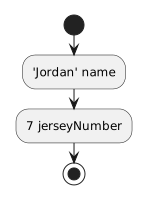
player1.SetPlayerInfo("Jordan", 7);Conceptually:
- New
- Changed
- Removed
The arguments correspond to the parameters in their declared positions.
You have already worked with a method that accepts one parameter:
public void SetJerseyNumber(int number)
{
    this.jerseyNumber = number;
}
A method can also accept multiple parameters when one behavior needs several input values.
For example, a Player method might need both a name and a jersey number.
A method declaration can be:
public void SetPlayerInfo(string name, int jerseyNumber)
{
    this.name = name;
    this.jerseyNumber = jerseyNumber;
}
The parameter list contains:
string name
int jerseyNumber
A comma separates the parameters.
For:
string namethe type is:
stringand the parameter name is:
nameFor:
int jerseyNumberthe type is:
intand the parameter name is:
jerseyNumberEach input is defined independently.
A matching call is:
player1.SetPlayerInfo("Jordan", 7);Conceptually:
The arguments correspond to the parameters in their declared positions.
Given:
public void SetPlayerInfo(string name, int jerseyNumber)this call matches the intended order:
player1.SetPlayerInfo("Jordan", 7);The first argument supplies name.
The second supplies jerseyNumber.
A method call must respect the parameter structure defined by the method.
Multiple parameters are useful when the information supports one focused behavior.
For example:
SetPlayerInfo(string name, int jerseyNumber)has one clear purpose:
Avoid building a method with many unrelated parameters simply because C# allows it.
Single-purpose method design still matters.
Inside:
public void SetPlayerInfo(string name, int jerseyNumber)
{
    this.name = name;
    this.jerseyNumber = jerseyNumber;
}
the parameter names:
name
jerseyNumber
belong to the current method call.
The fields:
this.name
this.jerseyNumber
belong to the current Player object's state.
The assignments transfer incoming values into object state.
For example:
player1.SetPlayerInfo("Jordan", 7);
player2.SetPlayerInfo("Casey", 1);
The method design stays the same.
Each call supplies a different set of arguments.
This lets one method represent a reusable behavior.
A method might need:
public void SetStatus(string position, bool available)
{
    this.position = position;
    this.isAvailable = available;
}
The first parameter receives text.
The second receives Boolean state.
Each argument must be compatible with its corresponding parameter type.
Later Learning Activities show more advanced ways values can reach parameters, including forwarding arguments and passing returned values.
For now, focus on the direct relationship:
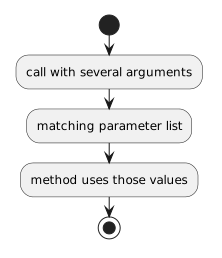
For:
SetPlayerInfo(string name, int jerseyNumber)read:
That interpretation makes both method definitions and calls easier to reason about.