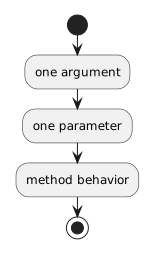
Connect the Two Sides
Method definition:
public void SetJerseyNumber(int number)Method call:
player1.SetJerseyNumber(7);The connection is:
- New
- Changed
- Removed
During that method call, number receives the value 7.
Until now, many method examples have used empty parentheses:
team1.DisplayName();A method can also be designed to receive information when it is called.
That introduces two closely related terms:
They describe different sides of the same method call.
Consider this method:
public void SetJerseyNumber(int number)
{
    this.jerseyNumber = number;
}
The parameter is:
int numberIt appears in the method declaration.
The parameter tells C#:
Now consider:
player1.SetJerseyNumber(7);The argument is:
7It appears at the call site.
The argument is the actual value supplied to the method.
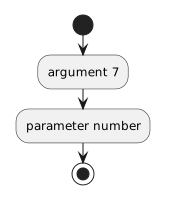
Method definition:
public void SetJerseyNumber(int number)Method call:
player1.SetJerseyNumber(7);The connection is:
During that method call, number receives the value 7.
This statement:
player1.SetJerseyNumber(7);can be read as:
Inside the method:
this.jerseyNumber = number;can then be read as:
For technical explanations, keep the distinction clear.
Parameter
the named input declared by the methodArgument
the value supplied when the method is calledIf the method declares:
public void SetJerseyNumber(int number)then the parameter expects an int-compatible argument.
This fits:
player1.SetJerseyNumber(7);A text argument such as:
player1.SetJerseyNumber("seven");does not match the parameter type.
Suppose:
public void SetJerseyNumber(int number)
{
    this.jerseyNumber = number;
}
The name:
numberis available inside this method body.
If the caller later uses:
player1.SetJerseyNumber(12);then during that call:
number = 12The method definition stays the same.
The incoming argument can change from call to call.
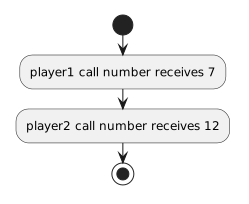
For example:
player1.SetJerseyNumber(7);
player2.SetJerseyNumber(12);
Both objects can use the same method design.
The calls supply different arguments.
Conceptually:
That is one reason parameters make methods more reusable.
Later Learning Activities introduce methods with multiple parameters.
For now, focus on the basic relationship: