When a program is paused, debugger windows such as Autos can show more than simple values.
They can also show fields that refer to other objects.
Suppose the runtime relationship is:
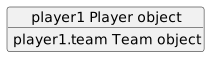
player1 → Player object
player1.team → Team object
Expanding player1 can reveal the nested team reference.
Expanding that Team object can reveal its fields.
This makes the object graph visible one relationship at a time.
Suppose the source contains:
Player player1 = new Player();
Team team1 = new Team();
player1.team = team1;
team1.name = "Wildcats";
Set a breakpoint after the relationship and value assignments when you want to inspect the completed state.
When execution pauses, locate player1 in the debugger.
You may see something conceptually like:
player1
name = "Jordan"
jerseyNumber = 7
team = Team
The exact debugger display varies by Visual Studio version and supplied class structure.
The important part is that:
team
now contains an object reference rather than:
null
Expand:
player1.team
You may then see:
player1
team
name = "Wildcats"
This shows the relationship and the nested object's state at runtime.
The same information might be reached directly through:
team1
if team1 is also visible in the current debugging context.
Suppose UML shows:
player1 : Player -------- team1 : Team
----------------
name = "Wildcats"
Debugger evidence should support:
player1 exists;name is "Wildcats".The debugger helps verify the runtime version of the modeled relationship.
null by Expanding Step by StepSuppose the source later executes:
player1.team.name
and throws NullReferenceException.
Inspect:
player1
If it exists, expand it.
Then inspect:
team
If the debugger shows:
team = null
stop there.
There is no nested Team object to expand.
You have found the broken step in the reference chain.
Pause before:
player1.team = team1;
You may observe:
player1.team = null
Press F10.
Then inspect again:
player1.team = Team object
Now expand that object.
This gives direct evidence that the reference assignment changed the Player's object relationship.
When the debugger shows a nested Team object, ask:
Is this the Team object the UML intended?
The member having a non-null value is not enough by itself.
The program must connect the correct objects.
If the model contains team1, the reference assignment should correspond to that intended instance.
Conceptually:
player1.team
is the reference to the Team object.
Inside that object:
name = "Wildcats"
is part of the Team object's state.
These are different layers.
The outer Player stores a relationship.
The nested Team stores its own fields.
A useful observation statement is:
After
player1.team = team1executed, the Player'steamfield was no longer null. Expanding the field showed the Team object, and itsnamefield contained"Wildcats".
That is evidence tied to:
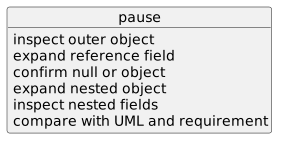
For nested objects:
pause
↓
inspect outer object
↓
expand reference field
↓
confirm null or object
↓
expand nested object
↓
inspect nested fields
↓
compare with UML and requirement
This process prepares you to reason about more detailed object memory and reference behavior in the next batch without guessing from the source alone.