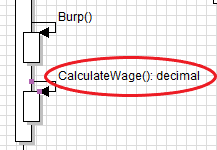
Say we have a method in the Employee class that returns a decimal that looks like this...
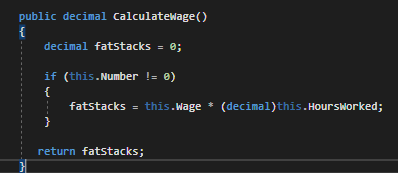
...and is called from the MainWindow like this:

In a sequence diagram that call would look like this:
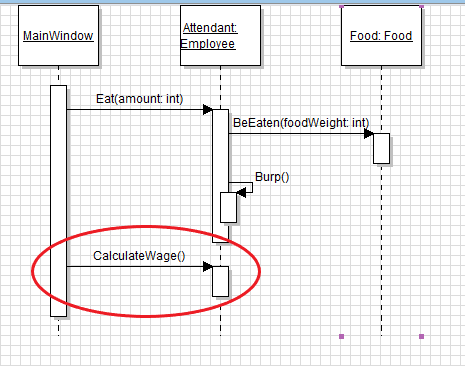
However, we would like to show that there is something being returned from that method. To do this, select the 'Return message' tool from the toolbox, click and hold on the activation bar for the CalculateWage method, drag back to where the method was called from and release. A dotted line with an arrow should appear.
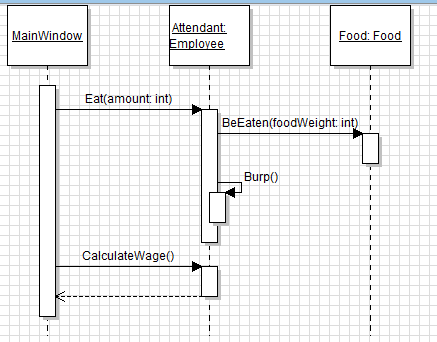
Then, double click the dotted line to bring up the Properties window. In the Properties window in the Middle Label, type the type of thing being returned and press okay. The type should appear above the dotted line.
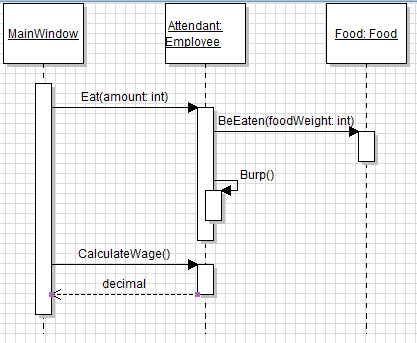
Let's say after the Employee eats they get curious about how much money they are going to make that day and want to figure it out for themselves. We can do that by calling the CalculateMethod from within the Eat method.
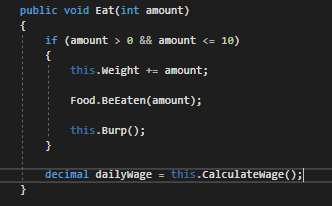
The call would look like this:
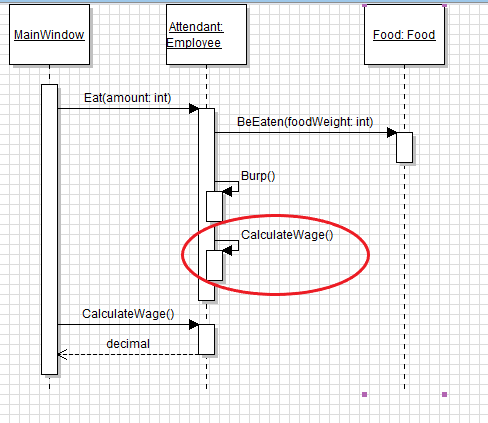
Like the first example, however, there is a return that needs to be represented. This one will be different, though, because it is a call from within the same class. To do this, double click on the CalculateWage call to bring up the Properties window and add a colon, space and the type being returned to the end of the method call.