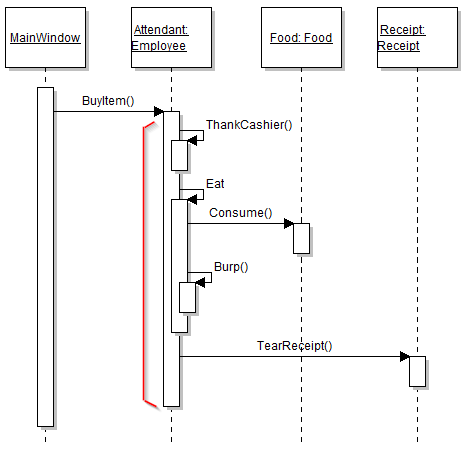
This article will focus on how to create method calls in Visual Studio based off of a Sequence Diagram. For this example we will be using the sequence diagram below.
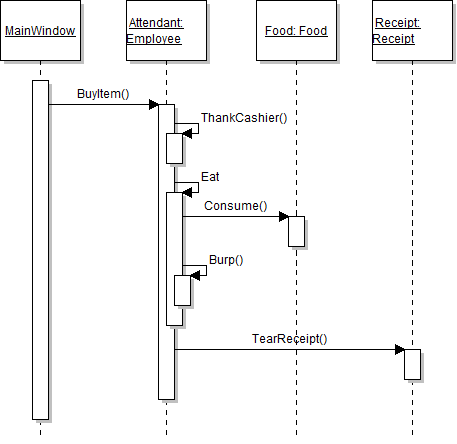
To start off we can identify the various parts of the diagram to get an overview of how things should turn out.
To begin, we can see that there is a call from the MainWindow to the BuyItem method in the Employee class on the Attendant object.
To break this down further, we know that there is a call to BuyItem in the MainWindow.
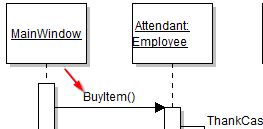
But that the method "lives" in the Employee class.
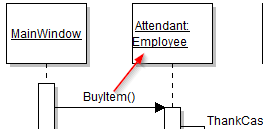
The other bit of information we need to know is what object the method is being called on. This is represented by the name in front of the class name in the object lifeline header.
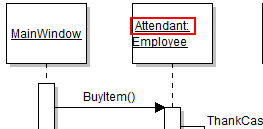
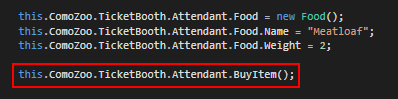
So all together we can say that there is a call to BuyItem on the Attendant object from the MainWindow. This is represented in code as:
Now we can switch our focus to the BuyItem method that is represented as this entire 'Activation Bar'. Inside the BuyItem method there will be 5 calls to other methods.
Let's focus on the first call.
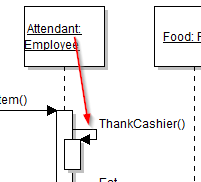
Here we can see that there should be a call to ThankCashier. This particular notation means that the call resides in the same class. And since sequence diagrams are read from top to bottom we know that this will be the first call in the BuyItem method. In code it would look like this:
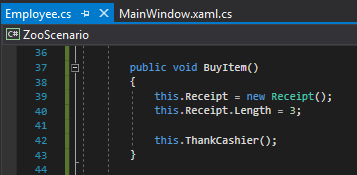
A few things to note here:
Now we move on to the Eat method. It is called within the Employee class so it would look like this:
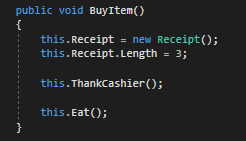
However, we aren't finished, yet. The sequence diagram shows two calls coming from the Eat method. The Consume method being called on the Food object and the Burp method being called on the current instance.
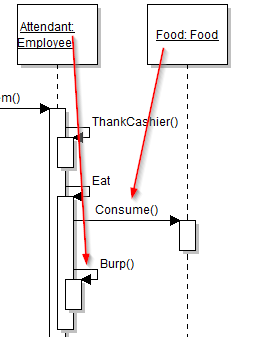
This in code would be:
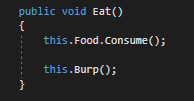
Since there aren't any additional calls in Consume or Burp we are done with the Eat method. Next We are going to focus on the call to TearReceipt.
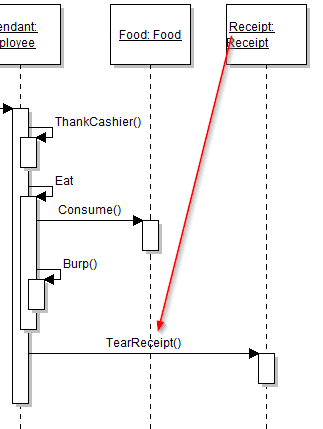
The TearReceipt method is called from inside the BuyItem method but "lives" in the Receipt class. The code for this looks like:
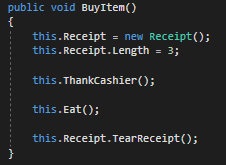
Now if we revisit the original diagram, we can see that the TearReceipt method is the last thing to be done in the BuyItem method so nothing more needs to be done.