The TicketBooth Attendant in the Zoo would like to check if they have enough money to buy something before they purchase it. So we can define a method in the Employee class that checks if they have enough money.
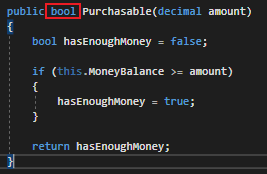
In the method we initialize a variable to hold a boolean value, check if the Employee has more money than the amount parameter (whatever the price of the item is), and then return true or false depending on if they have enough money.
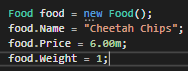
So now we can call that method from the MainWindow and catch the boolean value in a variable.

Then we can use that variable in a conditional and if it's true, the Employee can buy the item.
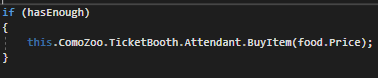
When we run the application we can see that the Employee has enough money to buy the item so hasEnough has the value true. So when hasEnough is used in the conditional it will evaluate to true and the Employee can buy their item.
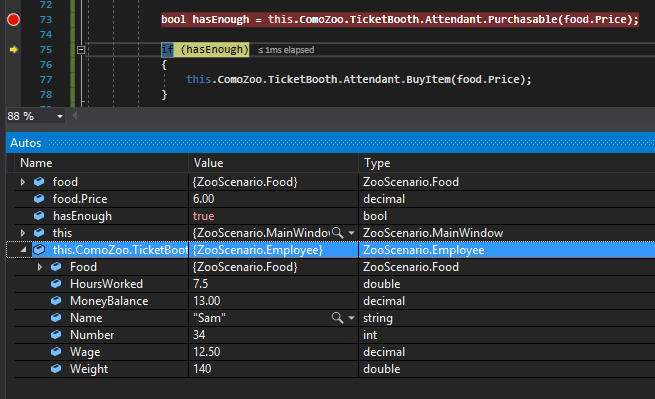
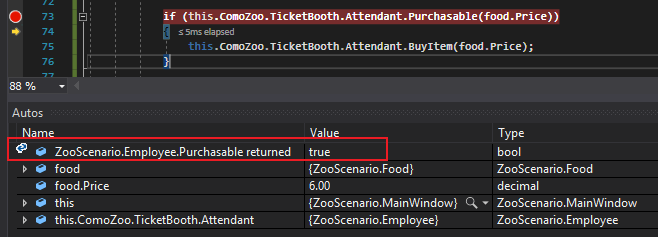
This process can be shortened, however. The method call itself (because it returns a boolean) can be placed inside a conditional directly.

So now when we run the application, the conditional will test the return from the Purchasable method instead of a variable. An easy way to see this is to look at the Autos window. It will show you what the return from a method is.