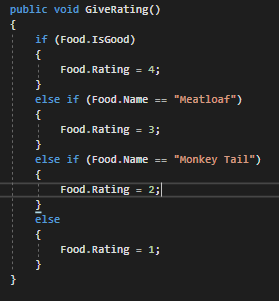
Let's look at the logic for the GiveRating method.
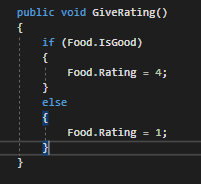
Currently the if the food is good the rating is 4 and if it isn't it will be 1. However, the Meatloaf at the Zoo is good enough to always gets a Rating of 3. But right now there's only two options. To add additional conditional statements to an if statement we will use an else if statement.
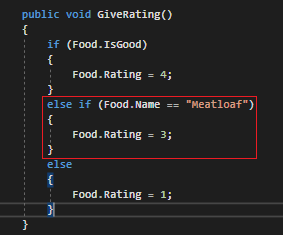
Else if statements will always need a logic evaluation because they are 'options' for the if statement that could evaluate to either true or false. In English this entire statement would read as, "If the food item is good, give it a rating of 4. If it isn't good, check if it's Meatloaf and if it is give it a rating of 3. If the food item isn't Meatloaf and isn't good, give it a rating of 1."
So let's say the food item isn't good, but it's Meatloaf.
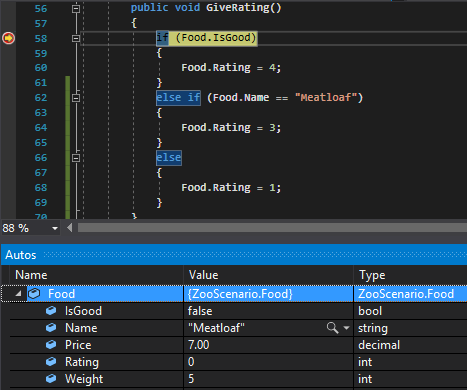
When we step through, the first if statement will evaluate to false and move to the next line (the else if statement).
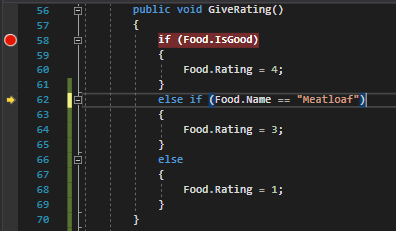
When we continue to step through, because the else if statement evaluates to true, the code inside the else if statement will execute.
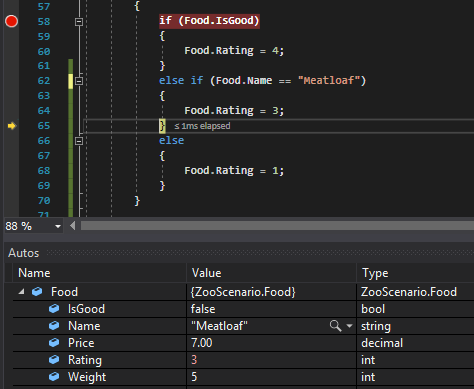
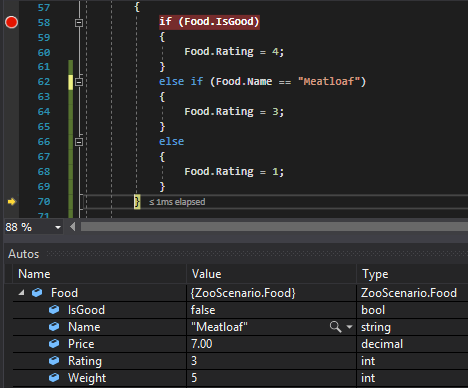
When we continue to step through, because one of the conditionals evaluated to true, the else statement will be skipped.
Unlike if and else statements, else if statements can have multiple. So say we always wanted to give Monkey Tails a Rating of 2 we can do that by adding another conditional.