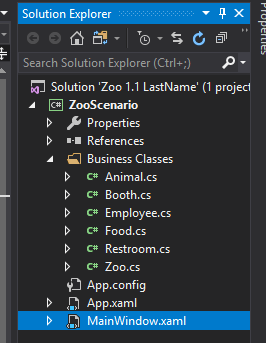
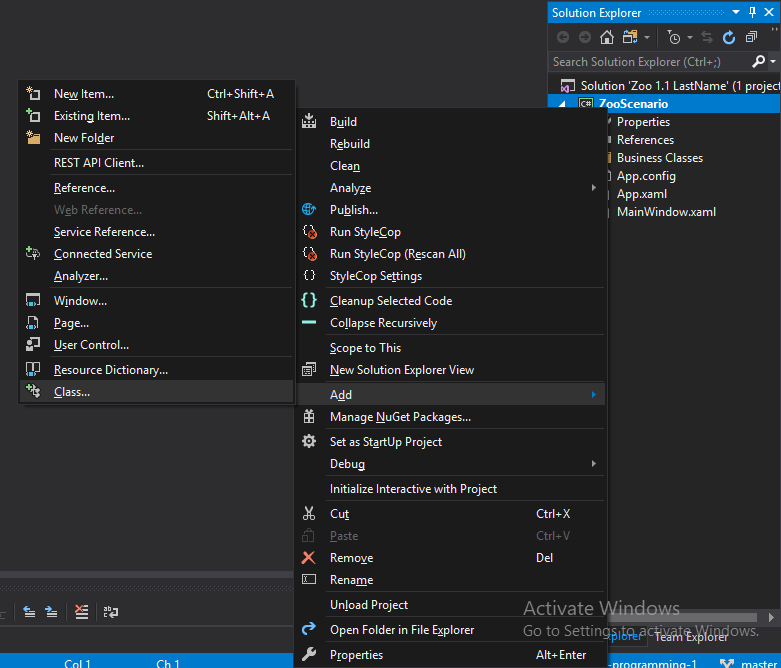
To add a class to a project, right-click the project in the Solution, navigate to Add and select Class...
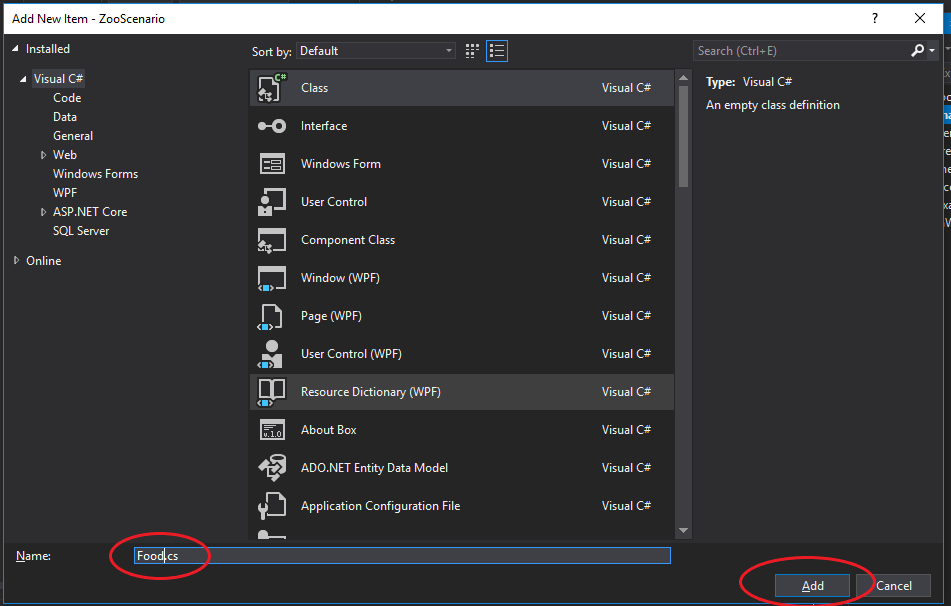
In the Add New Item window, change the name of the class and click Add.
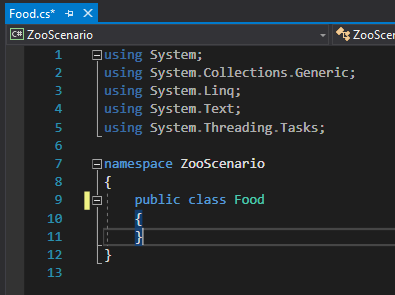
Visual Studio creates the class as shown below.
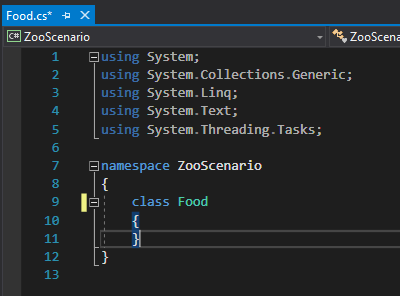
In order to complete the definition of the class you will need to add the keyword 'public' before the class as shown below.
If your class file has a namespace with Business_Classes attached to it (such as ZooScenario.Business_Classes) you will need to delete that before continuing so it is just the project name (ZooScenario).
Move the newly created cs file into the Business Classes folder. The Business Classes folder is purely organizational and does not change how classes interact.