- New
- Changed
- Removed
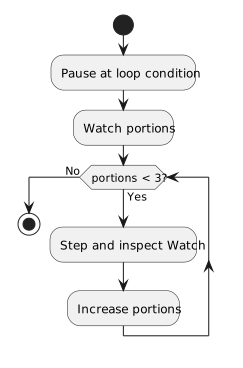
Add portions to Watch while paused in the method. Step through the loop and observe 0, 1, 2, then 3. You can also watch this.ComoZoo.FeaturedAnimal.Weight while paused in a method where that expression is in scope. A Watch expression may be unavailable in a different method frame.
Watch does not change a value merely by displaying it. An expression with a method call can have side effects when evaluated, so start with simple fields and locals while learning to debug. If portions is unavailable after stepping into another method, select the original caller frame in the Call Stack or step back to the relevant code.
Choose expressions that answer a specific question. If Watch reports that a name is unavailable, inspect the current stack frame and scope before assuming the program lost its value.