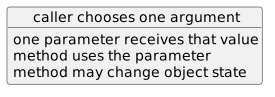
The Argument Supplies the Parameter Value
A call such as:
player1.SetJerseyNumber(7);supplies:
7to:
numberConceptually:
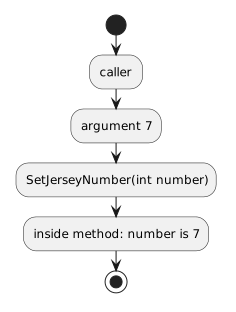
- New
- Changed
- Removed
A method without parameters has empty parentheses:
public void DisplayName()
{
}
A method with one parameter declares information inside the parentheses:
public void SetJerseyNumber(int number)
{
    this.jerseyNumber = number;
}
The parameter gives the method a named way to work with information supplied by the caller.
For:
int numberthe type is int.
The parameter name is number.
The type tells C# what kind of input the method expects.
The name gives the method a way to refer to that input.
A call such as:
player1.SetJerseyNumber(7);supplies:
7to:
numberConceptually:
Suppose the code executes:
player1.SetJerseyNumber(7);
player1.SetJerseyNumber(9);
The method is called twice.
During the first call:
number = 7During the second call:
number = 9Each call supplies its own parameter value.
For example:
public void SetJerseyNumber(int number)
{
    this.jerseyNumber = number;
}
The statement:
this.jerseyNumber = number;uses two different kinds of names.
this.jerseyNumber is a field on the current object.
number is the parameter for the current method call.
The assignment moves information from the parameter into object state.
Consider:
public void SetAvailability(bool available)
{
    this.isAvailable = available;
}
Call:
player1.SetAvailability(true);During the call:
available = trueThe parameter type is bool, so the incoming argument must be compatible with a Boolean value.
Without a parameter:
public void SetJerseyNumber()
{
    this.jerseyNumber = 7;
}
the method always assigns 7.
With a parameter:
public void SetJerseyNumber(int number)
{
    this.jerseyNumber = number;
}
the caller can choose the value:
player1.SetJerseyNumber(7);
player2.SetJerseyNumber(12);Compare:
SetJerseyNumber()with:
SetJerseyNumber(int number)The parameter changes the method declaration.
Later UML Learning Activities show parameters in sequence diagrams and class diagrams.
The name:
numberexists for the method body where it is declared.
Code outside that method cannot simply use number as though it were a field on the object.
This leads directly to scope.
Methods with multiple parameters are taught later.
For now: