F5 Lets the Debugger Continue Running
When Visual Studio pauses at a breakpoint or during step-by-step debugging, you do not always need to inspect every remaining statement.
The Continue command resumes execution.
A common Visual Studio shortcut is:
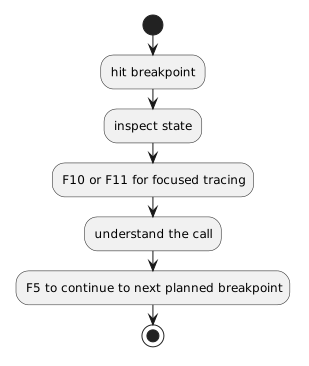 HitBreakpoint.
You do not need to choose only one debugger command for the entire session.
Different commands answer different questions.
Be Aware of Unexpected Breakpoints
If old breakpoints remain active, F5 may stop somewhere you did not intend.
Use the Breakpoints window when needed to identify which breakpoints are active.
A surprising pause is often a breakpoint-management issue rather than a new program failure.
Continue After an Exception Only When the Situation Supports It
If the program has paused because of a runtime exception, do not reflexively press F5.
First read the exception and inspect the current state.
The program may not be able to continue normally from that failure.
The Main Question
Use F5 when you know:
Continue is a navigation tool for runtime execution.
It becomes especially useful when combined with the Call Stack and Step Into.