1.1.9 How to Map Objects From UML Object Diagrams to C#

A UML Object and a C# Object Can Represent the Same Instance

A UML object diagram shows a snapshot.

C# creates and works with objects while the program runs.

Suppose the UML contains:
Plain text
player1 : Player

This tells you:

A corresponding C# object creation can be:

C#
Player player1 = new Player();

The syntax is different.

The object concept is the same.

Map the UML Type to the C# Type

From:

Plain text
player1 : Player

the UML type is:

Plain text
Player

In the C# statement:

C#
Player player1 = new Player();

Player is also the type being used.

This works when the supplied project actually contains a Player class.

Do not create a class name only because the UML contains a label that resembles one.

The project and model need to describe the same intended software type.

Map the UML Object Identity to a C# Reference Name

From:

Plain text
player1 : Player

the object identity is:

Plain text
player1

A straightforward mapping uses the same identifier in C#:

C#
Player player1 = new Player();

Using consistent names makes it easier to compare:

If the current source or requirement supplies an exact name, preserve it.

One UML Instance Maps to One Intended Runtime Instance

Suppose the diagram has:

Plain text
player1 : Player
player2 : Player

A matching creation plan can be:

C#
Player player1 = new Player();
Player player2 = new Player();

There are two UML instances.

There are two new Player() expressions.

The code now has two distinct Player objects.

Do Not Collapse Two Diagram Objects Into One Object

This would not preserve the two-instance model:

C#
Player player1 = new Player();
Player player2 = player1;

That source gives two reference names connected to one existing Player object.

The UML diagram in this example called for two distinct instances.

Creating object references and sharing object references are different concepts.

Shared-reference behavior is explored later.

For this activity, follow the object identities shown in the current UML.

Do Not Create Extra Runtime Objects

If the UML contains:

Plain text
player1 : Player

then this code introduces more instances than the diagram shows:

C#
Player player1 = new Player();
Player player2 = new Player();
Player player3 = new Player();

Every new should have a modeling reason.

Ask:

Which object box does this new correspond to?

If you cannot answer, the object creation may not belong.

Map Objects Before Mapping Their Fields

A useful translation order is:

  1. Identify every UML object.
  2. Identify each object's type.
  3. Create the corresponding C# object instances.
  4. Then map the field values.
  5. Then map object relationships when the current task requires them.

This prevents you from trying to assign values to an object that has not yet been created.

Use a Simple Mapping Table

For example:

UML object UML type C# creation
player1 Player Player player1 = new Player();
player2 Player Player player2 = new Player();
team1 Team Team team1 = new Team();

This makes missing or extra instances easier to notice.

The Debugger Can Confirm Runtime Existence

After the object-creation statements execute, the debugger can help you observe the corresponding runtime objects.

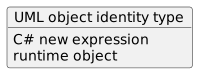
That gives you three views:

Plain text
UML object identity/type
        ↓
C# new expression
        ↓
runtime object

The debugger does not replace the UML.

It provides evidence about what the C# program actually created.

The Core Translation

For a basic object header:

Plain text
objectIdentity : Type

a basic C# creation pattern is:

C#
Type objectIdentity = new Type();

Use the actual names and types supplied by the current UML and project.

The next Learning Activity maps the field values inside those object boxes to the corresponding C# object state.