1.1.1 How to Create a Folder Structure for Diagrams

Good File Organization Makes Technical Work Easier to Find

As your programming work grows, you may create several kinds of files:

If every file is placed in one folder with unclear names, it becomes easy to:

A simple folder structure helps you keep related work together.

Begin With the Course or Project Folder

Use the location required by your course.

Inside that location, keep the project files and diagram files organized according to the current directions.

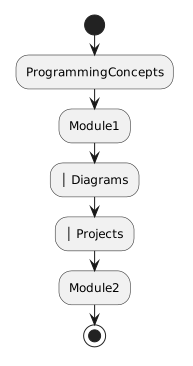
A simple conceptual structure might look like:
Plain text
ProgrammingConcepts
├── Module1
│   ├── Diagrams
│   └── Projects
└── Module2

The exact folder names used in your course may differ.

Follow the names and locations supplied by the course when they are specified.
Give Diagrams Their Own Logical Location

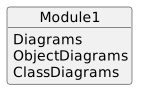
If a module requires several UML files, placing them in one diagram folder can make them easier to manage.

For example:

Plain text
Module1
└── Diagrams
    ├── ObjectDiagrams
    └── ClassDiagrams

You do not need to create extra folders merely because this example shows them.

Use enough structure to keep the required artifacts clear.

Too many unnecessary folders can make navigation harder rather than easier.

Keep Editable Diagram Files

When you create a UML diagram in Violet, the editable Violet file is important.

An exported image or screenshot may be useful for viewing the diagram, but it is not the same as the editable source.

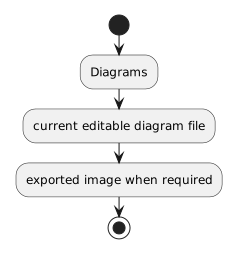
A useful folder can therefore contain:

Plain text
Diagrams
├── current editable diagram file
└── exported image when required

Do not replace the editable diagram with only a screenshot.

You may need to reopen and revise the source diagram later.

Use Meaningful File Names

A filename should help you recognize the artifact.

Weak names include:

Plain text
diagram1
newdiagram
final
final2
reallyfinal

Those names become difficult to interpret later.

A stronger name identifies the purpose of the diagram.

For example:

Plain text
PlayerObjectDiagram

or another exact filename required by the course.

When the course supplies a required filename, use it exactly.

Do not invent a more descriptive replacement if another system expects the supplied name.

Avoid Duplicate Copies You Cannot Distinguish

Suppose you have:

Plain text
ObjectDiagram.violet
ObjectDiagram - Copy.violet
ObjectDiagram2.violet
ObjectDiagramFinal.violet

You now have several possible submission candidates.

If you cannot explain which file is current, the folder structure is not helping you.

Keep one clearly identified current artifact and preserve other versions only when the course or your workflow has a reason to keep them.

Separate Diagram Files From Program Source

A UML diagram and a C# source file serve different purposes.

Keeping them organized separately can help you distinguish:

Plain text
model

from:

Plain text
implementation

For example:

Plain text
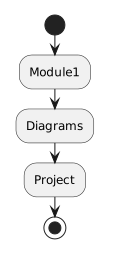
Module1
├── Diagrams
└── Project

The diagram folder contains modeling artifacts.

The project folder contains the supplied Visual Studio solution and source.

Do not move C# project files out of their supplied project structure simply to make your personal folder organization look cleaner.

Preserve the Visual Studio Project Structure

Visual Studio solutions depend on their project organization.

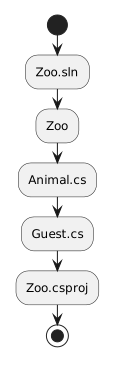
If the course gives you:

Plain text
Zoo.sln
Zoo
├── Animal.cs
├── Guest.cs
└── Zoo.csproj

do not drag individual .cs files into your diagram folder.

Keep the supplied solution intact.

Your outside folder organization should help you find the project without changing the internal structure Visual Studio expects.

Make the Structure Easy to Navigate

A good folder structure lets you answer:

If the structure makes those answers obvious, it is doing its job.

Organization Is Part of Technical Reliability

File organization may feel separate from programming.

It is not.

Technical work depends on using the correct artifact.

A perfectly designed diagram cannot help if you submit an older copy.

Correct C# code cannot help if you edit a duplicate project while Visual Studio runs another one.

A clear folder structure reduces those avoidable errors.