A CSV file stores tabular data as plain text.
CSV commonly stands for comma-separated values.
Instead of displaying data in spreadsheet cells, a CSV file represents rows and fields using text.
For example:
Title,Artist,Genre,Year
Northern Lights,Example Band,Rock,2024
Side Street,Dana Lee,Jazz,2022
A spreadsheet can display the same information as a table:
| Title | Artist | Genre | Year |
|---|---|---|---|
| Northern Lights | Example Band | Rock | 2024 |
| Side Street | Dana Lee | Jazz | 2022 |
The visible representations are different.
The underlying structured information is closely related.
In this example:
Title,Artist,Genre,Year
Northern Lights,Example Band,Rock,2024
Side Street,Dana Lee,Jazz,2022
the first line contains field names.
The next line describes one song.
The final line describes another song.
Conceptually:
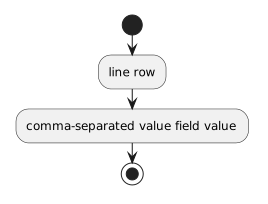
line → row
comma-separated value → field value
That makes CSV easy for many systems to create, exchange, and read.
The first line:
Title,Artist,Genre,Year
acts as a header row.
It tells you what each position means.
For the line:
Northern Lights,Example Band,Rock,2024
you can match values by position:
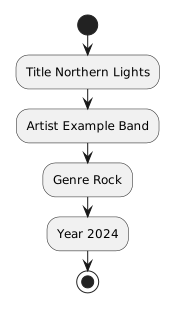
Title → Northern Lights
Artist → Example Band
Genre → Rock
Year → 2024
Without the header, the values would be much harder to interpret.
Consider:
Northern Lights,Example Band,Rock,2024
The value Rock is meaningful because it appears in the position associated with Genre.
If the values are accidentally rearranged:
Northern Lights,2024,Rock,Example Band
the text still exists, but the row no longer matches the expected structure.
Structured data depends on more than having the right values.
The values must appear in the correct fields.
A CSV file can often be opened in a text editor.
That makes the separators visible.
The same file can also be opened or imported into spreadsheet software, which displays the values in rows and columns.
This gives CSV a useful role as an exchange format.
One program can write structured text.
Another program can read the same file and reconstruct rows and fields.
What if a song title contains a comma?
For example:
Hello, Again
If the text were written directly as:
Hello, Again,Example Band,Rock,2024
the commas would make it unclear where the title ends.
CSV formats can use quotation marks to preserve a field containing a separator:
"Hello, Again",Example Band,Rock,2024
Now the comma inside the quoted title belongs to the value rather than separating two fields.
You do not need to implement a CSV parser in this module.
You do need to recognize that CSV has formatting rules beyond simply “split every comma.”
A spreadsheet workbook can contain:
A CSV file is much simpler.
It represents tabular text data.
When you save or export a worksheet as CSV, spreadsheet-specific features may not be part of that CSV representation.
This is why a .csv file and a spreadsheet workbook are not interchangeable artifacts.
CSV is useful when information needs to move between systems.
Conceptually:
system A
↓
CSV file
↓
system B
For example:
The file acts as a structured handoff.
CSV does not automatically make data clean.
A file can still contain:
CSV provides a format.
The quality and usefulness of the data still depend on how the records and fields are organized.
The next Learning Activity gives those parts more precise names.