Module 4 began by comparing decimal, binary, and hexadecimal.
Base 10.
Digits:
0 through 9
Place values grow by powers of 10.
Base 2.
Digits:
0 and 1
Place values grow by powers of 2.
Base 16.
Digits:
0 through 9 and A through F
Place values grow by powers of 16.
The same quantity can have different written representations.
For example:
Decimal: 15
Binary: 1111
Hexadecimal: F
The representation changes.
The quantity does not.
Four bits provide sixteen possible patterns.
One hexadecimal digit also provides sixteen possible values.
That creates a direct mapping:
0000 ↔ 0
0001 ↔ 1
...
1010 ↔ A
1011 ↔ B
1100 ↔ C
1101 ↔ D
1110 ↔ E
1111 ↔ F
This makes hexadecimal a compact way to represent binary patterns.
A bit contains one binary value:
0
or:
1
Eight bits form a byte.
A pattern of bits does not automatically tell you its meaning.
A system can interpret bit patterns as:
The representation needs context.
Programs need to know what kind of information a value represents.
Important introductory categories include:
The meaning of the information should guide the type choice.
Four useful introductory C# types are:
string
int
double
bool
Examples:
string playerName = "Jordan";
int jerseyNumber = 7;
double heightMeters = 1.82;
bool isAvailable = true;
The type tells C# what kind of value the variable is intended to hold.
An object diagram shows a specific instance:
player1 : Player
-------------------------
jerseyNumber = 7
A class diagram shows the structural definition:
Player
-------------------------
jerseyNumber : int
The class diagram describes what Player objects can contain.
The object diagram shows what one Player object contains at a particular moment.
A common attribute form is:
attributeName : Type
For example:
Player
--------------------------------
name : string
jerseyNumber : int
heightMeters : double
isAvailable : bool
The name explains what the information means.
The type explains what kind of value it can contain.
Focus:
What specific objects and values exist right now?
Focus:
What actions happen, in what order, and along which path?
Focus:
What classes exist, and what information can those kinds of objects contain?
Choose the diagram based on the question being answered.
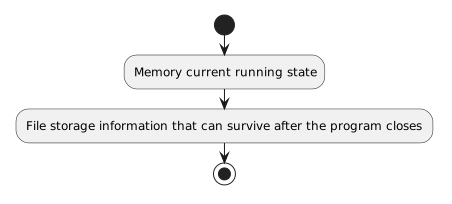
The running program works with current information in memory.
Examples include:
Persistent storage keeps information available beyond the current execution.
A text file is one simple persistent-storage mechanism.
The core distinction is:
Memory → current running state
File storage → information that can survive after the program closes
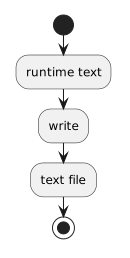
A simple C# write is:
System.IO.File.WriteAllText("lineup.txt", lineupNote);
Conceptually:
runtime text
↓
write
↓
text file
WriteAllText writes the supplied text as the file's complete content.
A simple C# read is:
string lineupNote =
System.IO.File.ReadAllText("lineup.txt");
Conceptually:
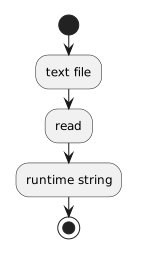
text file
↓
read
↓
runtime string
The file remains persistent.
The program now also has the contents available in memory.
A Player object may contain several fields.
Writing a text file stores only the text the program chooses to write.
Reading a text file returns text.
Turning complex object state into a structured file representation is a separate problem.
That work is outside the current module.
A simple save process can be represented as:
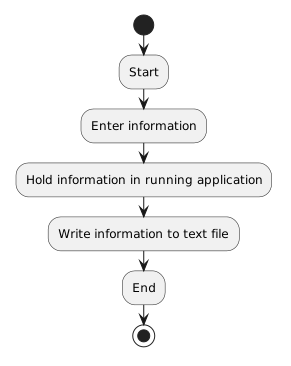
Start
↓
Enter information
↓
Hold information in running application
↓
Write information to text file
↓
End
A load process can be represented as:
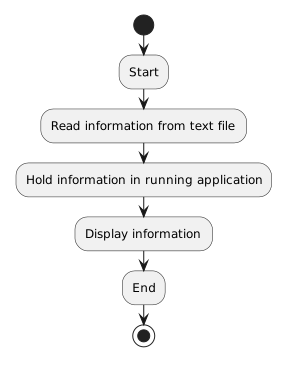
Start
↓
Read information from text file
↓
Hold information in running application
↓
Display information
↓
End
The diagram shows the process.
C# supplies the executable instructions.
The major progression is:
Represent values → Identify their types → Model class structure → Distinguish runtime memory from persistent storage → Write information → Read information
These ideas connect representation and storage.
A digital system needs both: