A simple if statement gives the program one optional block.
An if/else statement gives the program two alternative blocks.
One block runs when the condition is true.
The other block runs when the condition is false.
A simple instructional soccer example is:
if (player1.isAvailable)
{
    System.Console.WriteLine("Include the player in the available list.");
}
else
{
    System.Console.WriteLine("Leave the player off the available list.");
}
Only one of those two blocks runs for a single evaluation of the condition.
Read the if Condition First
The decision still begins here:
if (player1.isAvailable)
Ask:
That value selects the path.
If the value is true
The program runs:
{
    System.Console.WriteLine("Include the player in the available list.");
}
and skips the else block.
If the value is false
The program skips the first block and runs:
else
{
    System.Console.WriteLine("Leave the player off the available list.");
}
else Means the Other Case
The else does not contain another condition.
It represents the alternative when the if condition was false.
Conceptually:
Is the player available?
       /           \
    true           false
     |               |
Include player    Leave player off
The two branches are alternatives.
The program does not run both branches for the same evaluation of the condition.
The branches differ inside the if/else, then execution continues with the shared statement afterward.
This is the same flow pattern you saw in activity diagrams when two paths later rejoined.
Compare if With if/else
Simple if
if (player1.isAvailable)
{
    System.Console.WriteLine("Available");
}
Meaning:
When the condition is false, there is no alternate block.
if/else
if (player1.isAvailable)
{
    System.Console.WriteLine("Available");
}
else
{
    System.Console.WriteLine("Unavailable");
}
Meaning:
Use the structure of the source to identify whether the false case has its own behavior.
Connect if/else to an Activity Diagram
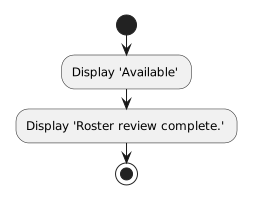
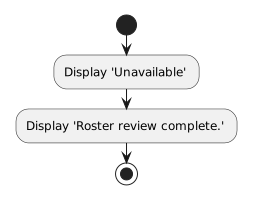
An activity diagram might represent:
ReadAvailability.
NNew
CChanged
RRemoved
The C# implementation uses:
if (player1.isAvailable)
{
    System.Console.WriteLine("Available");
}
else
{
    System.Console.WriteLine("Unavailable");
}
The visual model and the source code express the same two-path decision in different forms.
The diagram emphasizes flow.
The C# provides executable instructions.
Predict the Path From the Boolean State
Suppose the debugger shows:
player1.isAvailable = false
Before stepping over the if, you can predict:
the true block should be skipped;
the else block should run.
Then use F10 to observe the path.
If Visual Studio moves to the statement in the else block, the runtime evidence matches the prediction.
This is a useful pattern:
Read the condition → predict the branch → observe execution
Each Branch Can Contain More Than One Statement
An if or else block can group several statements.
For example:
if (player1.isAvailable)
{
    System.Console.WriteLine("Available");
    System.Console.WriteLine("Consider for the lineup.");
}
else
{
    System.Console.WriteLine("Unavailable");
    System.Console.WriteLine("Do not include in the lineup.");
}
The braces show which statements belong to each path.
When the condition is true, both statements in the true block run in sequence.
When the condition is false, both statements in the else block run in sequence.
Keep the Decision to One Current Idea
At this stage, focus on simple Boolean conditions.
Do not turn a basic example into a complicated chain of decisions.
The current skill is reading:
OneCondition.
NNew
CChanged
RRemoved
More advanced conditional structures appear later.
The Main Difference
Keep this distinction clear:
if
Both structures depend on Boolean reasoning.
Both can be predicted from the condition.
Both can be traced in the debugger.
And both can be represented visually with activity-diagram decision paths.
![Activity diagram showing Read availability, then Decision: available?, then [yes] Mark available, then [no] Mark unavailable, then Continue.](Diagrams/0.3.ReadSimpleIfElseStatement.Activity.ConnectActivityDiagram.light.svg)