Violet UML provides an editor for creating activity diagrams.
Before opening Violet, identify the process you need to model.
A simple plan might be:
The software records the diagram.
It does not decide the process for you.
Create the activity-diagram type used by the course.
Do not begin with an object, class, or sequence diagram and try to make it behave like an activity diagram.
Each UML diagram type answers a different question.
Place one clear starting point for the current activity.
The start node tells the reader:
The next page in this batch explains start nodes in more detail.
Create an action node for each meaningful step.
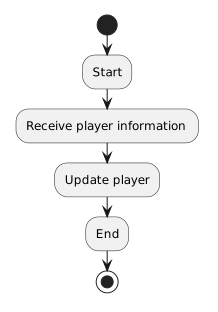
For example:
Receive jersey number
Assign jersey number
Display playerArrange the nodes so the visual order supports the intended flow.
Then connect them with directed arrows.
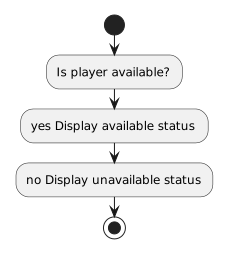
Suppose the process needs to choose based on availability.
A conceptual flow is:
Use a decision node only when alternate paths are part of the behavior.
Do not add branches merely to make the diagram look more complex.
When a decision is present, the reader should be able to understand what makes each path apply.
For introductory Boolean decisions, labels such as:
[true]
[false]can communicate the path condition.
Use the notation required by the course's current UML expectations.
A complete activity should make it clear where the modeled process finishes.
If several alternate paths all complete the same activity, arrange the flow so the reader can see how each path reaches the intended ending.
A technically correct diagram can still be difficult to read.
Prefer:
Layout should support understanding.
Use the filename and location required by the current activity.
The editable Violet file is the source artifact.
A screenshot can show the diagram, but it is not a replacement for the editable model when revisions are needed.
For example:
If you cannot read the model as a coherent process, revise the structure before treating it as finished.