The Dot Connects an Object to One of Its Members
You have already seen expressions such as:
The dot:
is the member-access operator.
It connects an object reference with a member available through that object.
Read:
as:
Begin on the Left Side of the Dot
Consider:
The left side is:
That identifies the object reference you are starting from.
The right side is:
That identifies the member you want to access.
A useful reading order is:
which object? → which member?
So:
becomes:
The Same Member Name Can Exist on Different Objects
Suppose:
Player player1 = new Player();
Player player2 = new Player();
Both Player objects can have a field named:
These expressions refer to different object state:
player1.name
player2.name
The member name is the same.
The object reference before the dot determines which object's member is being accessed.
The Dot Makes UML-to-Code Connections Visible
Suppose the UML contains:
player1 : Player
-------------------------
name = "Jordan"
A C# assignment can be:
The dot expresses the relationship:
That is the code-level way of saying:
this Can Appear on the Left Side
Inside the current object's instance-level code, you may see:
The left side:
means the current object.
The right side:
is the member being accessed.
The same dot rule applies.
Conceptually:
means:
Accessing a Member Does Not Automatically Change It
This expression:
identifies a member.
It does not change the member by itself.
A field changes when code performs an assignment such as:
Keep the operations separate:
member access
field assignment
The next activity focuses directly on assignment.
The Member Must Belong to the Object's Type
If player1 refers to a Player, then the available members come from the supplied Player type and what C# makes accessible through it.
You cannot invent:
unless that member actually exists and is accessible on the supplied type.
When the compiler reports that a member cannot be found, inspect:
- the object type;
- the spelling of the member;
- the supplied class definition.
Do not add a new field merely to make the error disappear unless the current requirement tells you to define one.
Member Names Must Be Exact
C# distinguishes identifiers precisely.
If the field is:
then:
and:
are not automatically the same identifier.
Preserve the member names used by the supplied project.
The Left Side Must Refer to an Object Before Instance Members Can Be Used
Suppose:
Then:
attempts to access a member through a reference that does not currently point to a Player object.
That can lead to a NullReferenceException when the statement executes.
For now, remember the basic dependency:
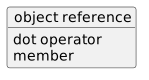 ObjectReference.
The object reference needs to identify an actual object when the program uses that instance member.
You will diagnose null-reference problems in CO-029.
The Main Reading Pattern
Whenever you see:
ask:
- What does
something refer to?
- What member is being accessed?
- Am I only reading the member, or is the larger statement assigning to it?
- Does the supplied type actually contain that member?
The dot operator is small punctuation, but it is one of the most important ways C# expresses object-oriented structure.