0.6.8 Records, Fields, Rows, and Columns

A Structured Dataset Has Repeating Parts

A table becomes easier to reason about when you can name its structure.

Consider:

Song ID Title Artist Genre
S001 Northern Lights Example Band Rock
S002 Side Street Dana Lee Jazz

This dataset contains:

These terms are related, but they are not identical.

A Record Represents One Item

A record is a collection of related values describing one item.

In the music table:
Plain text
S001 | Northern Lights | Example Band | Rock

is one song record.

The record describes one song using several fields.

Another row describes another song record.

For this dataset:

Plain text
one record = one song

A different dataset could use:

Plain text
one record = one artist

or:

Plain text
one record = one album

The meaning depends on the table.

A Field Represents One Kind of Information

A field identifies one piece of information stored for each record.

In the song table, the fields are:

The Title field has the same meaning for every song record.

The values change from record to record.

The field definition remains consistent.

Rows Are the Spreadsheet Representation of Records

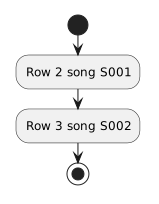
In a spreadsheet, one data row commonly represents one record.

For example:

Plain text
Row 2 → song S001
Row 3 → song S002

The row is the visible spreadsheet structure.

The record is the logical data item represented by that row.

In a clean table, those ideas line up naturally.
Columns Are the Spreadsheet Representation of Fields

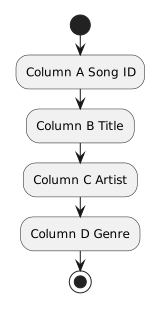
A spreadsheet column commonly represents one field.

For example:

Plain text
Column A → Song ID
Column B → Title
Column C → Artist
Column D → Genre

Again, the column is the spreadsheet structure.

The field is the meaning assigned to that column.

A Cell Is One Field Value for One Record

A cell sits at the intersection of one row and one column.

Suppose:

Plain text
B2 = Northern Lights

Column B represents Title.

Row 2 represents song S001.

Therefore the cell represents:

the Title value for song S001.

That is a useful way to reason about any structured spreadsheet cell.

CSV Uses the Same Logical Structure Without the Grid

The spreadsheet:

Song ID Title Artist
S001 Northern Lights Example Band

might appear in CSV as:

Plain text
Song ID,Title,Artist
S001,Northern Lights,Example Band

The grid is gone.

The record-and-field structure remains.

That is why CSV can move structured data between systems.

One Row Should Have One Record Meaning

A table becomes confusing if some rows represent songs and other rows represent artists.

For example:

Plain text
S001 | Northern Lights | Example Band | Rock
A001 | Example Band    | Milwaukee    | 2018

The first row describes a song.

The second appears to describe an artist.

The columns no longer have one consistent meaning.

If different kinds of records need different fields, separate tables or worksheet tabs may be more appropriate.

One Column Should Have One Field Meaning

Likewise, a column labeled:

Plain text
Genre

should not contain:

Plain text
Rock
Jazz
2024
Example Band

if 2024 and Example Band represent different concepts.

A field should have a stable purpose.

Consistency makes later sorting, filtering, and relationships much easier.

Record Structure Supports Questions

Once records and fields are consistent, the dataset can answer useful questions.

For example:

Which songs are Rock?

uses the Genre field.

Which record is S002?

uses the Song ID field.

Which artist is associated with Northern Lights?

uses the Artist field for that song record.

Structured questions depend on predictable structure.

Keep the Vocabulary Connected

Use this mental model:

Record
One logical item in the dataset.

Field
One defined piece of information about that item.

Row
The spreadsheet line commonly used to represent one record.

Column
The spreadsheet direction commonly used to represent one field.

Cell
One field value for one record.

Those concepts prepare you to recognize why consistency and unique identifiers matter.