 Introduction To Programming
 10-152-310
Learning Plan 1 : Introduction to Programming and Software Development
Editing Basics
- Run your version of Firefox/Chrome.
- Run your version of Microsoft Visual Studio.
- Find and open the lab or project file that you need to modify with Microsoft Visual Studio.
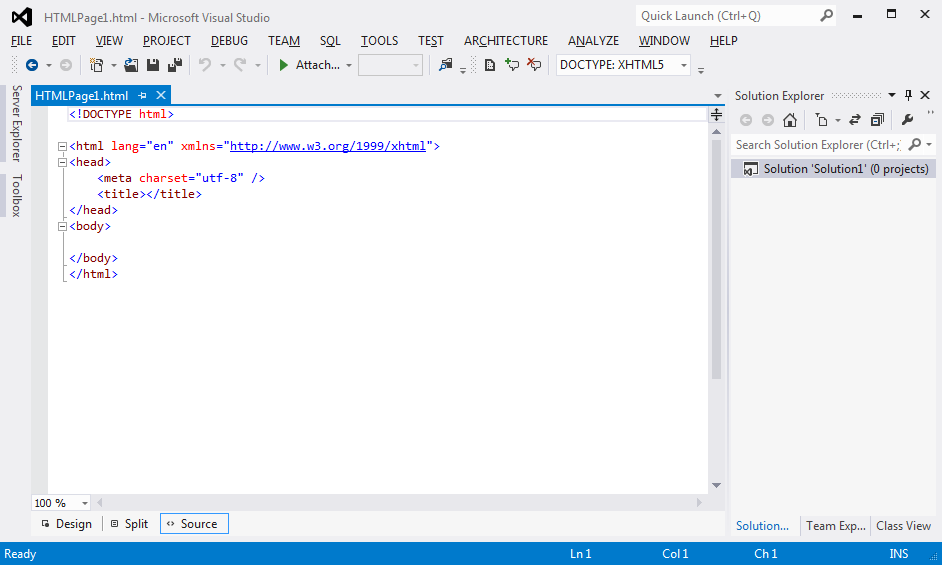
Opening File Example - Put your name and section in the documentation section of the file.
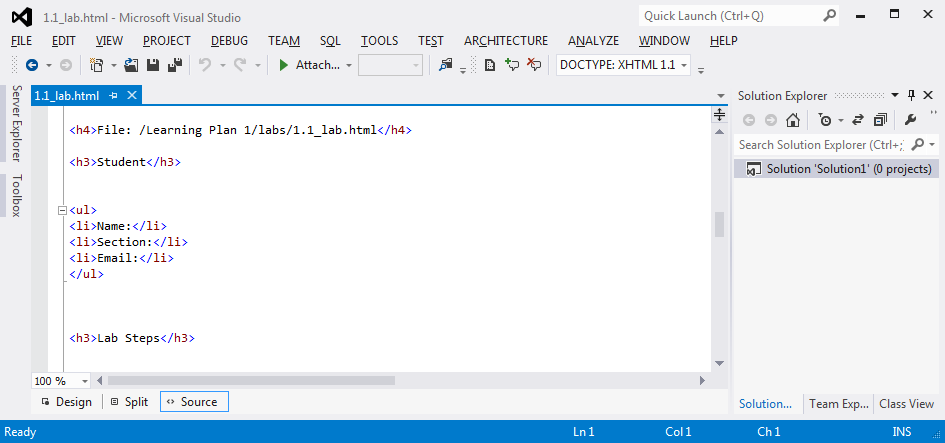
Name File Example - Write your code.
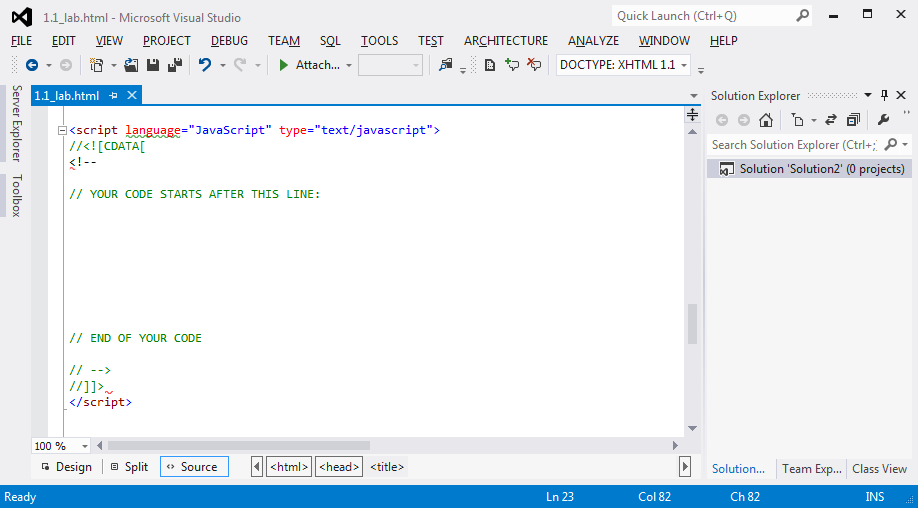
Write Code Example - Save the lab or project file.
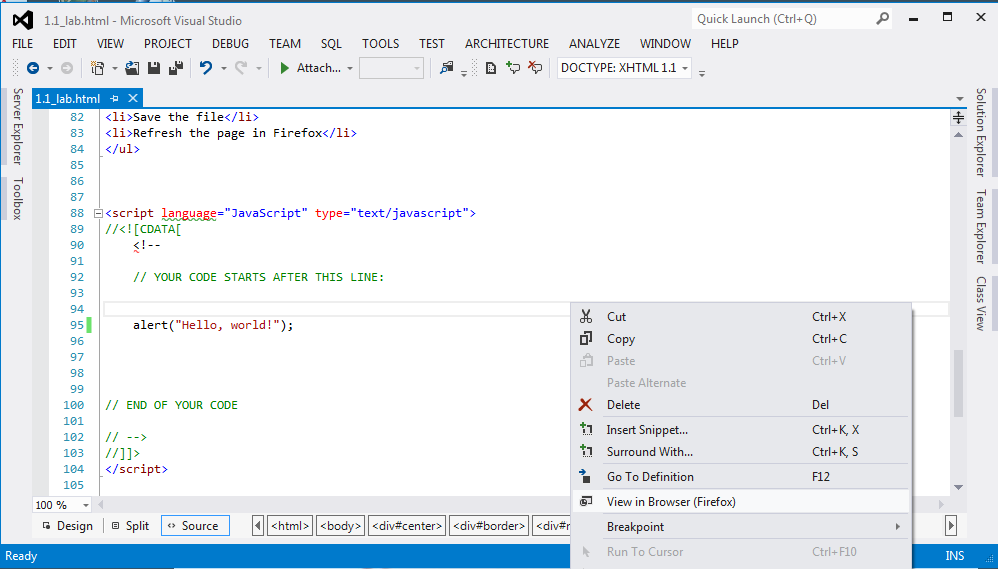
Save Code Example - Right-click on the page and view in Firefox/Chrome.
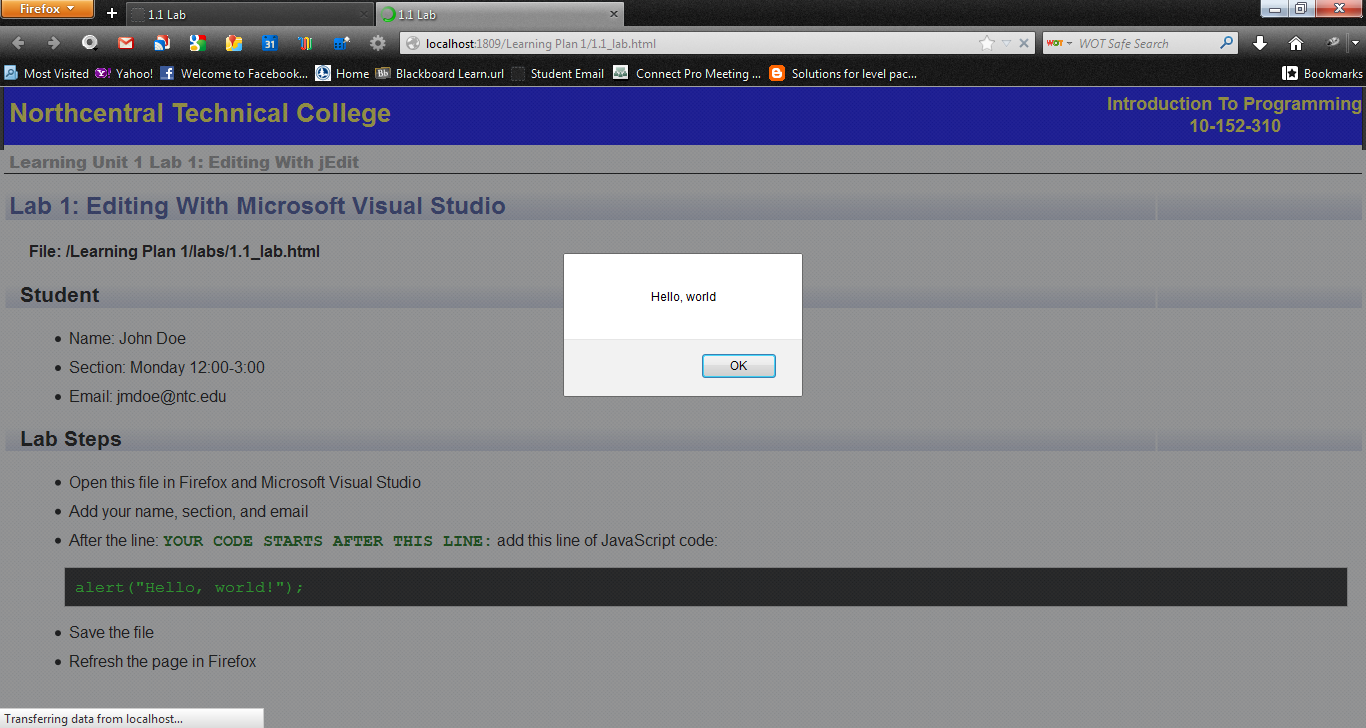
Preview Code Example - Change your default browser.
Now it your turn! Let's do a lab.
- Open the file 1.1 Lab in Firefox/Chrome by just clicking on it.
- Follow the steps on the page.