 Introduction To Programming
 10-152-310
Learning Plan 1 : Introduction to Programming and Software Development
Steps to Change Default Browser
- Run your version of Microsoft Visual Studio.
- Go to file in Microsoft Visual Studio and down to Browse With.... click on it.
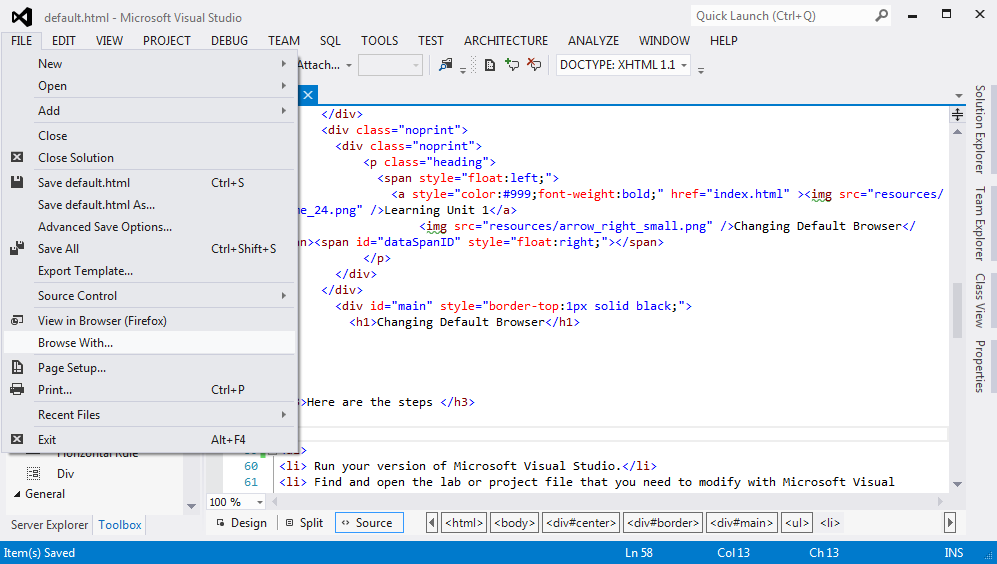
Browse With... Example - The Browse With dialog box should open.
- Select Firefox and then click the Set as Default button.
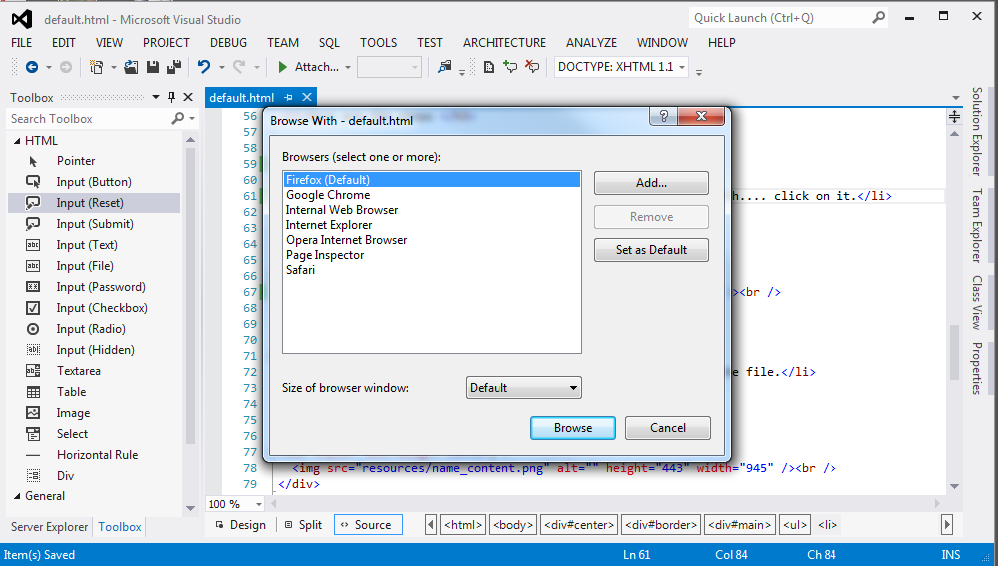
Change Browser Example - When you run your HTML page it should open in Firefox/Chrome.