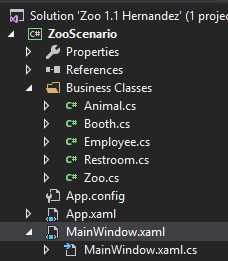
In Visual Studio's Solution Explorer there is a MainWindow.xaml and a MainWindow.xaml.cs. The MainWidnow.xaml handles all of the graphical interface portions of the application whereas the MainWindow.xaml.cs handles all of the code for the application. Adding buttons takes place in the MainWindow.xaml.
Double click on the MainWindow.xaml to bring you to the GUI (Graphical User Interface) editor. The top window is the physical representation of the code that is below it. The code is referred to as XAML.
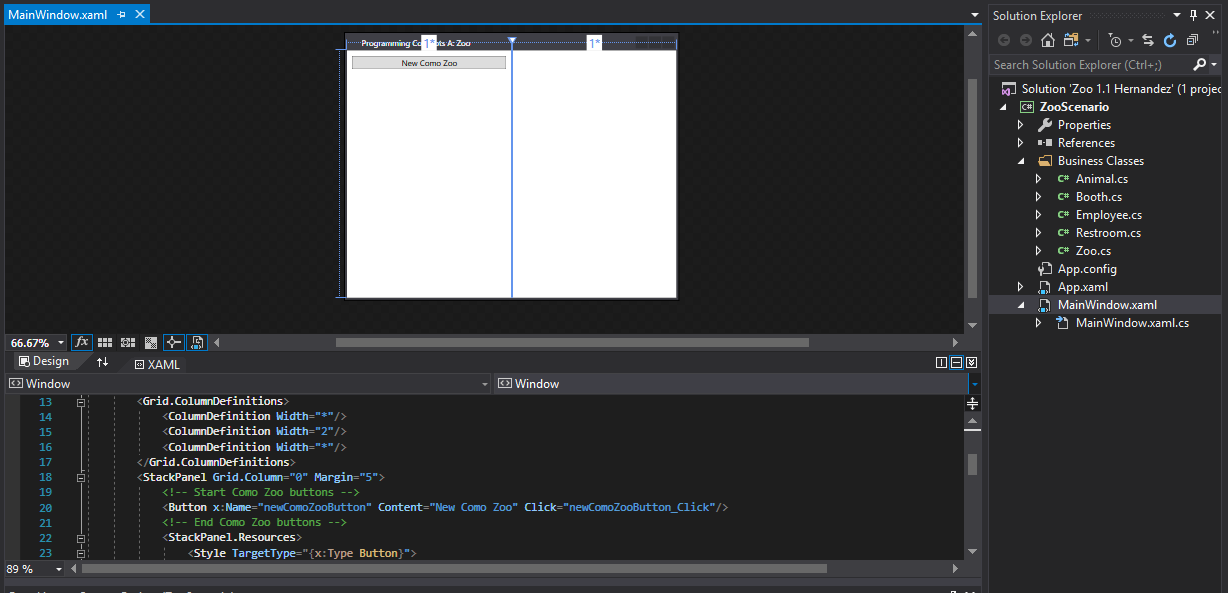
For this class you will be provided with the code to add any buttons to the GUI. When you receive this code you will paste it into the instructed place in the XAML code.
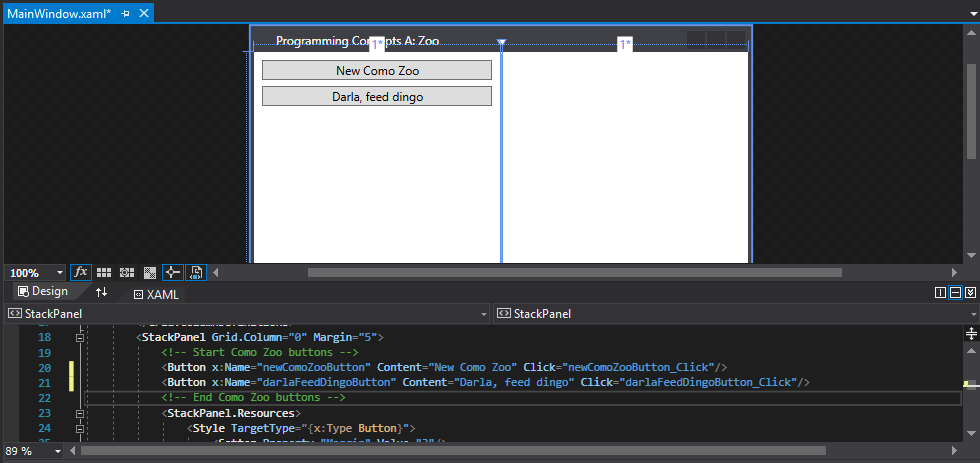
For this example, I will be adding a button for feeding a dingo. The code for the button is as follows:
<Button x:Name="darlaFeedDingoButton" Content="Darla, feed dingo" Click="darlaFeedDingoButton_Click"/>
When I copy and paste the line of code below the other button code in the XAML, a fully constructed button appears in the GUI. Note that while the button has appeared it currently has no functionality.