Let's look at a simple method that returns the resale cost of an item.
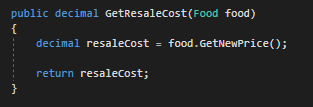
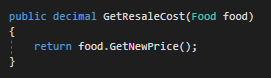
The method calls GetNewPrice on the food object and stores the result in the resaleCost variable and then returns the resaleCost variable. While this is fine it takes up space. To make the code a bit cleaner we can condense the code by directly returning the result of the method call.
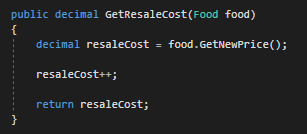
Where this doesn't work is in instances where we need to adjust/modify the return before doing anything else to it. In the example below there's no way to increase the return of the GetNewPrice method by a dollar without first storing it in a variable.
In-line method returns work any place a method that returns something is being called. This includes parameters. In the example below the food item found is being stored in the foodFound variable and then being passed into the Eat method as an argument.

Instead what we can do is pass in the method call to FindFoodItem as the argument.

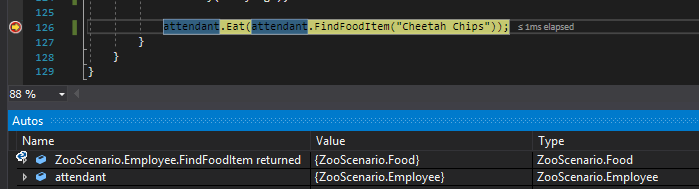
We can see this at work by running the application. When we press F11 on the Eat method, the debugger will first go into the FindFoodItem method so it can get use the return as an argument.

The snip below shows the state of the application after the FindFoodItem method has been executed and the debugger has returned to the Eat method call. You can see in the Autos window that a Food item has been returned.
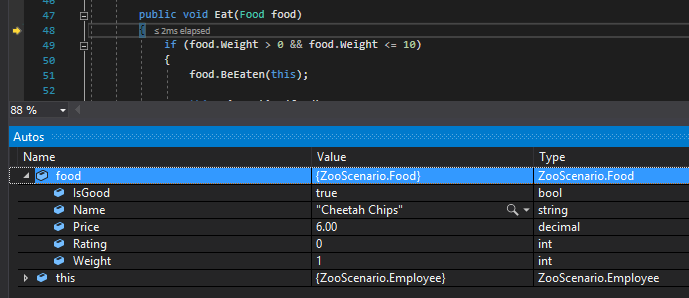
If we F11 into the Eat method we can see for certain that the food parameter is the Food object that was found and returned by the FindFoodItem method.
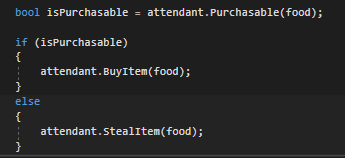
In-line method calls can also be used in logic conditionals. For example, the code below stores a boolean value in the isPurchasable variable and then tests that variable.
However, the code can be shortened by inserting the method call into the conditional directly.
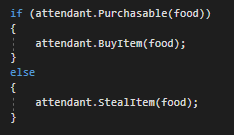
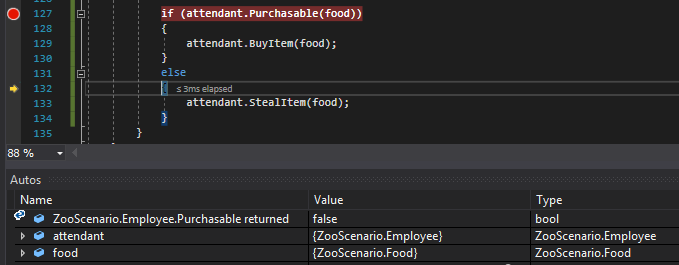
If we run the application and press F10 after hitting the breakpoint we can see that Purchasable returned false and so the else statement is hit.