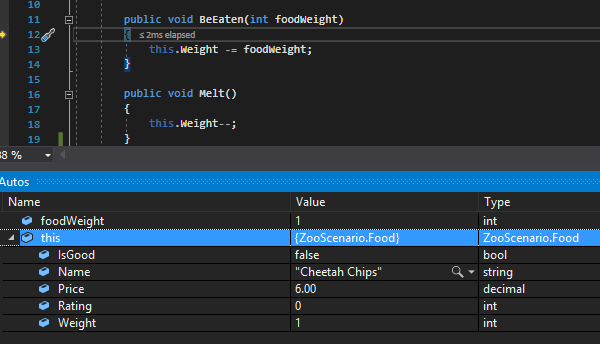
Currently we have a call from the MainWindow that passes in the weight of the Employee's Food as an argument.

And the Eat method looks like this:
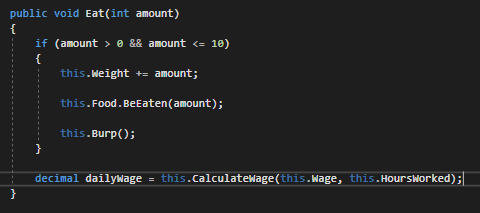
The way that it's set up now the Employee can only eat their own Food object. But what if Sam wants to sneak some chips from the TicketBooth while he's working. He doesn't want to necessarily have them he just wants to eat them. We can do this by changing the parameter from amount to a Food object.
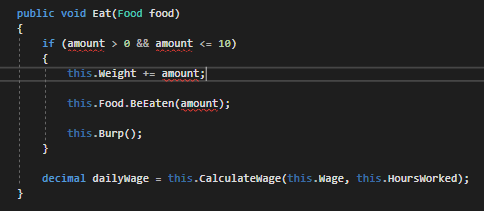
When we do this we get multiple errors because the amount parameter is no longer there.
To fix these, we can begin by passing a food object as an argument in the method call.
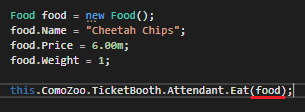
Now that we have access to the food item (because the food parameter is now a reference to the food object), we can access the members of that object by using the dot accessor.
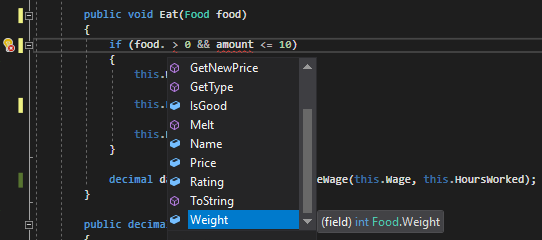
Before we were using the food's weight as the amount parameter and we can still do that by accessing the Weight field of the food object.
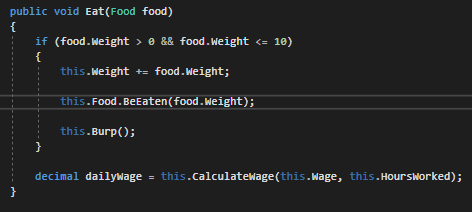
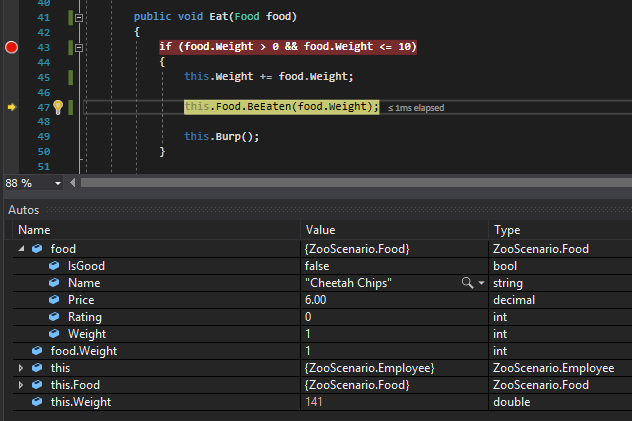
When we run the application we can see that when the lines of code execute, the Weight of the Employee goes up 1, which is what is intended because the Weight of the food is 1.
When we step into the BeEaten method, however, the Food is now Meatloaf when it should be the Cheetah Chips. That is because the object calling BeEaten is a reference to the field (the Meatloaf the Employee has) and not the parameter (the Cheetah Chips the Employee wants to eat).
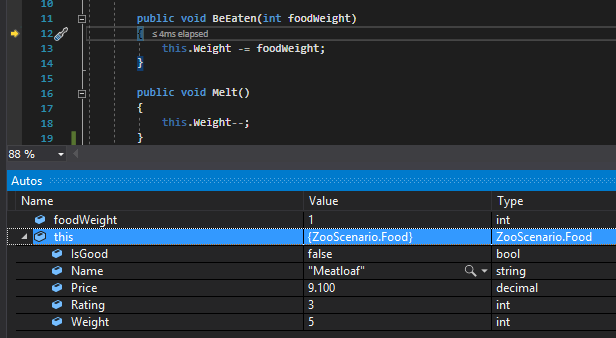
To fix this we need to change the object that is calling BeEaten.
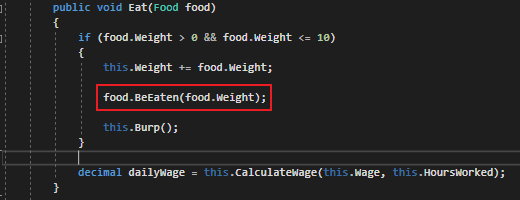
This time when we run the application the food item will be the Cheetah Chips instead of the Meatloaf.