Let's say that every time a daily wage is calculated we don't care about the cents that are tacked on. The Boss only pays in whole dollar amounts. What we can do is use the Floor method in the Math class to do that work for us.

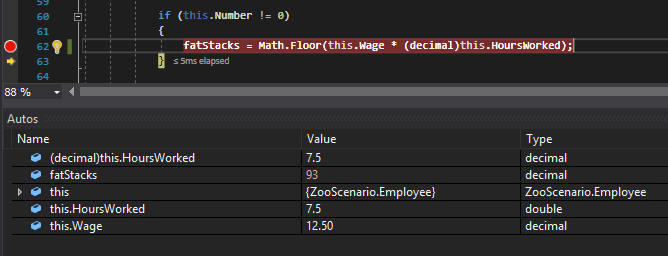
Now when we run the application and execute that line of code the fatStacks variable is assigned the value 93 instead of the 93.75 that it would be without the call to Floor.
The Math class has a number of different methods we can use. To see everything that it has, press F12 on the Math class and Visual Studio will bring you to the class.
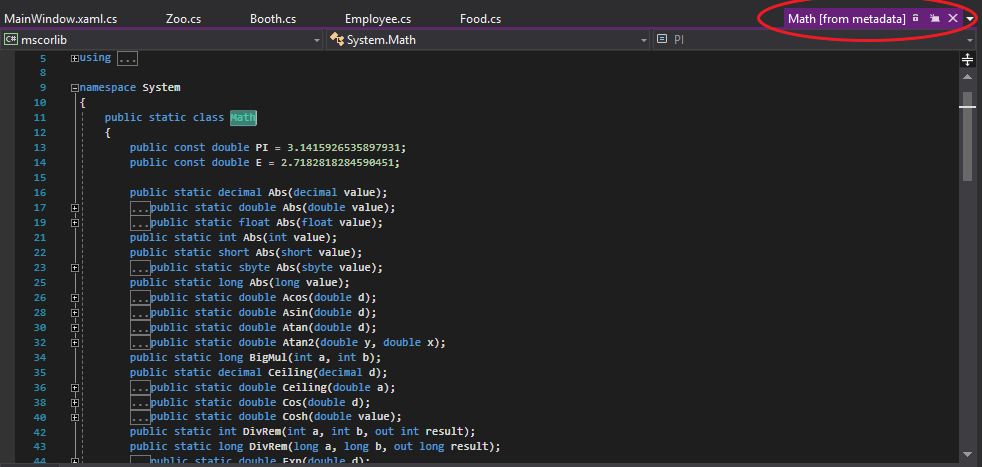
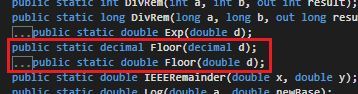
What is unfortunate about this view is that we cannot see how each method is designed, but what we can see is what is needed in order for it to work properly. For instance, with our use of Floor, we can see that it requires either a decimal or a double as an argument and returns a decimal or a double depending on what has been passed in.
If you would like more information on what the Math class can do, visit the documentation for it here. It will give you a brief description of the purpose of a method.

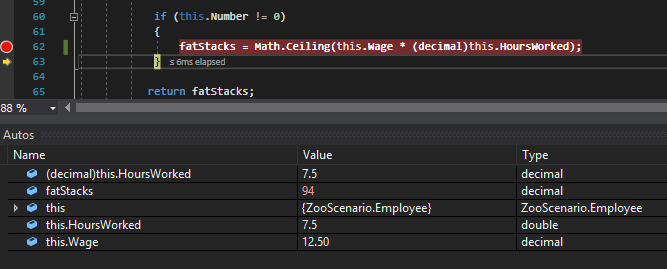
Now with new information we can use Ceiling instead of Floor to give the Employee a little bonus.
Another common method in the Math class is the Round method. This method takes a number as a parameter and does exactly what it says--it rounds.
Let's say there's an odd sales tax when buying something. The method and execution would look like this:
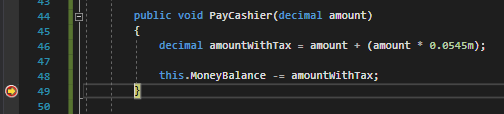
But we aren't being very nice since the cashier would need to determine how to round up or down to the nearest cent all the time. We can make it easier for them by using Math.Round()
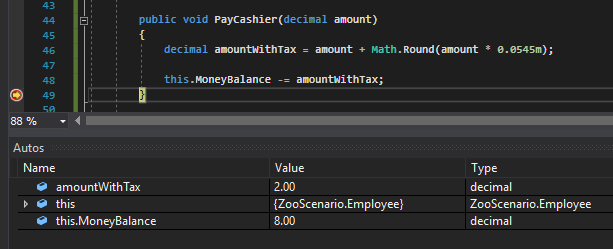
Except there's a problem. The Round method doesn't know what place to round it to so it rounds to the whole number and wipes out the sales tax altogether. The Round method can take another parameter for the position you want to round to, so let's do that.
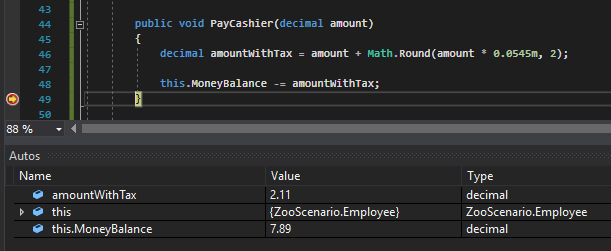
Now the amountWithTax is the amount plus the 11 cents from the tax rounded to the hundredth.