For example, let's say that the TicketBooth Attendant would like to keep track of what the total cost of all the Food that he has is. We can define a foreach loop that will 'grab' each Food item they have, get the price of the item and add the price to an accumulator variable. The loop will look like this.
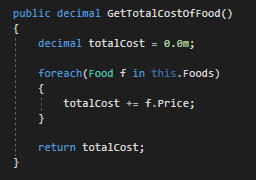
Let's take a deeper dive into the definition of a foreach loop.
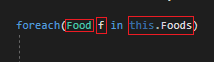
This definition in English can be read as: For each Food object in the list of Food objects, do something...
The Food in the definition is the Type of thing that will be accessed in the list.
The f in the definition is the current object being accessed. The f in this case does not need to be f. Naming convention follows that the current object variable should be the lower case of whatever Type is in the List. In this case: Food --> f
The this.Food in the definition is the list that is being accessed.
The first time we step through the foreach loop it will look like this:
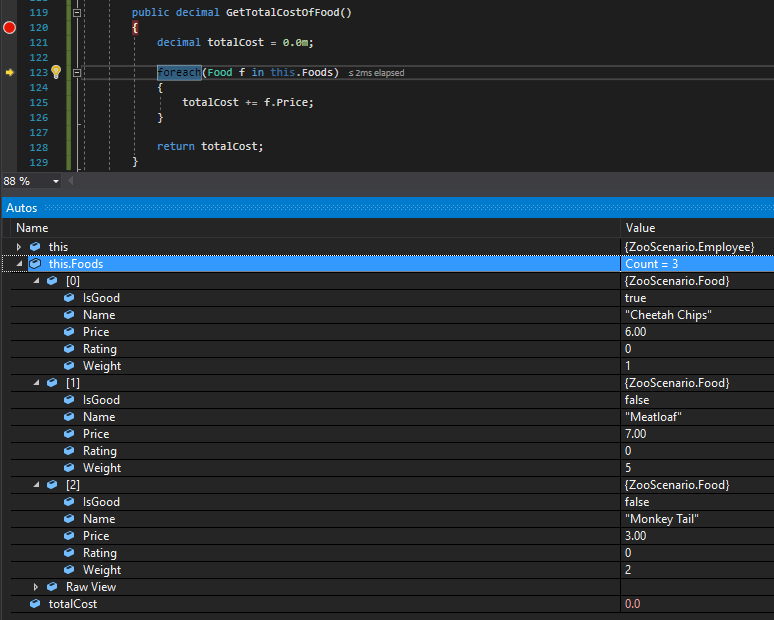
Note that there are 3 objects in the Foods list so the foreach loop should loop through 3 times. Also note that the totalCost is currently 0.0 and when the loop is finished the totalCost should be 16, the total amount of all the food item's prices.
If we F11 from here, the debugger will hit go through the foreach loop definition first hitting the this.Foods list, then the in statement and then the Food f.
When the debugger steps into the foreach loop's body we can see that the f is the first item in the list, the Cheetah Chips.
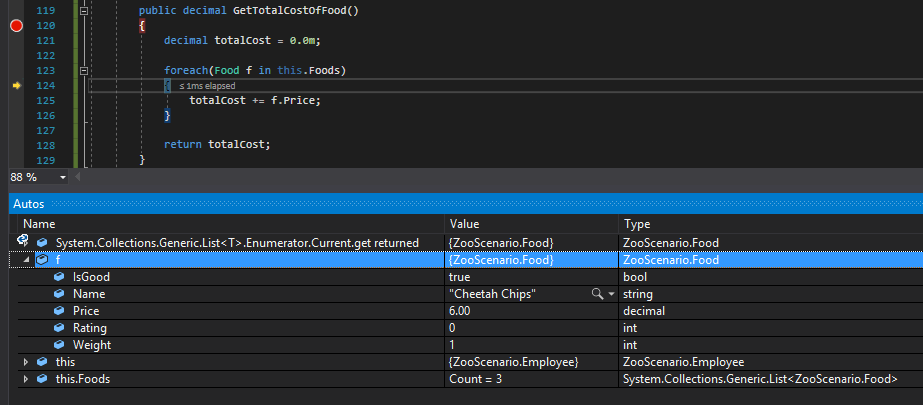
When we step through the body, then, we will see that the f.Price is accessing the Cheetah Chip's price and adding it to the running total.
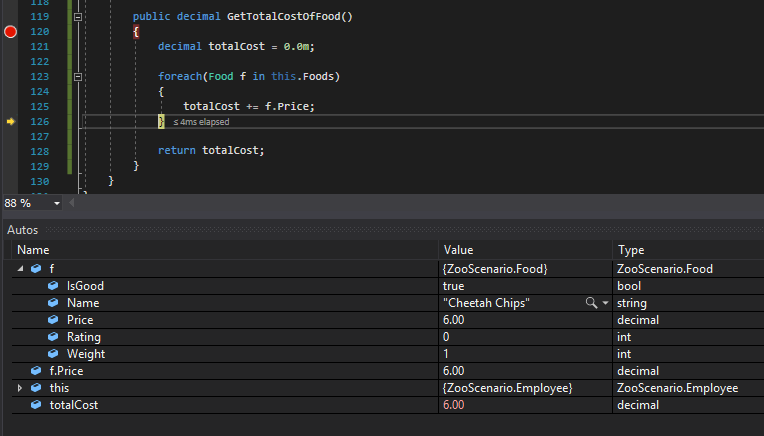
Now when we hit F11 instead of the debugger hitting the return statement, it will go back to the foreach loop and go through the method body with the next object in the list as f.
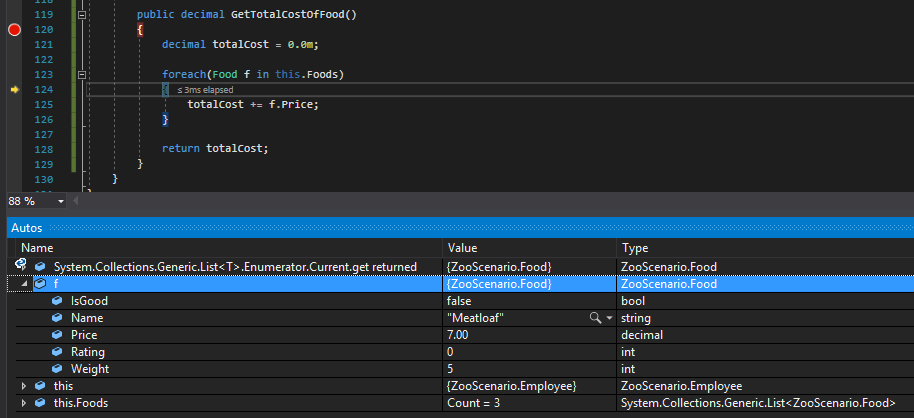
Again, when the body runs we can see that the f.Price is accessing the current object's Price and adding it to the running total.
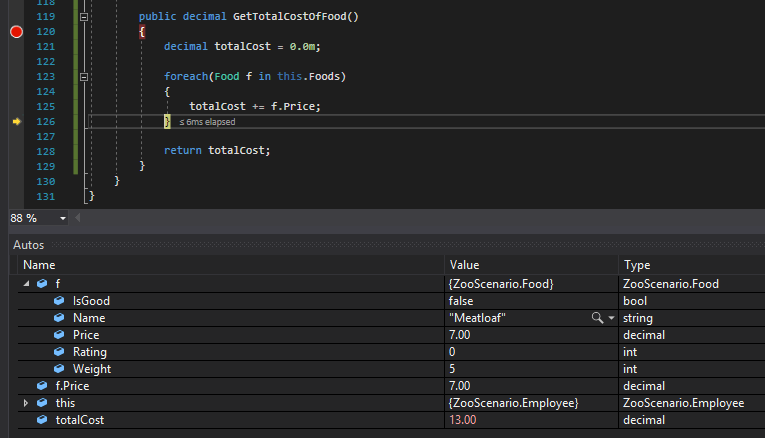
Once the foreach runs a third time and the debugger goes through the definition, the application tries to get the next object in the list but can't so it breaks out of the loop and hits the return statement.
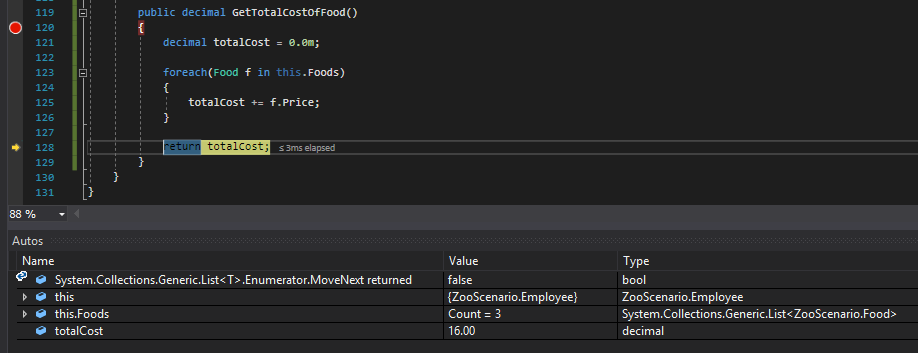
Here you can in fact see that the totalCost is now 16, the total of all the Food items prices in the list.