The Modifier Applies to the Member Being Declared
Read:
private int jerseyNumber;as:
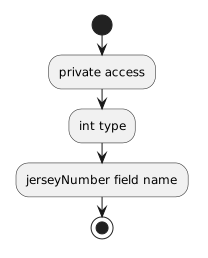
- New
- Changed
- Removed
Read:
public void SetJerseyNumber(int number)as a public method that outside code is allowed to call.
C# uses access modifiers to help define the boundary around a class.
Two important access modifiers are:
public
private
They control whether a class member can be accessed directly from outside the class.
Consider:
public class Player
{
    public string name;
}
Because name is public, code with access to a Player object can use the field directly:
player1.name = "Jordan";
System.Console.WriteLine(player1.name);
The field is part of the class's public surface.
Now consider:
public class Player
{
    private int jerseyNumber;
}
The field still belongs to each Player object, but code outside the Player class cannot access it directly through the object.
For example, outside code cannot treat this as an ordinary public field:
player1.jerseyNumber = 7;The compiler prevents that direct access because jerseyNumber is private.
A private field is still part of the object's state.
Methods inside the same class can use it.
For example:
public class Player
{
    private int jerseyNumber;

    public void SetJerseyNumber(int number)
    {
        this.jerseyNumber = number;
    }
}
Inside Player, the method can access jerseyNumber because both belong to the same class.
Use the modifiers to reason about the intended boundary.
public asks:
private asks:
The answer should come from the class design rather than from convenience alone.
If a field should not be changed directly, a class can expose a public method that performs the allowed behavior.
For example:
public class Player
{
    private int jerseyNumber;

    public void SetJerseyNumber(int number)
    {
        this.jerseyNumber = number;
    }
}
Outside code can call:
player1.SetJerseyNumber(7);but cannot directly assign the private field.
This creates a controlled path into the object's state.
Read:
private int jerseyNumber;as:
Read:
public void SetJerseyNumber(int number)as a public method that outside code is allowed to call.
These modifiers apply at different levels.
For example:
public class Player
{
    private int jerseyNumber;

    public void SetJerseyNumber(int number)
    {
        this.jerseyNumber = number;
    }
}
The class itself is public.
The field is private.
The method is public.
This combination is common because the class can be used by other code while still protecting selected internal state.
If you attempt to access a private field from outside its class, Visual Studio can report a compile-time error.
That error is evidence that the access boundary is working.
Instead of making the field public simply to remove the error, ask:
The correct fix may be to use an existing public method or to revise the class design according to the requirement.
Later pages introduce additional ways to control access, including private methods, readonly fields, constructors, and properties.
For now, focus on the basic distinction:
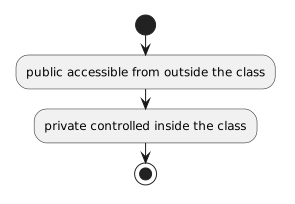
Access modifiers turn encapsulation into a concrete C# design choice.
Use public for members that should form part of the class's outside-facing surface.
Use private for members that should remain under the class's internal control.