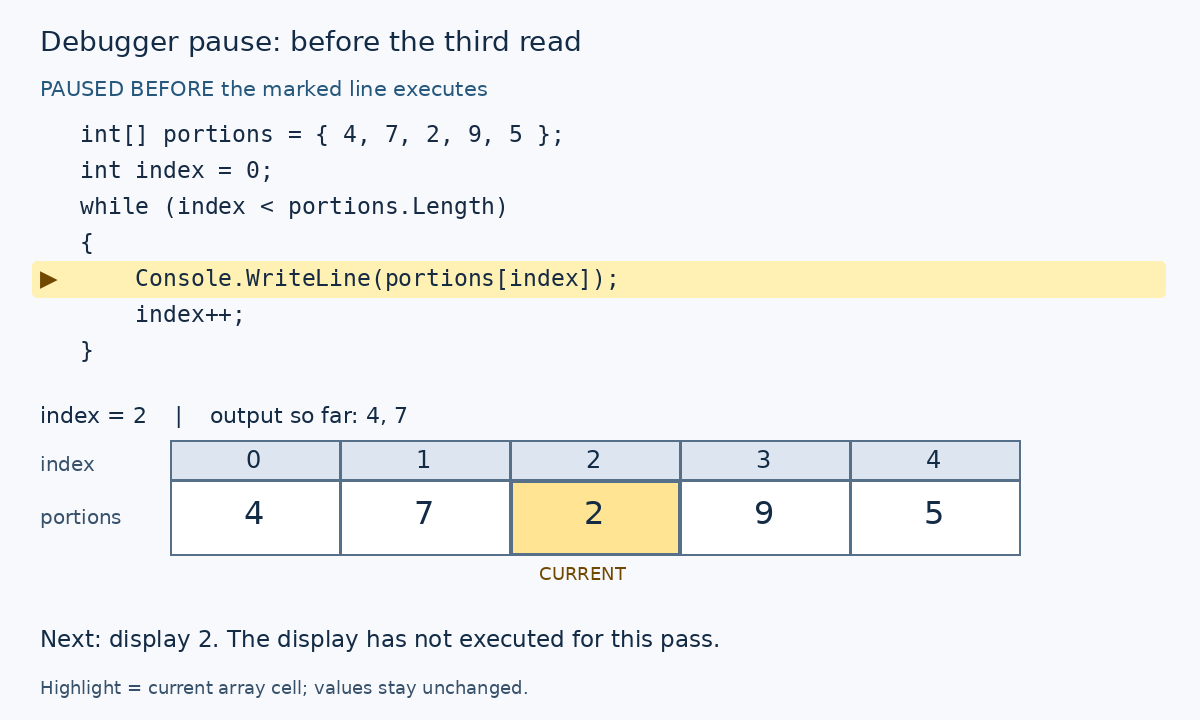
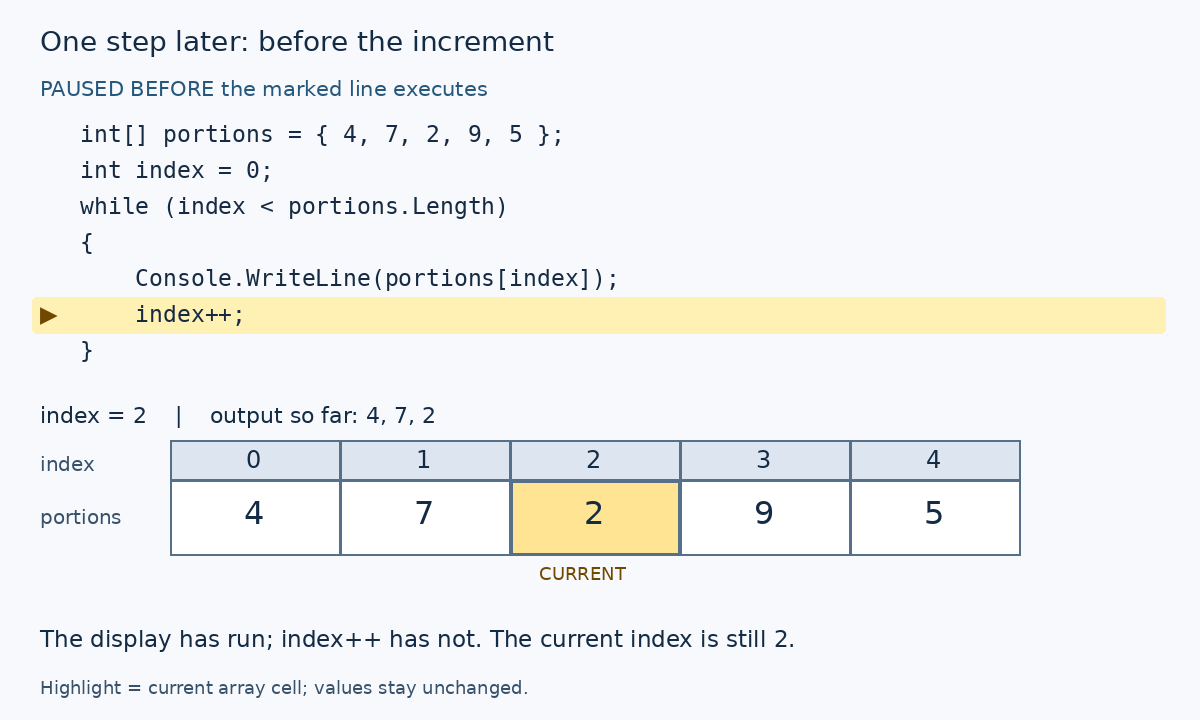
A debugger helps you compare the loop's actual state with a trace you predicted. Choose a pause point carefully: a highlighted statement is normally the next one to execute, not a statement whose effect has already happened.
Before debugging, predict the values produced by the station-setup code below. Start with five balls and zero setups. Each body execution uses two balls and records one setup.
After the first pass, expect three balls and one setup. After the second, expect one ball and two setups. The next condition is false because one ball is not enough for another setup.
Compare these predictions with the debugger observations and the worked table on this page.
int ballsRemaining = 5;
int stationsReady = 0;
while (ballsRemaining >= 2)
{
ballsRemaining = ballsRemaining - 2;
stationsReady = stationsReady + 1;
}Pause before the condition
Put a breakpoint on the while line and run the existing application action that reaches this method. At the first pause, the initial assignments have executed.
Inspect ballsRemaining as 5 and stationsReady as 0. Predict that the next comparison is true before stepping.
Step over one update at a time
Use F10 to reach and execute the subtraction. After it runs, expect three balls but still zero setups.
Then step over the setup increment. Now expect three balls and one setup. The temporary difference is explained by statement order.
Observe the next pass and the exit
On the next body execution, the values become one ball and two setups. The following condition is false.
Inspect the final values after the loop as well as the intermediate ones. This checks whether the right number of passes occurred.
A body breakpoint cannot show a skipped body
With one initial ball, the condition is false immediately. A breakpoint only inside the braces will never be hit.
To investigate that input, pause at the condition or at an existing executable statement after the loop. Use Locals or Watch to inspect the relevant values.
| Pause after the named statement | ballsRemaining | stationsReady |
|---|---|---|
| Initializations | 5 | 0 |
| First subtraction | 3 | 0 |
| First setup increment | 3 | 1 |
| Second setup increment | 1 | 2 |
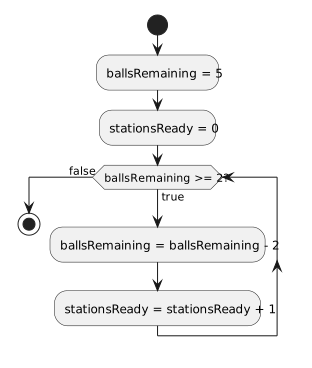
The diagram follows the code being debugged. A pause before the subtraction observes the old ball count; a pause after that action observes the new one.
The setup increment is a separate action below it, so stepping through the body can show different combinations of the two counts.
You pause on the subtraction with five balls. Why should you not expect the ball count to be three yet? What should change when you step over that line?
Check your reasoning
The highlighted subtraction is next to execute. Until it runs, the count is still five. After stepping over it, ballsRemaining becomes three, while stationsReady remains zero until its own assignment executes.
Use this additional array example to practice the same pause-before-execution rule. Place these statements inside an existing method and put a breakpoint on Console.WriteLine.
int[] portions = { 4, 7, 2, 9, 5 };
int index = 0;
while (index < portions.Length)
{
Console.WriteLine(portions[index]);
index++;
}

The second frame retains the cell at index 2 as the current position; the marked increment does not read that cell. After stepping over index++, index becomes 3. Return to the condition and continue to the display breakpoint: the next cell to read is index 3, whose value is 9.
| Pause point | index | Output so far | Next effect |
|---|---|---|---|
| Before third display | 2 | 4, 7 | Read portions[2] and display 2 |
| Before third increment | 2 | 4, 7, 2 | Set index to 3 |
| Before fourth display | 3 | 4, 7, 2 | Read portions[3] and display 9 |