Read Each Declaration as Type Then Name
For:
public Team homeTeam;read:
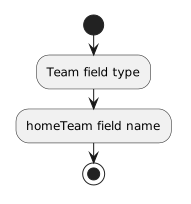
- New
- Changed
- Removed
For:
public Team awayTeam;read:
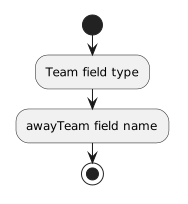
- New
- Changed
- Removed
Both fields can refer to Team objects, but they represent different roles in the Match.
You already know that a field can use another class as its type.
For example, a Player class might contain:
public Team team;The type is Team. The field name is team.
A class can contain additional fields whose types are also custom classes when the model requires more relationships.
Do not add a custom-type field just because the syntax is available.
The field should represent a relationship required by the current design.
Suppose a soccer Match needs references to two teams:
Match
----------------
homeTeam : Team
awayTeam : Team
The corresponding C# fields can be:
public Team homeTeam;
public Team awayTeam;For:
public Team homeTeam;read:
For:
public Team awayTeam;read:
Both fields can refer to Team objects, but they represent different roles in the Match.
A custom-type field does not contain a complete duplicate of another object.
It stores a reference that can point to an object of the declared type.
Conceptually:
match1 : Match
   |
   +-- homeTeam ──> team1 : Team
   |
   +-- awayTeam ──> team2 : Team
The Match object can therefore be connected to two different Team objects.
The type tells you what kind of object can be referenced.
The field name tells you the role that object plays.
Compare:
public Team homeTeam;
public Team awayTeam;
Both fields have the same type, but the names make the two relationships distinct.
This is especially useful when a class needs more than one reference to objects of the same custom type.
A class can use several custom types when the model requires them.
For example:
public Team homeTeam;
public Team awayTeam;
public Ball ball;
Here the Match can reference Team objects and a Ball object.
Each field should correspond to information or a relationship in the class design.
Defining:
public Team homeTeam;creates the field as part of the Match structure.
It does not automatically create a Team object or connect one to the field.
Until a reference is assigned, the field can contain:
nullCreating objects and assigning references are separate operations.
A field declared as:
public Team homeTeam;is intended to reference a Team object.
A field declared as:
public Ball ball;is intended to reference a Ball object.
The type is part of the class design and controls which kind of object the field can reference.
If the class diagram shows:
Match
----------------
homeTeam : Team
awayTeam : Team
ball : Ball
then the matching C# structure is:
public class Match
{
    public Team homeTeam;
    public Team awayTeam;
    public Ball ball;
}
The class diagram and the C# source are two representations of the same intended structure.
When a class needs another relationship, define another field whose type matches the related class and whose name explains that relationship.
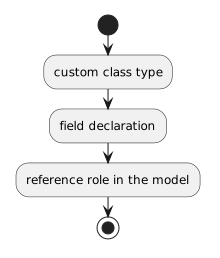
Use the model to decide which custom-type fields belong in the class.