1.1.20 How to Assign Object References

A Field Can Refer to Another Object

Objects can be related to other objects.

Suppose the program has:
Plain text
Player
Team

and the supplied Player type has a field that can refer to a Team object.

Conceptually:

C#
Team team;

A Player object's team field can then store a reference to a Team object.

Create the Objects First

Suppose the UML shows:

Plain text
player1 : Player  --------  team1 : Team

A basic C# setup begins by creating the two objects:

C#
Player player1 = new Player();
Team team1 = new Team();

At this point:

The relationship between them has not automatically been created.

Assign the Existing Object Reference

To connect the Player to the Team:

C#
player1.team = team1;

Read the statement from right to left:

Take the object reference stored in team1 and assign that reference to the team field on player1.

The field now refers to the Team object represented by team1.

The Assignment Does Not Create Another Team

This statement:

C#
player1.team = team1;

does not contain:

C#
new Team()

Therefore it does not create a new Team object.

It connects the Player's field to an already created Team object.

Keep these operations distinct.

Create

C#
Team team1 = new Team();

Connect

C#
player1.team = team1;

Connect the Assignment to UML

UML:

Plain text
player1 : Player  --------  team1 : Team

C#:

C#
player1.team = team1;

The UML line says the specific objects are related.

The C# reference assignment establishes the relationship in the running program.

The names of the actual reference fields come from the supplied project.

Use them exactly.

The Field Must Have a Compatible Type

If the Player field is declared to hold:

C#
Team

then assigning a Team reference is compatible:

C#
player1.team = team1;

Assigning unrelated text such as:

C#
player1.team = "Wildcats";

does not create the object relationship.

The display name of the team and the Team object are different things.

A Relationship Can Exist Before Descriptive Values Are Assigned

Suppose:

C#
Player player1 = new Player();
Team team1 = new Team();

player1.team = team1;

The Player now refers to the Team object even if:

C#
team1.name

still has its default value.

Object relationship and object field values are separate parts of state.

You can assign the relationship and then assign the Team's descriptive fields according to the required sequence.

Reference Assignment Can Replace null

A new reference field may initially be:

Plain text
null

After:

C#
player1.team = team1;

it can refer to the Team object.

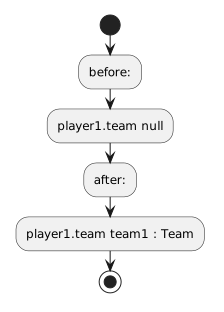
Conceptually:

Plain text
before:
player1.team → null

after:
player1.team → team1 : Team

That transition is central to preventing a null-reference failure when later code needs the related Team.

Use the Debugger to Observe the Connection

Pause before:

C#
player1.team = team1;

Inspect:

Plain text
player1.team

Then step over the assignment.

Inspect again.

You should be able to observe the reference change from its earlier state to a Team object reference.

That is runtime evidence that the relationship assignment executed.

Stay Within the Current Model

Do not create extra objects simply to fill reference fields.

For:

C#
player1.team = team1;

ask:

Which UML relationship does this assignment represent?

If the current object diagram does not support that connection, do not invent it.

Object-reference assignment is how the code expresses modeled relationships.