0.4.11 Modeling Information Storage With an Activity Diagram

Information Can Move Through a Process

Earlier activity diagrams focused on actions and decisions.

The same diagram type can help you reason about where information moves during a process.

Consider a soccer application where a user enters a short lineup note.

The application may:

  1. receive the note;
  2. keep it while the program is running;
  3. save it to persistent storage;
  4. later read it again.

An activity diagram can make that movement visible.

Start With the User Action

A simple process might begin:
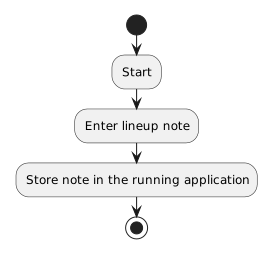
Plain text
Start
  ↓
Enter lineup note
  ↓
Store note in the running application

At this point, the information exists in the running program.

It has not necessarily been saved anywhere permanent.

If the application closes now, the information may disappear.
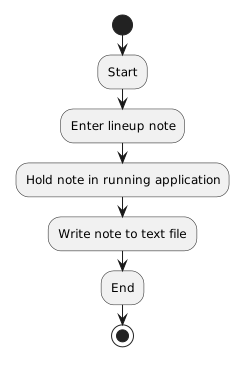
Saving Is a Separate Action

To preserve the note, the process needs a storage action.

Conceptually:

Plain text
Start
  ↓
Enter lineup note
  ↓
Hold note in running application
  ↓
Write note to text file
  ↓
End

The important idea is that:

having information in memory is not the same as saving it to persistent storage.

The save step changes where the information exists.

Reading Reverses the Direction

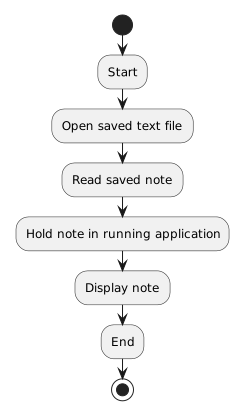
A later process might be:

Plain text
Start
  ↓
Open saved text file
  ↓
Read saved note
  ↓
Hold note in running application
  ↓
Display note
  ↓
End

Now information moves from persistent storage back into the running program.

These two flows answer different questions.

Save flow

Plain text
running program → file

Load flow

Plain text
file → running program

The Diagram Models Movement, Not Hardware Architecture

At this stage, you do not need to model:

The useful abstraction is much simpler.

Ask:

Is the information only part of the running application, or has it been written to persistent storage?

That distinction is enough to support the current learning goal.

Use Meaningful Action Labels

Instead of vague labels such as:

Plain text
Process information

use actions such as:

Plain text
Enter lineup note
Store note in running application
Write note to file
Read note from file
Display note

The diagram should make the information path understandable without requiring someone to guess what each box means.

A Save Process Has a Purpose

Suppose the coach enters:

Plain text
Jordan starts at forward.

If the note exists only in the running application, closing the program may remove that state.

If the program writes the note to a file, the information can remain available after the application stops.

The storage action creates persistence.

That word means the information remains available beyond the current running session.

A File Is One Form of Persistent Storage

This module focuses on simple text-file storage.

A file is not the only form of persistent storage.

Software can also use databases and other storage systems.

Those are outside the current scope.

The important introductory idea is:

memory supports the running program; persistent storage preserves information beyond the current run.

Connect the Diagram to Later C# Work

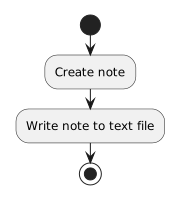
The activity diagram might show:

Plain text
Create note
    ↓
Write note to text file

Later C# code can implement the write action.

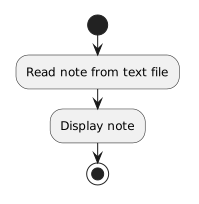
Another diagram might show:

Plain text
Read note from text file
    ↓
Display note

Later C# code can implement the read action.

The diagram defines the process at a conceptual level.

The code supplies executable instructions.

Choose the Diagram for the Question

A class diagram could describe:

What information does a Player or Match contain?

An object diagram could describe:

What values do specific objects contain right now?

An activity diagram can describe:

How does information move from one step or location to another?

For storage, the third question is especially useful.

It lets you visualize the difference between information that exists during execution and information that has been saved for later use.