This will be discussing fields, variables, comparing the two, and discussing variable scope.
A variable is basically a holder for data. It has a name, a type, and scope.
Fields are basically class-level variables. They live as long as the object lives. When the object disappears, the fields do as well. When a field is referred to, it is a placeholder that lives on an object.
Local variables (or just variables) are like fields only inside of a method. The term “variable” will be referring to a local variable that is inside of a method.
C# Variables
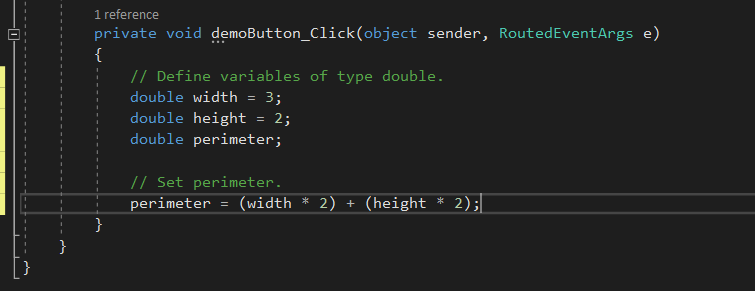
Looking back at Visual Studio for the context of that information: width, height, and perimeter are variables - they live inside of a method. Both variables and fields are placeholders for data. They are a storage location allocated in memory to hold information. The three aforementioned variables are of type double. The first two have a default value specified, and perimeter does not. Booleans in C# default to false, ints, decimals, and doubles default to 0. Strings do not have a default value and are therefore null.
The three variables as mentioned previously are defined inside of a method - an event handler. When the code executes the last curly brace and the method finishes, the three variables within it cease to exist. The lifetime of the variable is referred to as its scope. If a breakpoint was set on the opening curly brace of the method and the application is started:
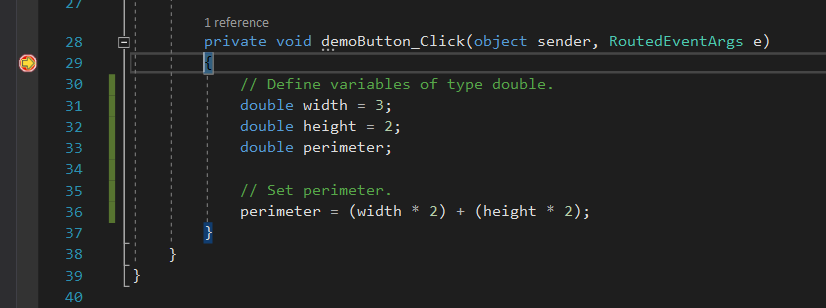
Right now, since the current line is on the curly brace, the method has not happened. So those variables do not exist. When gone into the method the variables will come into being.
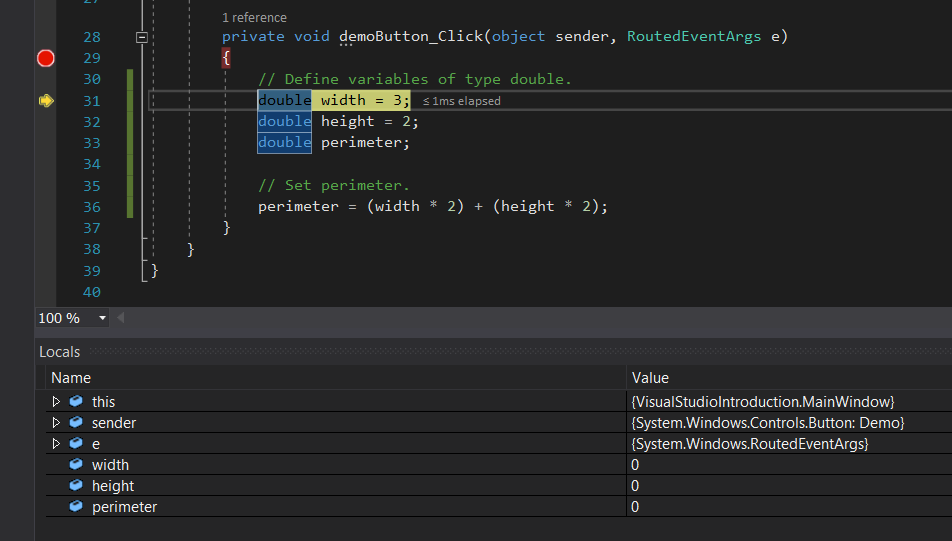
They will begin with their defaulted values. Since all three of them are doubles, the default value for each of them is 0.
After going over the line that assigns the variable, the value will change to the one that is displayed:
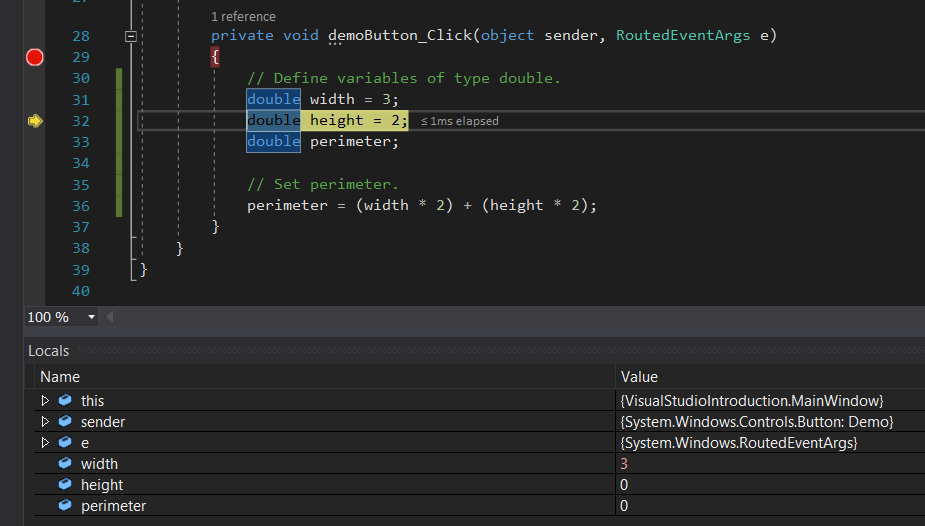
The width variable now has a value of 3. You can hover your mouse cursor over the variables to see their value, but the moment that you pass the closing curly brace of the method:
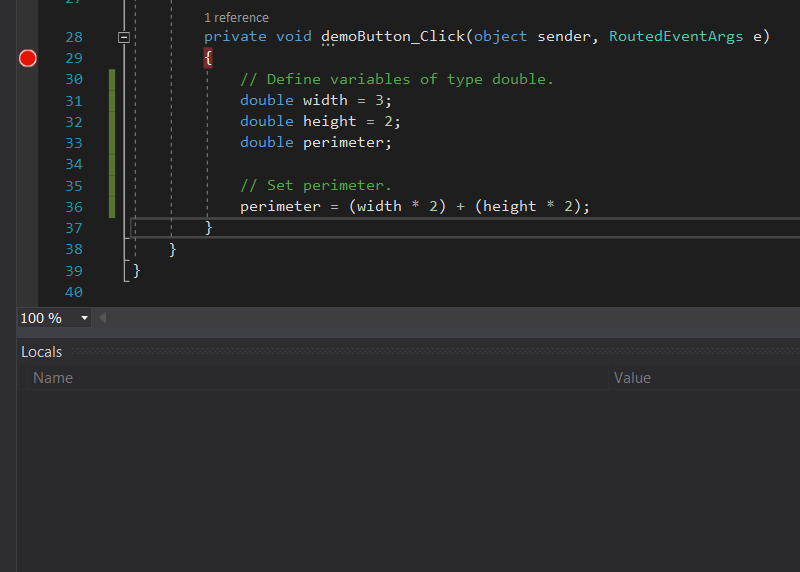
The variables are gone. They are out of scope.
Looking back at definition - when a variable (or field) is defined, the structure is that
The type, the name, and optionally a default value

As for fields, currently there are no fields in this MainWindow. So a field will have to be added to it.
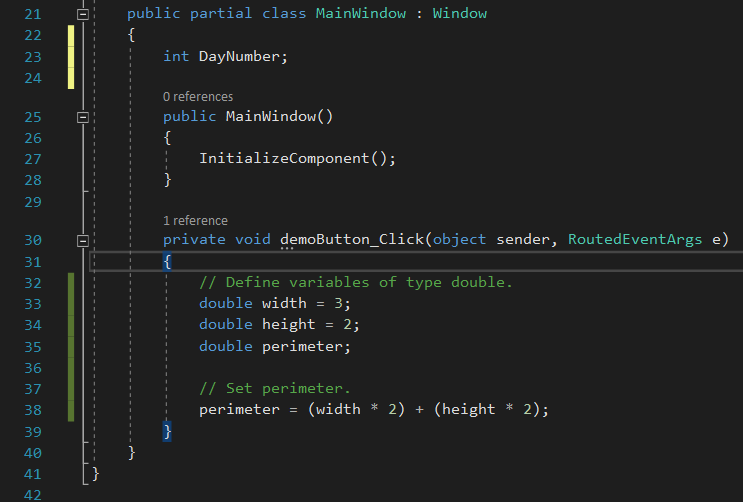
The only differences between DayNumber and the three variables below are the locations in which they are defined. The three variables below will die when the method dies. The DayNumber field at the top will live as long as the object itself (The MainWindow) lives. It’s not until the second to last curly brace (The one that corresponds with the Window itself) is hit that the field is no longer relevant.
It is very pivotal to know the difference between variable assignment and definition:

This line is not a variable definition - You are not defining the variable perimeter as anything. The perimeter variable was already defined previously, this line is assigning it to a value.

And this is not a variable assignment. You are defining the variable as type double, but not assigning it as anything.

This is both defining a variable as type double, and assigning it to a value of 2. The blue text of the word double is significant because it is what denotes that it is the type of the variable.
Looking into the Dog class I have in this application:
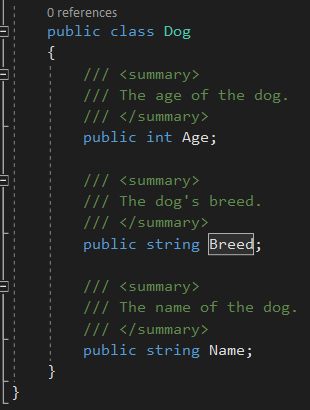
The dog has three fields, Age, Breed, and Name. Breed and Name are of type string, and Age is of type int.
Because the Dog class exists, you could make a variable of the custom type of Dog in the MainWindow.
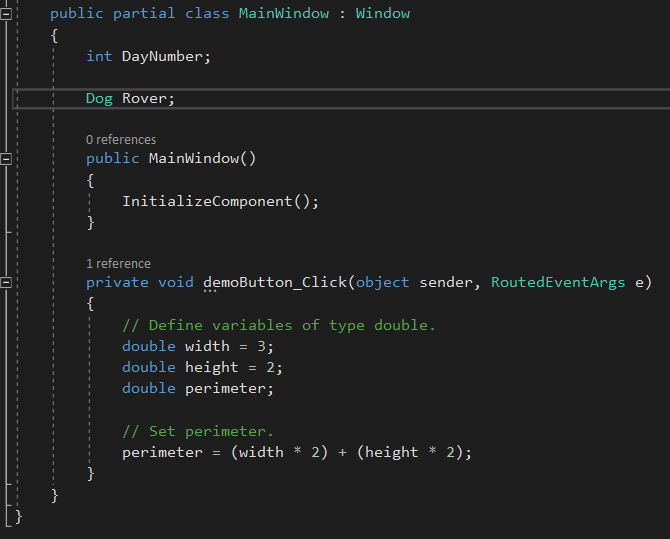
There is now a field named Rover of type Dog. Let’s make a variable of type Dog.
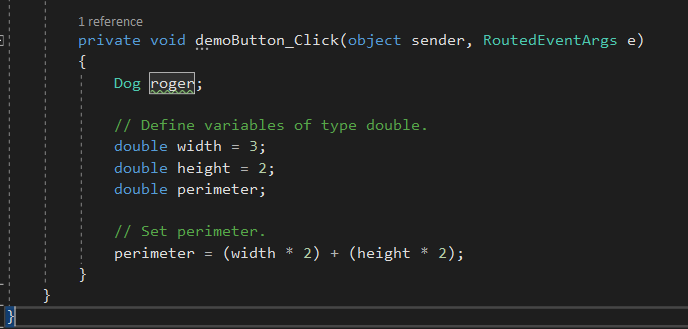
This dog’s name is Roger, and similar to the other variables it only exists within the method it is created in. Rover will live as long as the MainWindow does.
This will be revisiting fields, variables, comparing the two, and emphasizing how you reference objects in either way and the differences between the way you define those references and some standards in how you view those references. It will also cover how you should - and should not - reference variables and fields by name.
The example that was used to first teach Class Diagrams was using a car, so this will be going back to that.
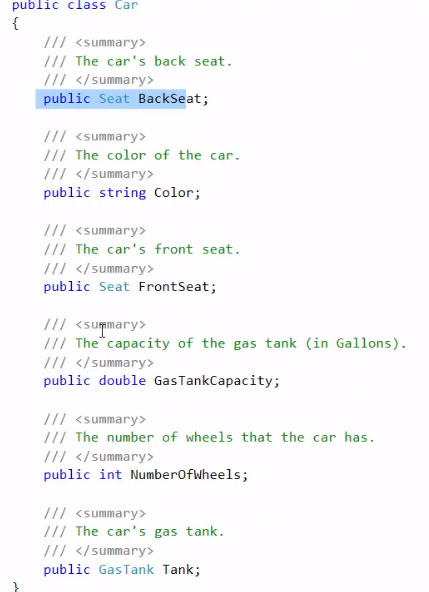
So we have a Car class with six fields, some of them reference other classes.
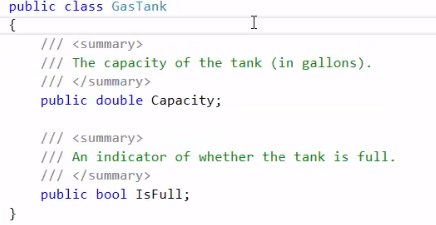
A GasTank class with two fields.
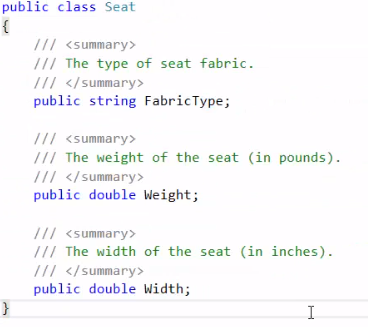
And a Seat class with three fields of its own.
So in the MainWindow there is a Demo button. The Car will be referred to in the same way that the Zoo was previously. The type first - in this case Car - and then the name of it, which will be escort.
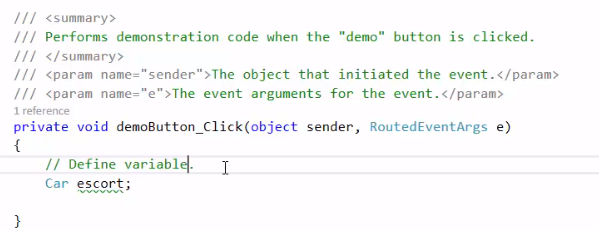
What is the above line of code doing? It is defining a variable.
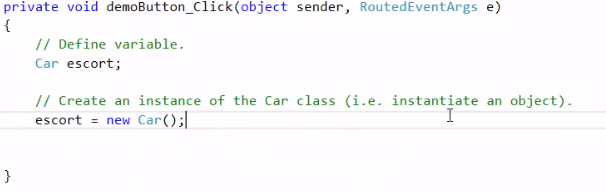
Remember the terminology - All of those inside of methods will be referred to as variables. They will lose their value at the end of the curly brace, and that is their scope. They will only live as long as they are within the two curly braces. When the button is clicked, the car will come into memory, and when you pass the closing curly brace, it will disappear. The scope is only as long as the button is being clicked and the code is being run.
The next thing to be done is to create an instance of the car class. Remember that it is creating an INSTANCE of the class, and not creating the class itself.

This line will create an instance of the class and assign it to the escort variable.
Note that if the escort variable was named Escort with a capital E, this is the StyleCop warning that you would get
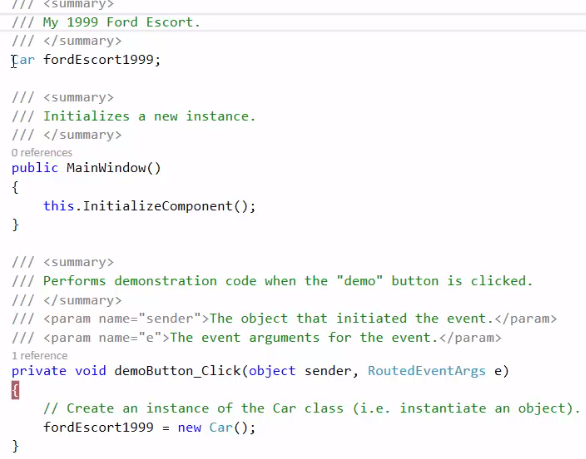
Variables should begin with a lowercase letter. They also cannot have spaces in their names or start with numbers.
A proper way to name a variable that would otherwise have spaces and numbers would to be to format it as this: fordEscort1999. If one wanted to make the variable a field instead, that could easily be done:
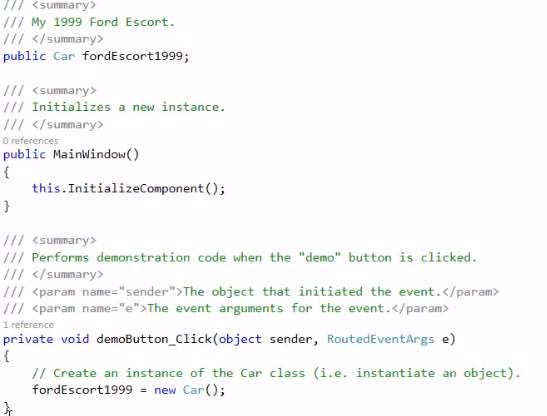
StyleCop does not like this either however, it wants an access modifier. An access modifier is a word like public or private preceding the type and name of the field. Because variables are temporary they do not need access modifiers.

The field now has an access modifier of public. Do note that if you make the field public and run StyleCop you will get a warning saying that fields must be declared with private access.
There is a line of code that will be given to you when you are given your assignments. This line will suppress the StyleCop warning that says it must be private. Public vs. Private is important and will be spoken of at a later date, but for now just make fields public.
Right now the field fordEscort1999 starts with a lowercase letter. But because it is a PUBLIC field StyleCop will tell us to change it to start with an uppercase one to conform to the style it wants.

There is one more StyleCop warning that should be adhered to:
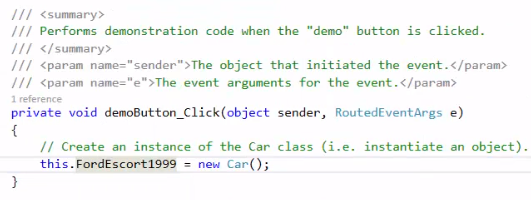
StyleCop wants the word this. If you refer to a field of yourself. This. refers to your current object instance. So that line is saying go to “this” class, to “this” field, and set it to a new Car.