Say we have a method in the Food class that returns a decimal.
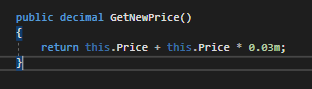
If we call that method from the MainWindow like this...

...and run the application and step over the call...
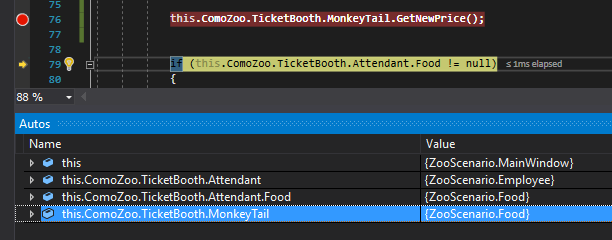
...there isn't anything we can use from that. We should be able to see a value of 5.15 somewhere. Also notice that Visual Studio has not produced any errors. The application will continue to run properly even though information is missing.
To 'get' or 'catch' that information, then, there needs to be a place to store it. To do that we need to define a variable of the same type as the return and assign it to the call.

Now when we run the application and step over the call, the return of that method is caught and stored in the newPrice variable.
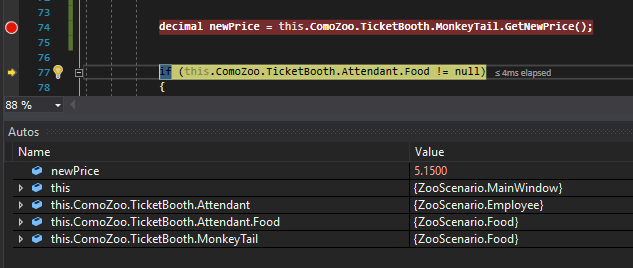
We can then use that variable for other things like giving the MonkeyTail a new price.

Catching a return is not limited to just variables, though. You can properly catch a return by assigning it directly to a field as well. For instance, we can shorten up the previous code by doing this:

Of course this works only because the Price field is of type decimal and the return is of type decimal. If we were to try and assign the return to a field of type string we would get an error.
