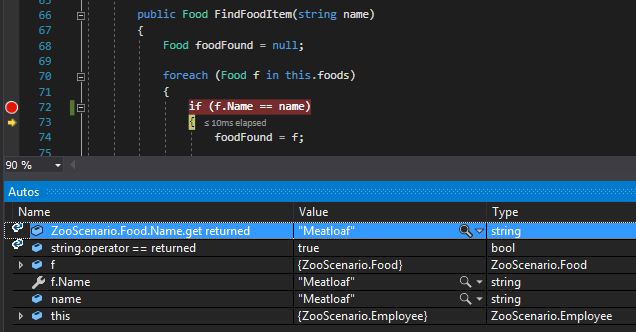
Properties are very much like wrapper methods in that they return a value from a class. Properties are used in a class when we want other classes/objects to have the ability to either read or change the private value of a class/object. In the case of a property getter, they make a private field act as if it is readonly from outside the class.
The Food class has a private field of type string named name.
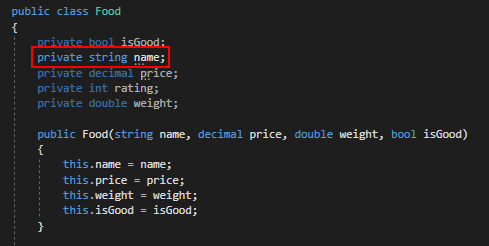
This means that the only place that is accessible is from inside of this class. This poses a problem because we have a method outside of this class that wants to use a Food object's name.
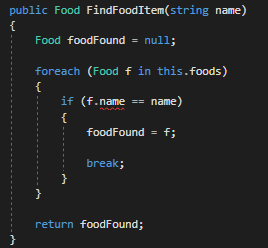
The error we get will tell us that we can't access a private field.

We can get the value from the name field, though, by using a property to "get" the value. To do this we will define a property in the Food class named Name that returns a string.
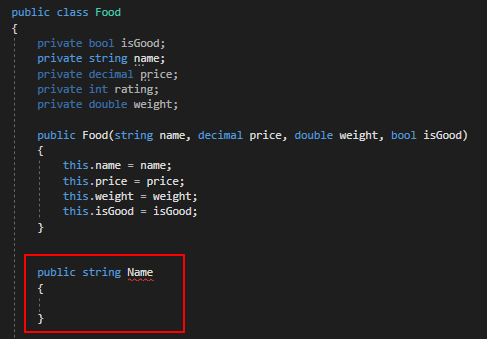
Properties will always be public to allow other classes access to them, the capitalized version of the field it refers to and the return type that is the same as the field's type. Next, we need to indicate that the property wants to "get" something.
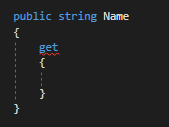
Inside this get syntax is where we will return the value of the field. It is incredibly important that you reference the private field using lowercase. If you use uppercase in the property it will cause the property to continually reference itself and will cause a recursion error.
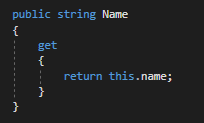
Now if we go back to the Employee class where we are trying to access the name field we can see that the error still exists.
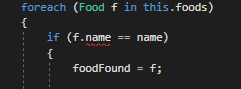
To get the property to work correctly we need to change the name field reference to call the Name property instead.
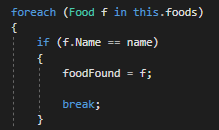
So when we step over the property call it will show that it returns the string "Meatloaf" just like a method would.