A web browser is an application that allows you to access different items on the web.
When you go to a website, the web browser goes to whatever server the content for that site is located and retrieves it. Then, it renders that information for you to view.
By default, Windows has Microsoft's web browser, Edge, installed. Edge is automatically set as Window's default browser. Any links to sites will open up in Edge.
To change the default browser, you have to first download a new browser. The three most commonly used browsers are Chrome, Firefox, and Safari. We reccomend you use Chrome.
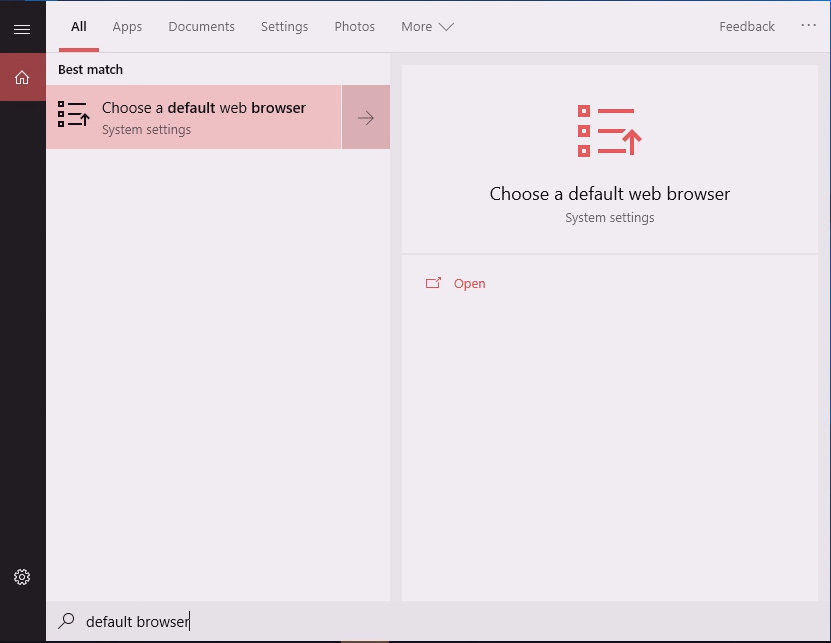
After downloading a new browser, in the search menu, type in "default browser" and click on "Choose a default web browser".
Under Web browser, click on the current web browser and a pop up menu will appear. Select your new default browser.
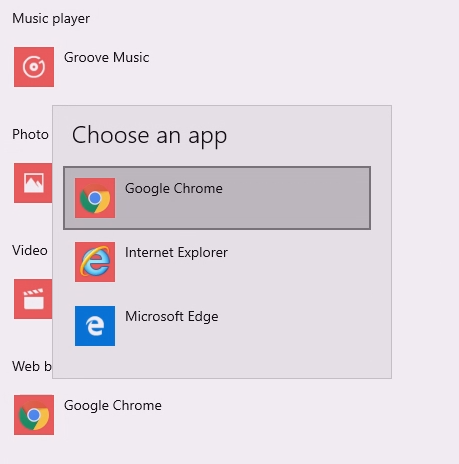
You have now changed your default browser.