For this example we will be using the code below.
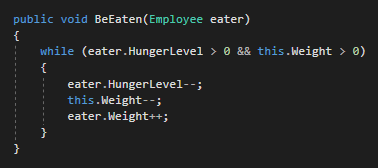
This code checks if the eater's HungerLevel is greater than 0 and if the Weight of the food is greater than 0. If both of those conditions are true, then the code inside the curly braces will execute. If either of those conditions are false the code inside the curly braces will not execute.
However, since it is a while loop, the conditional statement will be checked again after the code in the curly braces executes.
To represent this in an Activity Diagram it would look like this:
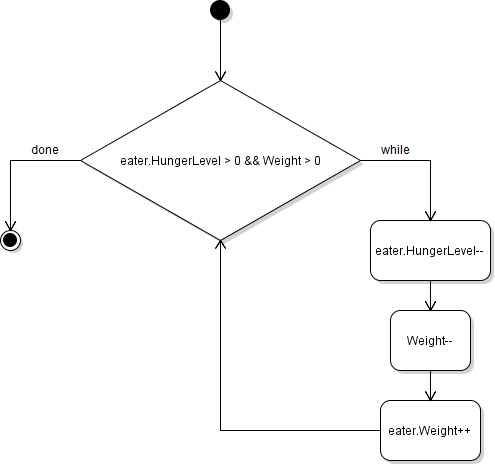
Note that after the last Activity box if the condition is true, an arrow goes back into the conditional statement. This represents the While loop executing again.