Match Syntax to the Stop Rule
- New
- Changed
- Removed
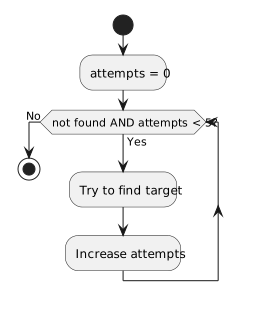
The first loop is a straightforward full traversal. The second stops either when found becomes true or when attempts reaches five. Both checks are visible before each body pass. Choose the form that makes the rule easiest to read and verify.
A while loop can also count a fixed range, and a for loop can contain a more complex condition. These are readability guidelines, not restrictions imposed by C#.
Trace the Outcome
For an array of five values, identify the first and last indexes visited by the for loop. For the while loop, predict behavior if found becomes true after two attempts.