- New
- Changed
- Removed
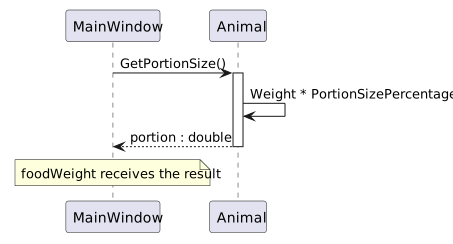
Use Locals while paused in Animal to inspect the method’s local variable, then use Locals again in MainWindow to inspect foodWeight. In Date Night, follow the same pattern for any method that returns a calculated total: inspect the inputs, the value at return, and the receiving variable.
If the value changes unexpectedly, identify the first line where it differs from your prediction. Check whether the caller used the returned value or accidentally reused an earlier local value.
For an animal with Weight 35.3 and PortionSizePercentage 0.016, predict a portion of 0.5648 before running the program. While paused, distinguish the field on this from the local portion. If those values agree but foodWeight differs, check the object on which the caller invoked the method and whether a second assignment changed foodWeight afterward.